 clipoven
You’ve got a horizontal podcast, stream, interview, or screen recording, and the next publishing deadline calls for several polished 9:16 clips for TikTok and YouTube Shorts. The footage is usable, but turning it into vertical videos still means finding the strongest moments, removing dead air, tracking the speaker, styling captions, checking context, and making sure every export looks intentional.
An automatic video editor can automate some or all of those tasks, but the tools don’t solve the same repurposing problem. One may discover highlights in a long recording, while another is better at dialogue cleanup, branded templates, local batch processing, or final timeline control. Adobe’s 2026 creator survey reflects how normal this workflow has become. It reports that 71% of creators have used AI video generation or editing tools, 41% use them weekly, and 56% save over 30 minutes per video (Adobe survey data).
That speed still belongs mostly to the first pass. You’ll need to review the hook, context, subject framing, caption timing, pacing, and brand fit before publishing. The comparison below ranks each tool by the repurposing job it handles best, with ClipOven included as the purpose-built vertical short-form option.
Table of Contents
- 1. ClipOven
- 2. OpusClip
- 3. Munch Studio
- 4. Dumme
- 5. Wisecut
- 6. Vizard
- 7. CapCut
- 8. Descript
- 9. Kapwing
- 10. Auto-Editor
- Top 10 Automatic Video Editors, Feature Comparison
- Choose the Workflow You Can Review Consistently
1. ClipOven
A gaming stream, interview, or podcast may already contain usable moments, yet its horizontal framing still makes each short feel unfinished on a vertical feed. ClipOven targets that conversion step. Its agentic editor, Eddie, accepts a description of the desired style and assembles cuts, animated captions, reframing, pacing, and effects for a 9:16 short. One workflow can replace separate clipping, captioning, and timeline passes.
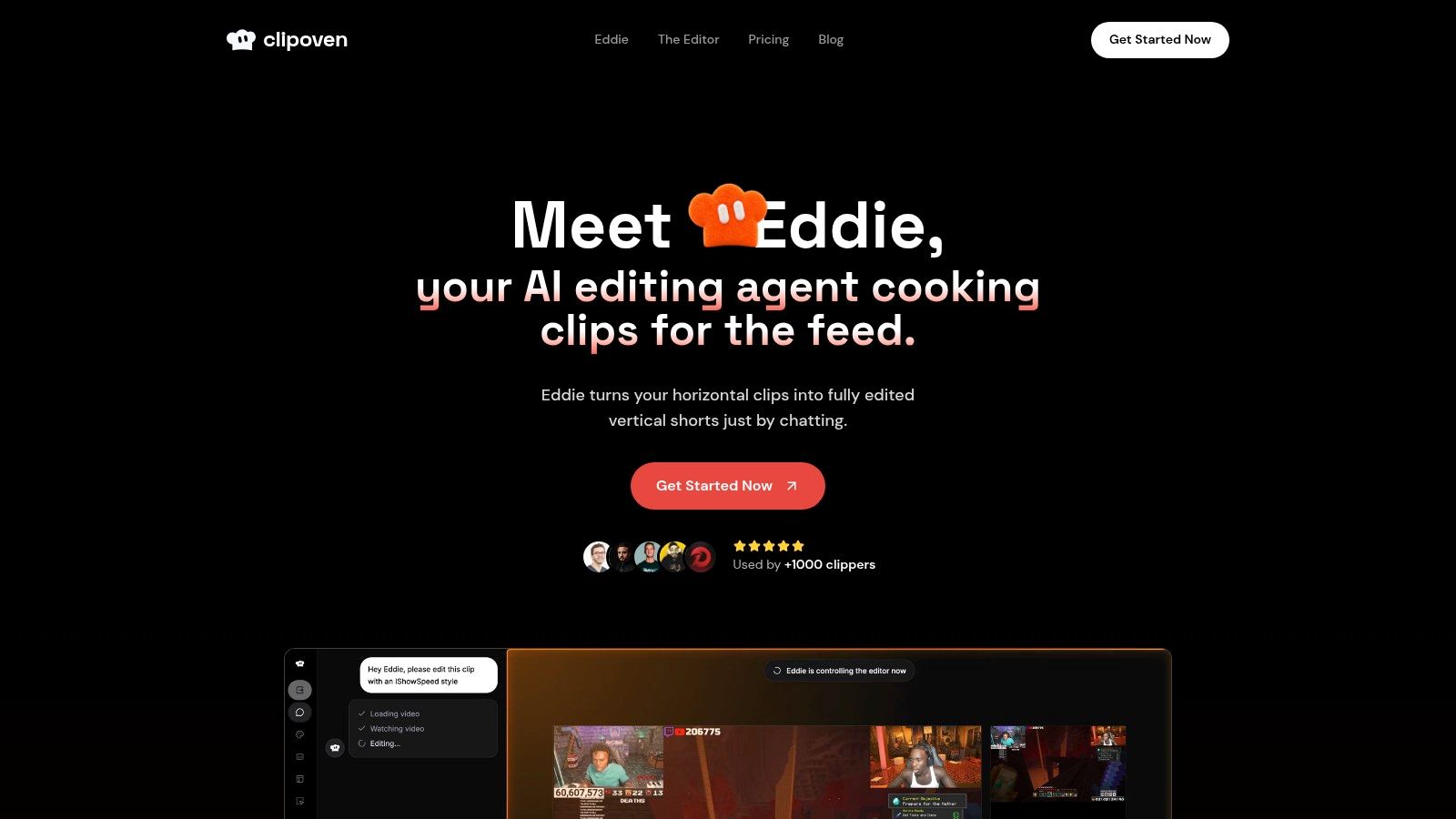
Best for vertical-first finishing
ClipOven is built around short-form vertical production rather than adapted from a general long-form suite. Subject-focused reframing keeps the speaker or gameplay action in view, while animated captions and tighter pacing suit mobile playback. Eddie handles the first assembly, but the full timeline editor remains available for exact cuts, caption timing, transitions, and effects. That combination makes the tool more useful when the editor needs speed without giving up review control.
The asset workflow also supports branded finishing. Audio effects, images, GIFs, and stickers can be layered within the same editor, followed by export in 2K vertical resolution for Shorts and TikTok. Its intended users include Twitch and gaming clippers, Shorts and TikTok creators, social teams, publishers, freelancers, and small agencies.
The main limitation appears in context-heavy material. A generated opening can sound compelling while omitting the question, qualification, or setup that makes the statement accurate. Review the first seconds, speaker framing, caption timing, pacing, and brand treatment before publishing. Gameplay also needs a check that reframing preserves the relevant action rather than centering a face.
Practical rule: Let Eddie create the first assembly, then edit it as a draft. Confirm that the hook works without the surrounding conversation.
ClipOven uses credit-based Hobby and Pro plans with monthly or yearly billing. Hobby includes 1,000 credits per month, roughly eight one-minute clips as a guide. Pro tiers include 3,000, 7,000, or 10,000 credits monthly, estimated at roughly 30, 70, or 140 one-minute clips. The ClipOven pricing information lists these estimates and plan details. All plans include Eddie, full editor access, and unlimited daily project creation. High-volume teams should therefore track credit consumption, since the Hobby allowance may constrain repeated production.
Its workflow fit is clear: choose ClipOven when wide footage needs editable, branded vertical finishing, and keep human review for context, timing, and creative judgment.
2. OpusClip
OpusClip is designed around one specific problem, finding usable moments inside long videos and turning them into a batch of short-form candidates. Upload a podcast, stream, interview, or talking-head recording, and the cloud workflow identifies highlights, creates vertical versions, applies captions, suggests B-roll, and ranks candidates with a Virality Score.
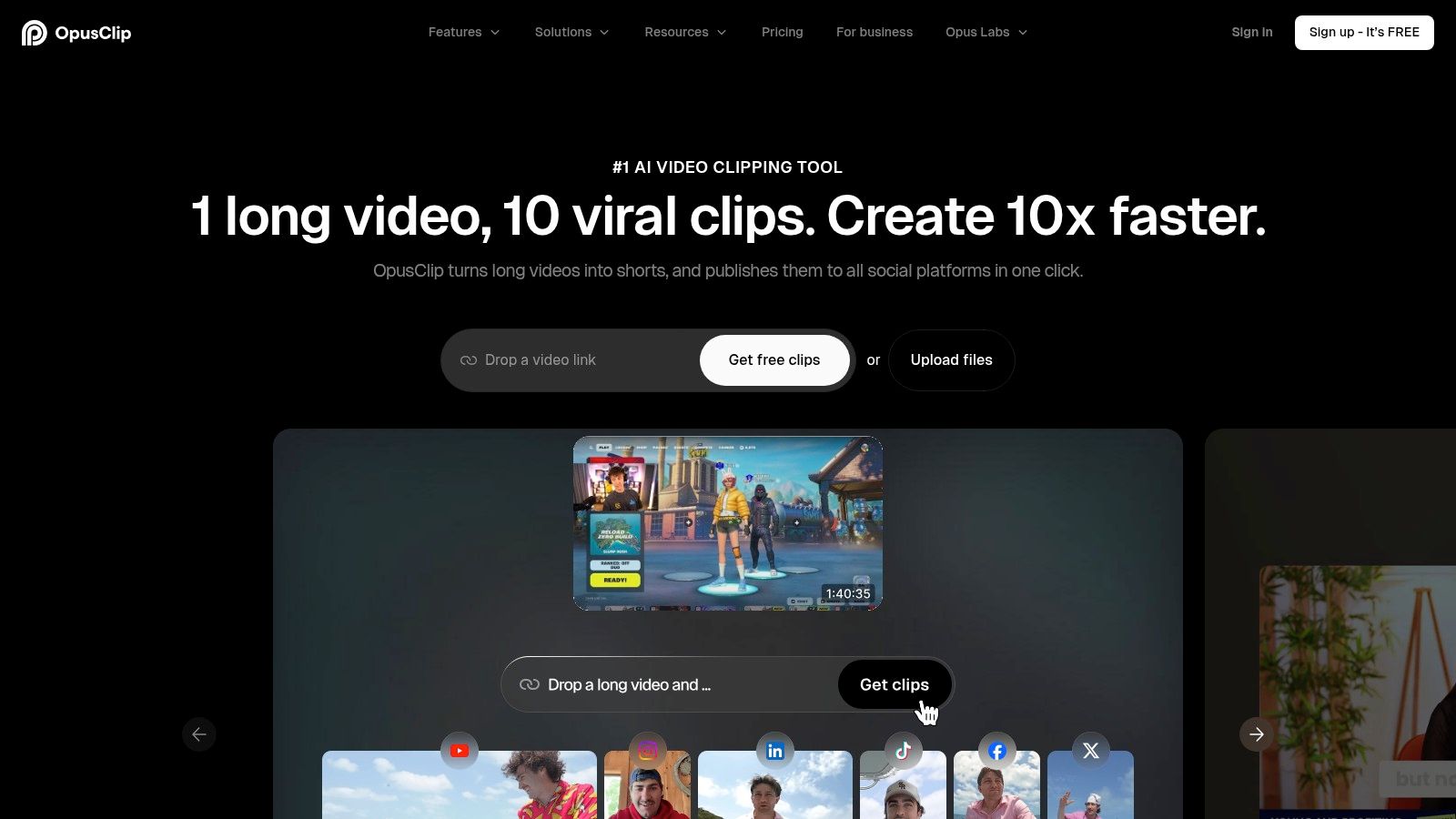
Best for long-form highlight discovery
This is the tool to prioritize when searching the source recording takes longer than polishing the final clips. OpusClip supports 9:16, 1:1, and 16:9 reframing, animated captions, B-roll suggestions, team workspaces, and direct posting or scheduling. Its strongest contribution is candidate generation, not final editorial judgment.
The Virality Score can help you sort a large group of outputs, but it shouldn’t be treated as a prediction of actual audience performance. A clip may contain an attractive hook and still lack context, resolve a point too late, or use a caption layout that competes with the speaker. Human review remains necessary, particularly for podcasts where the strongest statement may depend on the preceding question.
Before exporting, confirm that the crop preserves the active speaker and that the chosen aspect ratio matches the destination. This guide to YouTube video size and ratio is useful when checking whether the final frame is prepared for the intended platform.
OpusClip uses credits tied to processing minutes, with annual credit options available. The plan structure is relatively clear for self-serve users, but teams should verify how credit consumption maps to their source footage before committing. Choose it when discovery and bulk output matter more than a highly controlled, brand-specific finishing process.
3. Munch Studio
Munch Studio sits closer to a content operations system than a simple auto-clipper. It finds highlights, creates captions, resizes content for social platforms, applies branding, generates platform-specific copy, and supports planning and scheduling. That combination makes it more relevant to marketing teams and agencies that need to move from one recording to a coordinated publishing workflow.

Best for branded production and distribution
A clip-only tool answers, “Which moments should become shorts?” Munch Studio also addresses, “How should those moments be packaged and distributed?” Its platform-specific copy, branding controls, content planning, relevance scoring, scheduling, analytics, and team workflows create a better fit for repeatable marketing production than for a solo creator making occasional clips.
That broader workflow can save time after the edit is technically complete. A social team may need consistent brand treatment, different copy for each destination, and a way to coordinate several posts from a shared workspace. Munch Studio brings those tasks into the same operating environment instead of leaving them to spreadsheets and separate publishing tools.
The limitation is that more workflow coverage can mean less simplicity. Pricing and plan names have changed with the product’s rebrand, so prospective users should verify current details directly with Munch Studio before comparing it with clip-only platforms. Its entry cost may also be higher than a lightweight automatic editor, especially if a creator only needs cuts and captions.
Human review should focus on brand voice, platform-specific claims, and whether the selected highlight represents the speaker accurately. Munch Studio is most compelling when consistency, planning, and distribution are part of the editing brief. It’s less compelling when you want the shortest possible path from a single recording to one manually refined short.
4. Dumme
Dumme is built for speech-driven source material where context matters as much as visual energy. It ingests long videos and podcasts, identifies cohesive moments, and produces shorts with captions, titles, and descriptions. You can also pull source content from YouTube, Spotify, and Twitter links, which reduces setup for creators who already publish their recordings on those platforms.
Best for dialogue-led repurposing
The main advantage is narrative cohesion. A useful podcast clip shouldn’t begin halfway through a thought just because the sentence contains a strong phrase. Dumme’s highlight workflow is oriented toward complete conversational moments, which makes it a sensible candidate for interviews, podcasts, commentary, and other dialogue-heavy formats.
It also supports multilingual captions and subtitles, plus platform-ready exports and direct upload to Shorts, TikTok, and Instagram. That can shorten the handoff from source discovery to publishing, but captions still need inspection. Auto-generated text can misidentify names, technical terms, accents, or speaker changes, and a translation can be grammatically correct while still sounding wrong for a brand or region.
Dumme’s public homepage provides limited granular pricing information, and third-party listings may not align. Confirm current plan details inside the product or through the Dumme website before building a recurring workflow around it.
Use Dumme when the central editorial question is, “Which complete exchange deserves a short?” Keep a human in the review loop for the opening context, subtitle accuracy, translation tone, and whether the description matches what the clip says. It’s particularly useful for teams that value low-friction ingestion and coherent dialogue over elaborate visual styling.
5. Wisecut
Wisecut solves a narrower problem, and that focus is its strength. It targets talking-head and speech-heavy footage by removing silences, tightening jump-cut pacing, balancing background music with auto-ducking, enhancing studio voice quality, generating captions, and reframing video for vertical output.
Best for dialogue cleanup
If a creator records a single-camera explanation in one take, Wisecut can handle the mechanical cleanup that usually consumes the first editing pass. Removing pauses and dead air creates a tighter version without requiring the editor to locate every gap manually. The browser-based workflow also keeps the process approachable for solo creators who don’t want a complex desktop setup.
The tool is less suitable for footage where meaning depends on visual continuity. Multi-scene edits, layered B-roll, fast gameplay changes, product demonstrations, and carefully designed montage sequences can expose the limits of a silence-first approach. Cutting every pause may make a speaker sound rushed, while jump cuts can become repetitive if the source already has an aggressive delivery style.
Silence removal is a draft, not a final pacing decision. Preserve pauses that create emphasis, uncertainty, humor, or a natural transition between ideas.
Wisecut’s captions, vertical reframing, music bed, auto-ducking, and voice enhancement can produce a useful first pass, but review the audio transitions and every cut around a meaningful gesture or visual demonstration. Choose Wisecut when cleanup is the bottleneck, not when you need advanced highlight discovery or a heavily branded short-form package. Explore the Wisecut automatic editor with representative talking-head footage rather than a perfectly rehearsed demo.
6. Vizard
Vizard is a practical option for creators and brands that want to extract many highlights from long recordings with minimal setup. It generates clips, applies caption templates, creates aspect-ratio variants, and adds scheduling, storage, and team collaboration according to the plan.
Best for bulk highlight extraction
The workflow is straightforward. Give Vizard a long video, review the suggested clips, and move the promising candidates toward export or scheduling. That makes it useful for podcasts, webinars, interviews, streams, and other source formats where one recording can support a steady short-form pipeline.
Its self-serve plans and feature matrices make it easier to compare workspace needs, storage, scheduling, and collaboration requirements before adoption. B2B review platforms have also reviewed it positively, but that doesn’t eliminate the central weakness shared by automatic clipping tools. Selection accuracy is still imperfect, and an algorithm can favor a self-contained sentence over the moment that best represents the creator’s argument.
A good review pass should compare the top suggested clips with a few manually marked moments from the original recording. If Vizard repeatedly misses the same type of moment, such as visual demonstrations, dry humor, or answers that require a question for context, the team should adjust its expectations rather than publish every high-ranked candidate.
The Vizard AI clipping platform is a strong fit when volume and repeatability matter. It’s less attractive for a creator who wants the AI to assemble a highly specific visual style and then refine every detail in one integrated timeline. Treat its output as a ranked editorial queue, not a finished content calendar.
7. CapCut
CapCut combines automatic social formatting with a broad manual editing environment across desktop, web, and mobile. Auto Reframe, auto-captions, templates, effects, music, and direct posting support the fast-moving needs of Shorts and TikTok creators, while the timeline leaves room for hands-on decisions.
Best for hands-on social finishing
CapCut is useful when the AI can handle repetitive setup but the creator wants to direct the look and feel. A template can establish the visual language, auto-captions can create the text layer, and Auto Reframe can prepare a vertical composition. The editor can then adjust timing, effects, music, transitions, and caption styling to make the result feel less generic.
That flexibility also means the tool doesn’t automatically solve content selection. You may still need to choose the strongest moment from a long recording, decide where the hook begins, and remove context that won’t survive a mobile feed. Templates can speed up production, but overuse can make unrelated clips look interchangeable.
Some features, including Auto Reframe, may require Pro access, and pricing or feature availability varies by region and device. Check the current details on the CapCut video editor before standardizing the tool across a team.
CapCut works best for social finishing after the editorial idea is clear. It’s a better choice than a fully autonomous clipper when the creator wants to make deliberate visual decisions. Review auto-captions for names and jargon, inspect the crop around active speakers, and confirm that music doesn’t overpower dialogue. The platform’s wide feature set can save time, but it can also tempt editors into polishing a weak clip instead of replacing it.
8. Descript
Descript approaches automatic editing through the transcript. The editor generates a text representation of the recording, and deleting words from that transcript deletes the corresponding video or audio. For podcasts, video podcasts, tutorials, and narrated explainers, that interaction can be faster than searching through a timeline for every verbal mistake.
Best for manual refinement after automated cleanup
Descript’s remove-filler and gap-editing tools can create a quick rough cut, while Studio Sound handles audio enhancement. Captions and silence shortening add useful support for social exports, and overdub-style fixes can help correct a small spoken error without returning to the recording setup.
The review burden is easy to underestimate. Aggressive filler and gap removal can produce choppy pacing, awkward reaction shots, or cuts that remove the breathing room a speaker needs. Editors should read the transcript for meaning, then watch the resulting video for rhythm. Text can look clean while the visual edit feels unnatural.
Descript uses an AI credit and minute system for advanced features, so teams should track which operations consume usage before processing large libraries. The transcript-led model is powerful for refinement, but it isn’t the same as an automatic highlight discovery system.
Editorial test: Read the edited transcript, then watch the cut with sound. Both versions need to make sense, and neither should make the speaker sound mechanically compressed.
For creators comparing agentic workflows, this overview of Eddie, ClipOven’s AI editing agent shows a different model, chat-led assembly followed by timeline control. Choose the Descript editor when dialogue cleanup and precise text-based corrections are the main job.
9. Kapwing
Kapwing is a browser-based editor for quick social production, with Smart Cut, auto-subtitles, translation, text-to-speech, clean audio tools, brand kits, and templates. It fits teams that need several lightweight editing tasks in one accessible workspace rather than a specialist system for one source format.
Best for adjustable social polish
Smart Cut removes silences and finds scenes, but its adjustable sensitivity gives editors more influence over pacing than a single fixed automation setting. That matters for short-form dialogue, where a pause can be either wasted space or part of the delivery. Auto-subtitling and translation support localization, while brand kits help keep fonts, colors, and recurring visual elements consistent.
Kapwing is also useful when a social team needs to produce variations quickly in the browser. The tradeoff is that its free tier has notable limits, and advanced AI operations are tied to credits. Pro and Teams access may be necessary for regular production, so verify the current structure on the Kapwing editor before estimating ongoing usage.
Human review should concentrate on translated captions, line breaks, and timing. Trend coverage identifies captions and subtitles as among the most adopted AI editing features, while major editing software now supports caption translation in 27+ languages (accessibility and localization trend coverage). That breadth doesn’t guarantee readable typography, accurate dialect handling, or on-screen timing that works across regions.
Kapwing is the right fit for fast browser-based finishing with adjustable automation. It isn’t the strongest choice when the source is a long recording and the hardest task is discovering the best moments.
10. Auto-Editor
For a long recording that needs repetitive pauses removed before editing, Auto-Editor takes a local, scriptable route. It detects low loudness and can use motion or subtitles as additional cutting signals. Because processing runs locally and command-line automation is available, technical users can create a repeatable first pass without uploading footage to a SaaS platform or adding a subscription.
Best for local automation
Auto-Editor is not a full creative suite. It lacks built-in social scheduling, styled captions, and integrated timeline polish found in tools such as ClipOven, CapCut, or Kapwing. Its value is narrower and practical: configurable silence removal across lengthy recordings or batches of files.
That makes it useful inside a larger repurposing pipeline. A technical editor can script dead-space cleanup, inspect the cuts, then move the result into another editor for vertical reframing, captions, branding, and final review. Local processing also fits footage that cannot be uploaded to a third-party service. The tradeoff is operational: free local tooling avoids hosted credit costs, while hosted editors reduce setup and maintenance time.
Human review remains necessary for pacing and selection. A quiet pause may contain emphasis, a reaction, or an intentional transition, so detection settings cannot determine whether a moment deserves publication. The editor must also check for abrupt cuts before the video moves to a social workflow.
Installation and configuration demand more technical comfort than browser-based alternatives. Users need to understand how detection settings affect pacing and validate the resulting output. Choose the Auto-Editor open-source tool when local processing and scripting matter more than an all-in-one creative experience. It handles repetitive dead space efficiently, while a separate review pass decides what stays and how the final short should look.
Top 10 Automatic Video Editors, Feature Comparison
| Product | Core features | UX / Quality ★ | Price / Value 💰 | Target 👥 | Unique selling point ✨ |
|---|---|---|---|---|---|
| clipoven 🏆 | Agentic chat editor (Eddie), auto-reframe 16:9→9:16, animated captions, timeline editor, 2K export | ★★★★☆, AI assembly + manual polish | 💰 Credit tiers: Hobby 1,000; Pro 3k / 7k / 10k (monthly/annual) | 👥 Twitch/gaming clippers, Shorts/TikTok creators, social teams, small agencies | ✨ Chat→editable timeline workflow, subject‑centric reframing, consistent 2K output |
| OpusClip | Auto-detects moments, Virality Score, reframing, B-roll suggestions | ★★★★☆, very fast long→short pipeline | 💰 Credit-based processing minutes; annual credit banks | 👥 Creators repurposing podcasts, streams, talking-heads | ✨ Virality Score + hook generation; multi-aspect reframing |
| Munch (Munch Studio) | Auto-clips, platform copy, branding application, planning & scheduling | ★★★★☆, end-to-end content ops | 💰 Higher entry; team/agency plans | 👥 Marketing teams & agencies | ✨ Strategy + distribution (planning, scoring, scheduling) |
| Dumme | Narrative-aware highlight detection, multi-language captions, direct uploads | ★★★★☆, strong for dialogue/podcasts | 💰 Pricing often private / requires signup | 👥 Podcast creators & context-sensitive speech content | ✨ Preserves conversational context; multi-language support |
| Wisecut | Silence removal, auto-cuts, auto-captions, music auto-ducking | ★★★★☆, fast cleanup for talking-heads | 💰 Affordable browser tiers | 👥 Solo creators, vloggers, talking-head videos | ✨ Auto-silence + auto-ducking for tight pacing |
| Vizard | Bulk highlight extraction, caption templates, scheduling, team features | ★★★★☆, efficient for volume workflows | 💰 Transparent self-serve plans; storage quotas | 👥 Brands & creators needing bulk repurposing | ✨ Bulk extraction with team/collab + scheduling |
| CapCut | Auto Reframe, templates, auto-captions, effects, direct posting (desktop/web/mobile) | ★★★★☆, rich templates, widely adopted | 💰 Free core + Pro features (regional gating) | 👥 Short-form creators wanting manual + auto tools | ✨ Large template library & cross-platform apps |
| Descript | Transcript-driven edit, Studio Sound, remove-filler, captioning | ★★★★☆, excellent for audio/podcast workflows | 💰 Tiered plans + AI credit/min limits | 👥 Podcasters & video-podcast editors | ✨ Text-based editing (edit via transcript) + audio enhancement |
| Kapwing | Smart Cut, auto-subtitles & translation, TTS, brand kits | ★★★★☆, fast web workflow | 💰 Free tier limits; Pro/Teams for advanced features | 👥 Social teams & creators needing quick web edits | ✨ Web-first tools with translations & brand kits |
| Auto-Editor (OSS) | Silence/motion/subtitle-aware cuts, CLI batch processing, local runs | ★★★★☆, very fast & scriptable (technical) | 💰 Free (open-source), no subscription | 👥 Power users, devs, automated pipelines | ✨ Local, scriptable automation, no SaaS fees |
Choose the Workflow You Can Review Consistently
The best automatic video editor isn’t the one with the longest feature list. It’s the one that produces a first pass your team can review quickly and correct consistently. Current market evidence supports that distinction. The global AI-powered video editing software market was valued at USD 563 million in 2024 and is projected to reach USD 953 million by 2032, while the same market report cites 58% adoption of AI-assisted editing and a 42% improvement in workflow efficiency (AI-powered video editing market data). Growth doesn’t make every automated output publication-ready.
Choose ClipOven or another vertical-first workflow when the main work is converting horizontal footage into a short with deliberate reframing, readable captions, tighter pacing, and a timeline for final refinement. ClipOven is particularly suited to creators and social teams that want Eddie to assemble the first version but still need precise control over cuts, assets, captions, and effects.
Choose OpusClip, Munch Studio, Dumme, or Vizard when discovery is the bottleneck. These tools are more useful when one long recording must produce a queue of possible shorts. Munch Studio adds planning, branding, and distribution, while Dumme is a natural candidate for context-sensitive dialogue. OpusClip and Vizard are practical for broad highlight extraction, but their rankings should guide review rather than replace it.
Choose Wisecut or Descript when the source is already selected and the problem is dialogue cleanup. Wisecut is strongest for silence removal and tightened talking-head delivery. Descript gives editors transcript-driven control, but both workflows need a watch-through for unnatural jump cuts, missing context, and overly compressed speech.
Choose CapCut or Kapwing for hands-on social finishing. They’re useful when a creator wants automatic captions, resizing, templates, and cleanup, but still wants to shape the final rhythm and visual identity. Choose Auto-Editor when local, scriptable silence removal matters more than captions, scheduling, or a complete creative workspace.
Run a pilot with representative footage, not a polished demo. Process one long recording, inspect the candidate selection, verify the hook and context, test subject tracking and crop stability, correct caption wording and timing, assess pacing, check export readiness, record credit consumption, and measure the manual correction required. Then compare total review time against the existing workflow, including the time spent rejecting bad clips. That final comparison reveals whether automation improves production, or moves the work into quality control.
ClipOven turns horizontal recordings into polished vertical shorts with Eddie, an AI editing agent that assembles cuts, captions, reframing, pacing, and effects before handing the result to a full timeline editor. If your team needs faster short-form repurposing without giving up manual control, visit clipoven and test the workflow on a real recording.