 clipoven
Most advice about the automated video editor category is wrong in one specific way. It assumes every tool is trying to replace your editor, when most of them remove one bottleneck inside a larger workflow.
That difference matters. A vertical repurposing tool isn’t the same product as a transcript-led editor. A silence remover isn’t the same as a caption-first short-form tool. And a browser editor with strong collaboration isn’t the same as an agent that drafts clips for human review. If you buy them as if they’re interchangeable, you’ll either overpay for features you won’t use or end up exporting into another app to finish the job anyway.
That framing also matches where the market is heading. A 2026 market summary estimates the global video editing software market at about US$3.75 billion, with AI-powered editing tools projected to grow at a 42% CAGR toward roughly US$9.3 billion by 2030, while separate summaries say AI editing features can lift team productivity by 47% (video editing software market statistics for 2026). The bigger story isn’t novelty. Buyers increasingly expect AI to handle cuts, timelines, and finishing support inside normal production work.
So don’t ask which automated video editor is “best” in the abstract. Ask where your production slows down. Is it vertical reframing, batch clip discovery, transcript-led rough cuts, caption styling, finishing control, or publishing infrastructure? The shortlist below compares tools by that bottleneck, then by how much manual review they still require, how they bill, and whether they can get you to a publishable export without another handoff.
Table of Contents
- 1. clipoven
- 2. OpusClip
- 3. Vizard
- 4. Klap
- 5. Wisecut
- 6. Descript
- 7. VEED
- 8. Kapwing
- 9. Gling
- 10. Submagic
- Top 10 Automated Video Editors, Feature Comparison
- Choose the Workflow You Can Sustain
1. clipoven
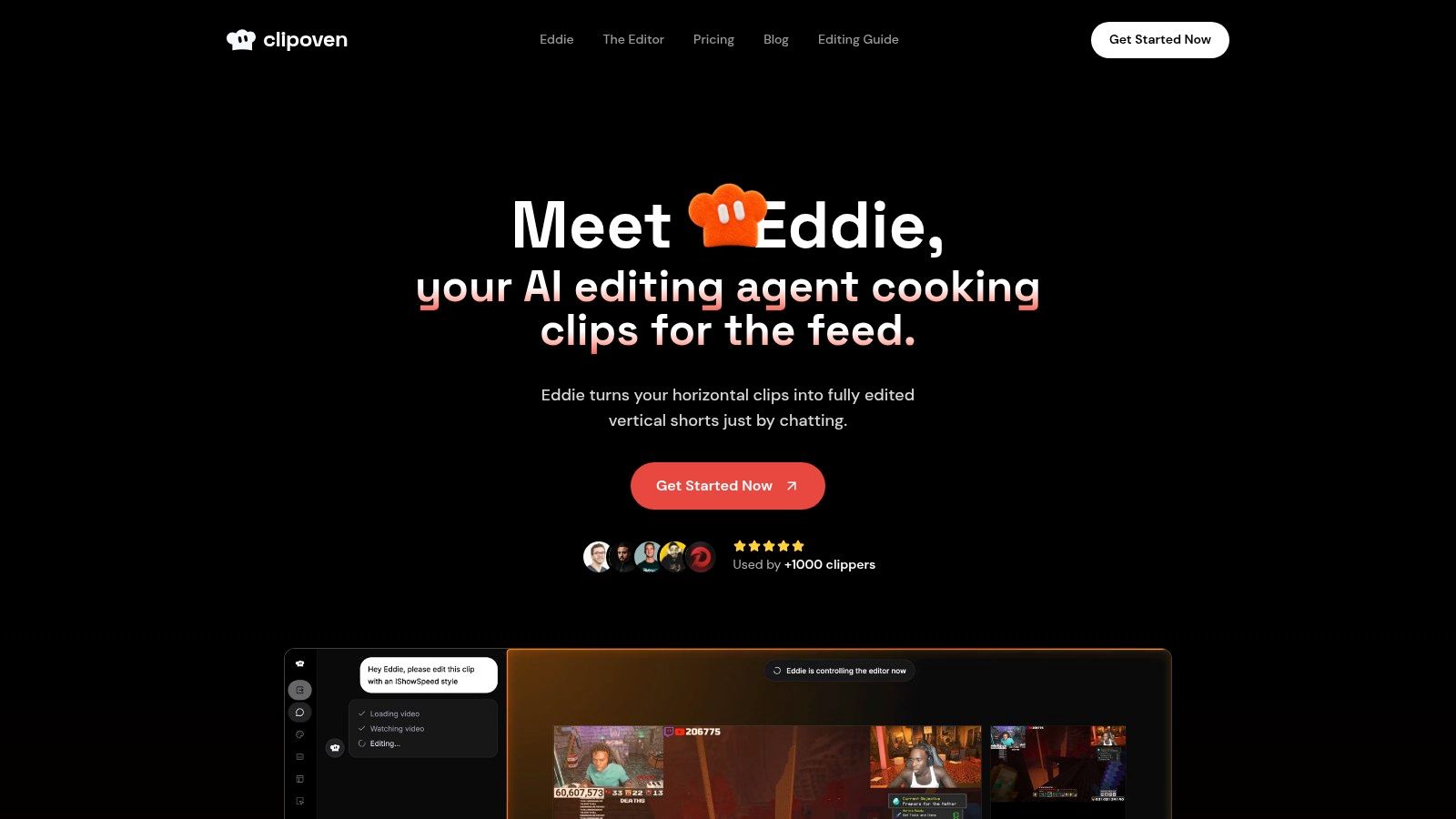
Many “automated video editors” save time on rough cuts, then send you into another app for reframing, caption cleanup, and final styling. ClipOven is more useful in a narrower workflow. It addresses the bottleneck that shows up after clip selection: turning horizontal footage into publishable vertical shorts without giving up edit control.
Its automation model is specific. You brief Eddie, the built-in AI agent, in chat. Eddie drafts cuts, captions, reframing, and effects. You then refine that draft inside a timeline editor instead of exporting the first pass elsewhere. That model fits short-form teams that still need human approval on pacing, framing, and brand-sensitive lines. Coverage of current AI editing tools reaches a similar conclusion: automation is strongest at first assembly, while review and judgment still sit with the editor (AI video editing trends in 2026).
Best for vertical reframing with finishing control
ClipOven makes the most sense for creators and social teams producing Shorts, Reels, and TikToks from existing long-form footage. The point is not clip volume alone. The point is reducing the number of handoffs between draft generation and final export.
That becomes clearer in comparison with other automation categories in this list. Batch clipping tools are stronger when the bottleneck is finding many candidate moments from one source file. Transcript-led editors are stronger when spoken-word revision drives the cut. ClipOven is stronger when the bottleneck is vertical adaptation plus finishing inside the same workflow.
The product is built around that use case:
- Chat-led drafting: Eddie accepts plain-language direction, which is useful when the editor wants to steer tone or structure before touching the timeline.
- Automatic vertical reframing: 16:9 footage is reformatted for 9:16 output with the subject kept in frame.
- Caption styling: Captions are not just auto-generated. They can also be restyled so the output does not look templated.
- Manual timeline edits: Cuts, pacing, overlays, and effects remain editable after the AI pass.
- Vertical export: Exports support 2K output for short-form delivery.
A simple test helps qualify the fit. If your team already knows which moments to publish, but still loses time resizing, checking auto-captions, and cleaning up the final vertical cut, ClipOven solves a real production constraint. If the hard part is discovering highlights from a 90-minute podcast, a batch clip generator may save more time.
Where it fits, and where cost can drift
ClipOven targets streamers, gaming creators, freelancers, agencies, and social teams making short vertical content. Its pricing is credit-based rather than unlimited-use. That is transparent, but it also means your effective cost per finished clip depends on clip length, complexity, and the automation settings you use.
The company presents plan guidance in estimated one-minute clip output, which is useful for budgeting, but only as a starting point. Teams cutting dense footage with frequent caption changes or heavier visual treatment should test a normal week of source material before committing to an annual plan. Credit systems are predictable only when your input footage is predictable.
The other practical limit is scope. ClipOven is not trying to replace a full long-form post workflow. It is a specialized short-form editor with AI-assisted assembly and enough finishing control to avoid an immediate handoff. For vertical repurposing, that focus is an advantage. For documentaries, cinematic edits, or complex multi-scene postproduction, it is a companion tool.
Visit ClipOven.
2. OpusClip
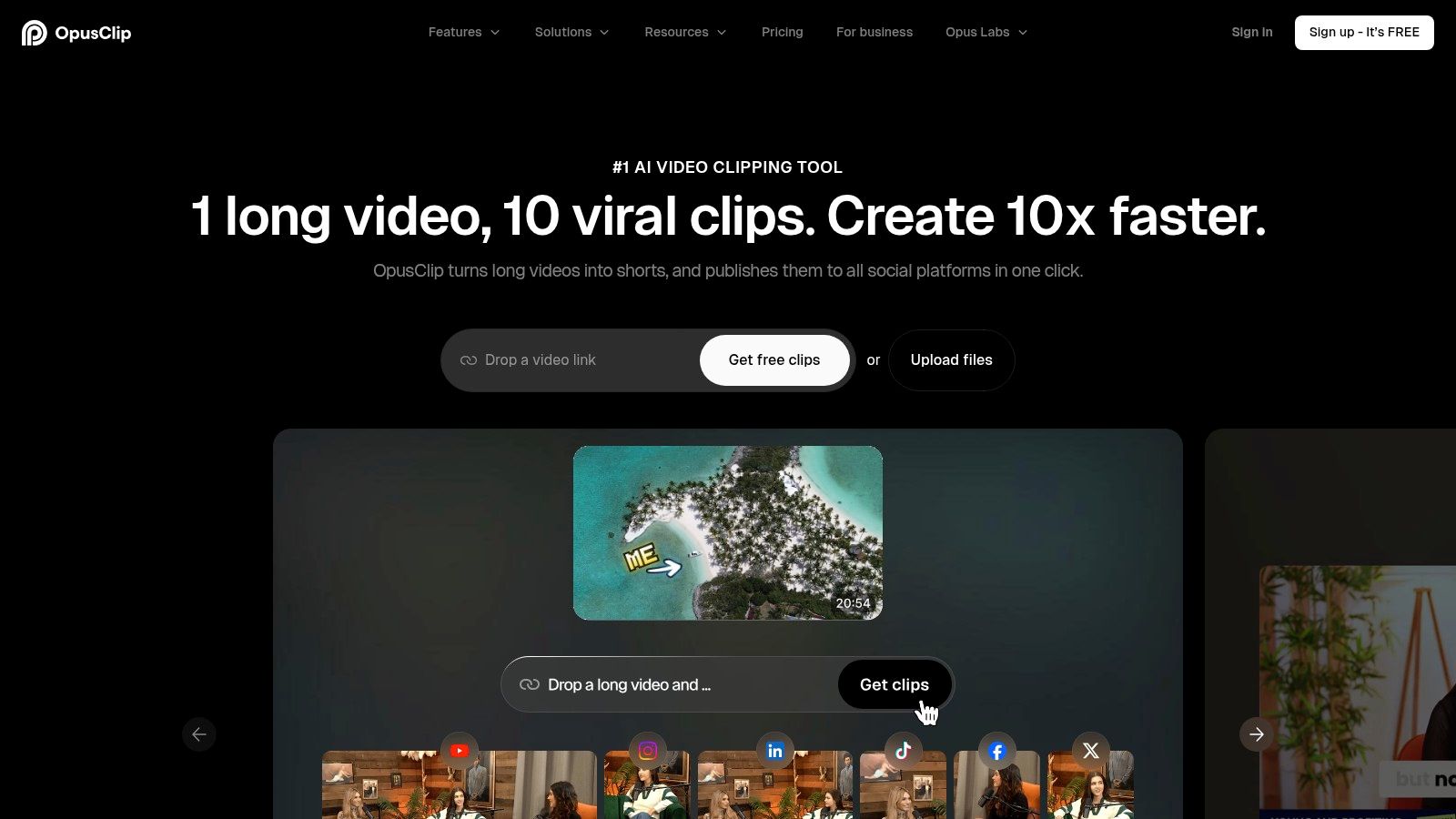
OpusClip makes sense when editing is not the slow part. Review is.
Its automation model centers on batch clip discovery from a single long source file. That changes the workflow. Instead of building one short at a time, you upload a podcast, webinar, interview, or presentation, review a stack of AI-selected moments, then keep, trim, or discard. For teams publishing high volumes of talking-head content, that can remove the largest bottleneck: finding enough usable segments worth testing.
Best for batch clip discovery, not final finishing
OpusClip is strongest when source footage contains many spoken moments that could stand alone, but no editor wants to watch the full recording just to locate them. Its scoring, hook suggestions, reframing, and caption generation help narrow the review queue faster.
That is a different job from what ClipOven handles, as discussed in this guide to an automatic video editor for short-form workflows. OpusClip prioritizes candidate volume. ClipOven puts more emphasis on polishing a smaller set of known selects.
The practical fit is clearest in a few workflows:
- Podcast and interview repurposing: Strong fit when one hour of dialogue might produce several social clips.
- Marketing and webinar teams: Useful when each event needs many variations for testing across channels.
- Editor-assisted pipelines: Better when an operator still reviews captions, trims starts and stops, and checks whether the AI picked the right sentence boundary.
- NLE finishing workflows: Higher tiers support export paths for teams that still finish in Premiere Pro or DaVinci Resolve.
The limits matter. OpusClip can surface options quickly, but it does not remove editorial judgment. AI-selected highlights still miss context, overvalue punchy lines that do not work out of context, and need human checks on captions, brand language, and framing. If your recurring problem is caption styling, detailed motion design, or exact visual timing, the time savings taper off because the handoff to manual editing still happens.
Billing also changes the decision. Free usage comes with visible constraints, including watermarking and export limits. Paid plans may work well for teams processing long recordings every week, but the value depends less on headline features than on acceptance rate. If only a small share of generated clips survive review, candidate volume stops being a real advantage.
Visit OpusClip.
3. Vizard

Vizard is less interesting as a “smart editor” than as a throughput tool for speech-heavy production. If your bottleneck is transcript-led rough cuts from long recordings, its model is easier to justify than tools built mainly around surfacing as many viral candidates as possible.
The distinction matters in practice. A team cutting webinars, interviews, or internal thought-leadership videos usually starts with one long source file and needs a usable first pass, captions, reframing, and handoff inside one system. In that workflow, minute-based processing is easier to forecast because cost tracks input volume, not the uncertain number of shorts that survive review.
A simple way to place Vizard in this lineup is by asking where time is lost:
- If the problem is finding many possible clips from a long conversation, OpusClip pushes harder on clip discovery.
- If the problem is turning transcripts into workable social edits without stitching together separate tools, Vizard is the cleaner fit.
- If the problem is final visual polish, precise pacing, or motion-heavy finishing, you will still outgrow it and move into an NLE.
That middle position is what makes Vizard useful. It combines transcript-aware clipping, auto-reframe, captions, team workspaces, and scheduling in one production path. For small media teams, agencies handling repeatable client repurposing, or in-house content groups publishing from recurring recordings, that reduces operational drag more than another round of AI highlight suggestions.
Its limits are easier to miss. Good transcripts do not guarantee good edits. A sentence can read cleanly and still start too late, end without payoff, or lose meaning once separated from the original discussion. Teams still need manual review for claim accuracy, speaker transitions, branded caption treatment, and exports that will be finished elsewhere.
Pricing deserves a manual check before rollout. Vizard’s credit and plan presentation can change with billing settings, so buyers should confirm how uploaded minutes, users, and any team features are counted at checkout. That matters more here than feature breadth because misreading the billing model can erase the time savings for multi-client or multi-editor setups.
Vizard makes the most sense for organizations that want one place to ingest long talking-head footage, produce transcript-led social cuts, and publish or hand off quickly. It makes less sense for editors who need exact finishing control.
Visit Vizard.
4. Klap
Klap is less interesting as an editor than as a throughput tool. Its value comes from removing one specific bottleneck: turning long videos into a fixed number of vertical clips on a repeatable schedule.
That sounds narrow. For some teams, that is the point.
A social team publishing daily shorts from podcasts, webinars, or creator interviews often does not need broad editing flexibility. It needs a system that can reliably produce enough candidates each month for TikTok, Instagram Reels, YouTube Shorts, and LinkedIn. Klap’s clip-based pricing fits that workflow better than minute-based or credit-based plans because the budget maps to the publishing calendar.
The tradeoff is control. Klap is built for batch clip discovery and fast vertical output, not for careful rough-cut decisions or high-touch finishing. If the production bottleneck is “we need 80 usable short clips this month,” Klap is easier to justify. If the bottleneck is “we need each clip to reflect precise story judgment, brand pacing, and custom caption treatment,” the automation starts to feel blunt.
One useful way to compare it with the surrounding tools is by what happens after the AI finishes. Vizard tries to keep more of the workflow inside one system, including transcript-led editing and team handling. Wisecut, which comes next, is more about cleaning spoken delivery and removing dead air. Klap sits earlier in the chain. It is strongest at generating volume from source footage, then handing the chosen outputs to a human for approval, styling, or final polish elsewhere.
The pricing model deserves scrutiny before rollout. Klap often presents annual billing prominently, and monthly pricing can change the economics for trial campaigns, seasonal client work, or short production sprints. Teams should also confirm what counts against the quota, how reruns or regenerated clips are handled, and whether API access or higher-volume workflows sit behind higher tiers.
Klap makes sense for agencies, publisher teams, and creators with a known short-form quota and a lightweight review process. It makes less sense as the only editing environment.
Visit Klap.
5. Wisecut
Wisecut is easier to judge if you stop treating it like a full editor.
Its value sits in a narrower part of the workflow. It cleans spoken delivery before detailed editing starts. For teams producing talking-head lessons, interview segments, webcam explainers, or podcast video, that can remove a stubborn bottleneck: the first pass of deleting pauses, tightening pacing, adding readable captions, and getting a social-ready draft out quickly.
That focus makes Wisecut meaningfully different from the clip-generation tools earlier in this list. Klap is aimed at finding and packaging many short clips from larger source files. Wisecut assumes you already know what the video is. The problem is not discovery. The problem is cleanup.
A practical test helps. If your editor spends hours trimming dead air from single-speaker footage, Wisecut fits. If the hard part is choosing the strongest 20 moments from a 90-minute interview, another tool will usually get you further.
Wisecut’s automation model reflects that tradeoff. Silence removal, jump-cut pacing, auto captions, background music balancing, and basic reframing can produce a usable rough version fast. The gains are largest when the source follows a clear verbal structure and only needs compression, not editorial interpretation. Once story judgment, brand timing, or layered visual editing matter, manual review becomes necessary.
The billing details deserve attention before a team adopts it widely. Lower tiers can introduce project expiry, storage limits, or file constraints that matter more for client revision cycles than for solo creator output. 4K export may also sit higher in the pricing stack, which changes the math for education businesses, agencies, or in-house teams expected to keep masters and revisable projects available over time.
Wisecut makes the most sense for creators and small teams who want a faster cleanup pass with light finishing needs. It makes less sense as the place where final editorial decisions happen.
Visit Wisecut.
6. Descript
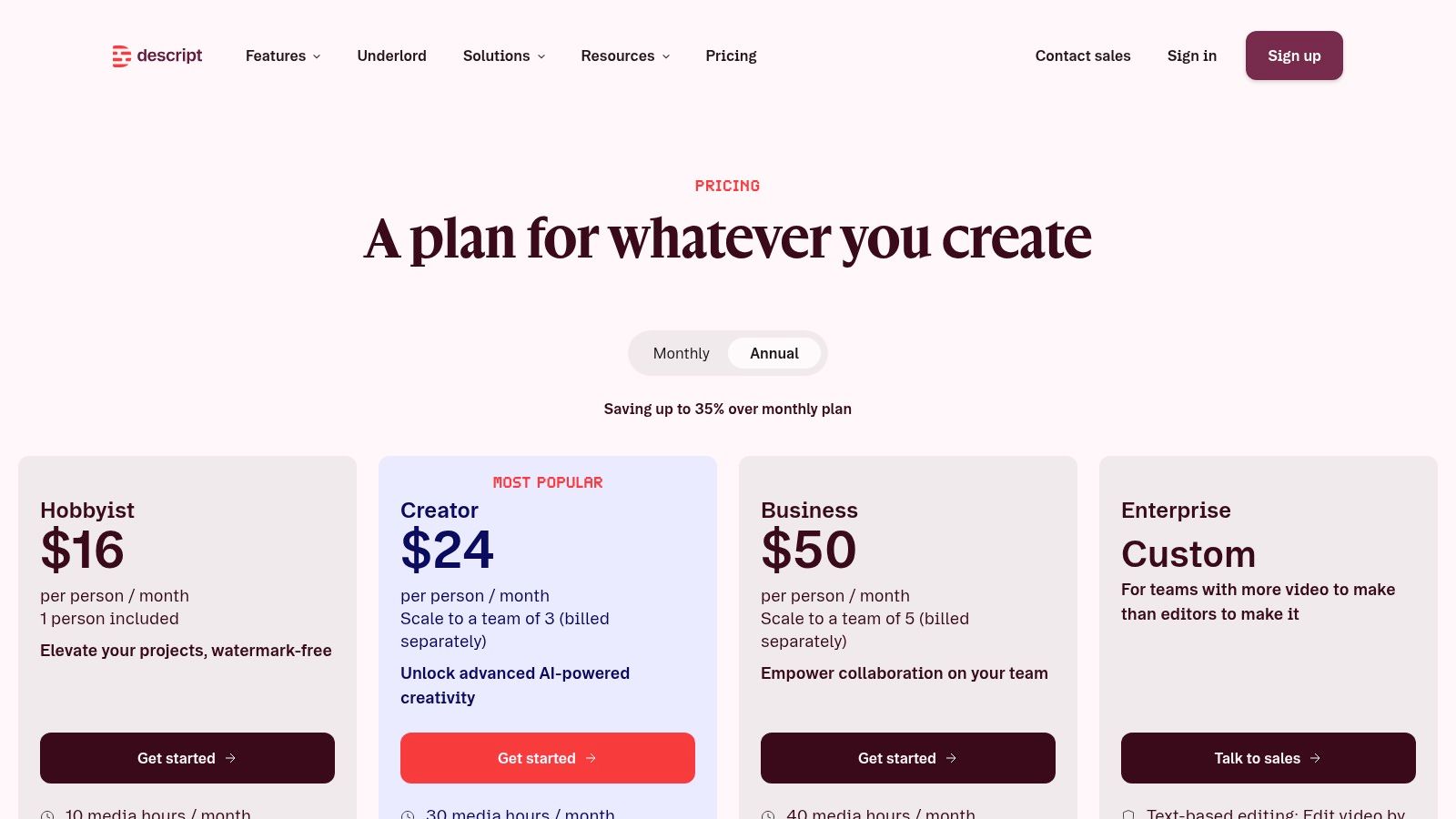
A lot of “automated video editor” tools save time by making more clip options. Descript solves a different bottleneck. It reduces the labor of shaping spoken content when the edit is driven by what was said, not by hunting viral moments.
That distinction matters in production. A podcast team, course creator, or interview-led channel often already knows the asset they need to publish. The hard part is turning a long transcript into a clean first cut, then tightening pacing, fixing audio, and pulling a few derivative clips without rebuilding the project in another app.
Descript fits that workflow because its automation sits inside a transcript-first editor. You cut paragraphs, remove filler words, clean speech, and revise structure in text, then drop into timeline-style edits where the AI stops being reliable enough. That is a stronger model for rough cuts than for autonomous publishing.
A simple shortlist helps:
- Choose Descript if transcript-led rough cuts are your bottleneck.
- Choose a clip extractor if your bottleneck is finding many short moments from one long recording.
- Choose a browser operations tool if your bottleneck is approvals, localization, or multi-user access.
Descript’s upside is control. Features like transcription, filler-word removal, Studio Sound, Overdub, stock media, and clip extraction can shorten the first edit without forcing you into a one-click output. For teams comparing creator software more broadly, this roundup of AI tools for content creators by workflow is useful because it separates transcript-first editors from repurposing tools that optimize for volume instead.
The tradeoff is speed at scale. If your weekly target is a large batch of vertical clips with consistent framing and fast turnaround, Descript usually asks for more human review than dedicated repurposing tools. Pricing also needs a close read before rollout. Transcription limits, export options, collaboration access, and higher-end audio or AI features can change cost once multiple editors and revision rounds are involved.
Descript makes sense when the final shape of the story still depends on an editor’s judgment, but the transcript and audio cleanup work is slowing the team down.
Visit Descript.
7. VEED
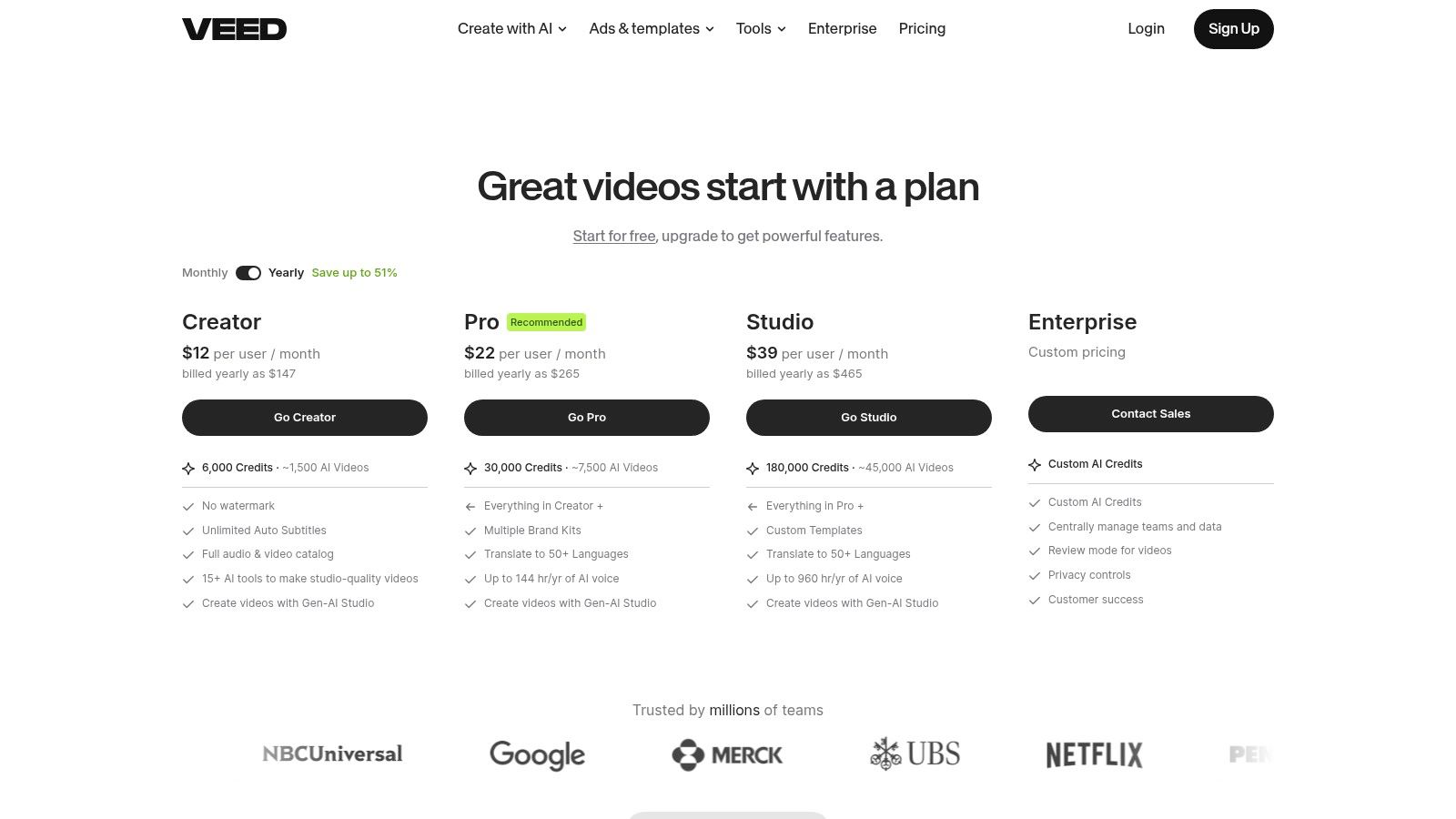
VEED fits a different bottleneck than the transcript-first editors and clip extractors above. Its value shows up after the cut is chosen, when a team needs to package that video for multiple channels, languages, reviewers, and contributors without pushing everything through a desktop editor.
That changes the buying logic.
A solo creator looking for the fastest batch of AI-picked shorts may find VEED less opinionated than OpusClip or Vizard. A marketing team with reviewers, freelancers, regional variants, and caption rules may prefer that tradeoff because the work does not end at clip selection.
VEED is strongest when production slows down in the operational layer:
- one editor needs browser access from anywhere
- subtitles need to match brand style
- the same asset needs translation or localization
- non-editors need to comment, adjust, or approve
- a company wants API access for repeatable subtitle or video tasks
That mix makes VEED closer to a content operations tool with editing features than a pure automation engine. AI Clips gives it some short-form extraction capability, but the larger advantage is what happens next. Subtitle generation, translation, caption styling, and browser-based collaboration reduce the handoff friction that often appears once teams publish across markets or departments.
The limitation is easy to miss in feature lists. VEED can help teams produce many assets, but it still benefits from human review, especially for clip choice, subtitle accuracy, translated phrasing, and visual timing. If your main bottleneck is autonomous discovery of high-performing short moments from long recordings, a dedicated repurposing tool will usually get you to candidate clips faster.
Billing also deserves a close read. VEED’s real cost depends less on a headline plan price and more on who needs access, which export settings matter, and whether localization or API usage is part of the workflow. Teams should verify current seat rules, usage limits, and export conditions on the live pricing page before standardizing on it.
Visit VEED.
8. Kapwing
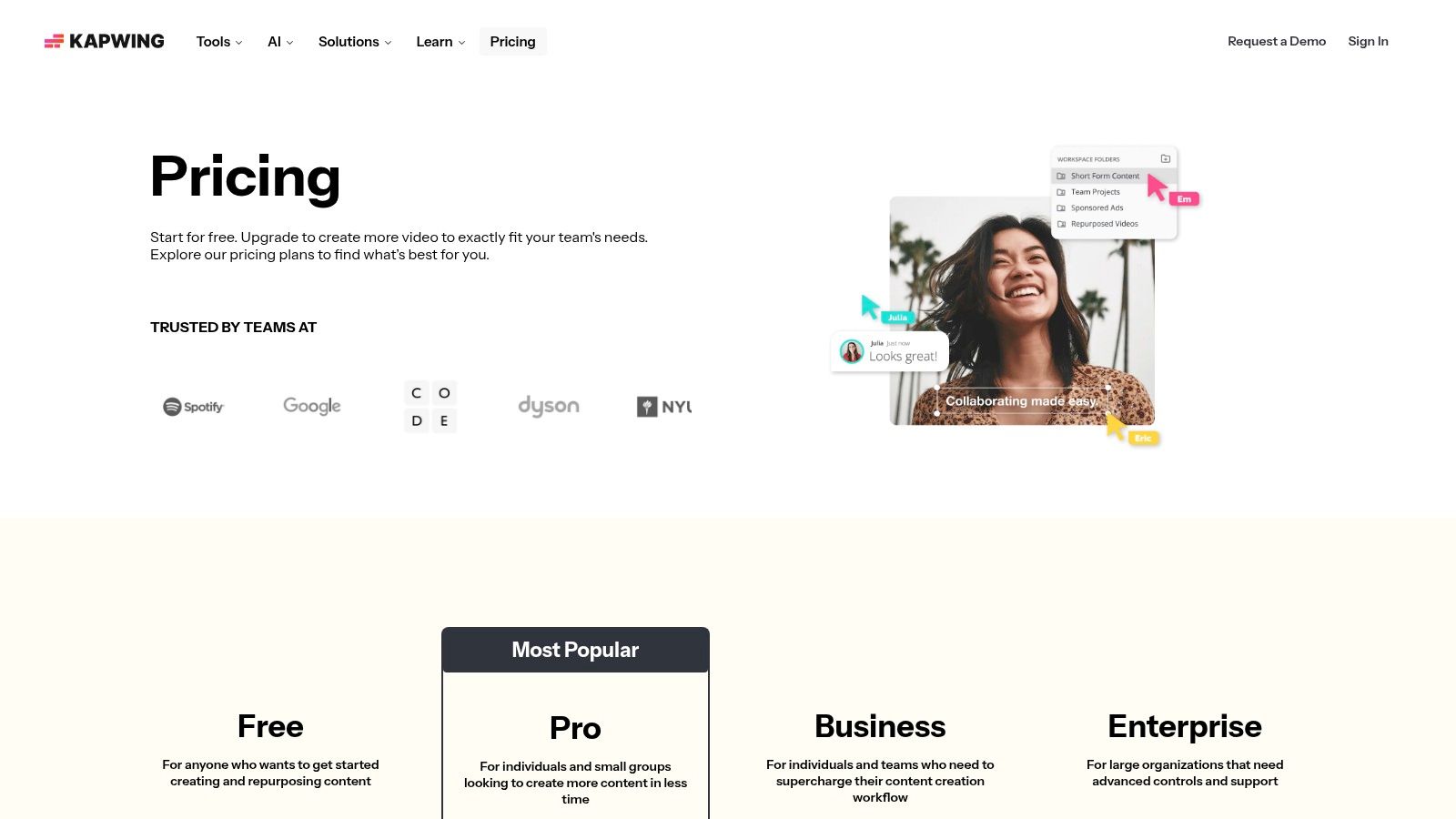
Kapwing fits teams that already know what they want to publish.
That sounds less ambitious than full AI repurposing, but it solves a different bottleneck. Some workflows do not fail at clip discovery. They fail after the clip is chosen, when someone still has to trim it for vertical platforms, add readable captions, keep text inside safe zones, and make fast browser edits without sending the job to a desktop editor.
Seen through that lens, Kapwing is closer to a finishing layer for social video than an automated clip miner. Smart Cut, scene detection, auto-subtitles, caption templates, safe-zone overlays, and shared workspaces reduce the amount of repetitive cleanup between rough selection and publish-ready export.
A useful way to judge it is by asking what work still remains after the AI step.
If your team records webinars, interviews, or podcasts and expects the tool to surface a stack of strong short-form moments on its own, Kapwing will likely feel too guided. Tools built around batch clip discovery usually move faster at that stage. If your social team already has the selects, though, Kapwing can be the faster option because the remaining work is mostly formatting, reframing, subtitle styling, and approvals.
That difference matters for buyer fit:
- Social teams with approved source clips: Good fit when the main job is turning selected moments into platform-ready assets.
- Brand-conscious publishers: Useful when caption appearance, text placement, and template consistency affect performance or compliance.
- Browser-first collaborators: Practical for teams that want editors, marketers, and reviewers working in the same web tool.
- Lightweight editors, not full post teams: Better for quick turn content than for complex finishing, heavy motion work, or deep timeline control.
Kapwing’s tradeoff is control versus automation depth. It gives you more say over how the final post looks, but less help finding the clip in the first place. That makes it a sensible shortlist candidate for caption styling and last-mile social editing, not for teams whose real constraint is extracting candidates from long recordings at scale.
Pricing needs a closer read than the headline plan names suggest. The actual cost depends on who needs workspace access, which exports are required, how much subtitle volume you process, and whether browser convenience replaces another editing tool in your stack. Teams should confirm current limits, collaboration rules, and export conditions before standardizing on it.
Visit Kapwing.
9. Gling

Gling fits a narrow bottleneck: transcript-led rough cuts for speech-heavy video.
That sounds less ambitious than tools built around clipping, social packaging, or publishing. For many creator teams, it is more useful. If the slowest part of production is reviewing long talking-head recordings, removing pauses, trimming filler, and passing a cleaner cut into Premiere, Final Cut, or Resolve, Gling addresses the right problem first.
Its automation model is different from OpusClip or Vizard. Those tools help find short-form candidates from longer source material. Gling assumes you already know the asset you want to edit. The time savings come earlier in post, during first-pass cleanup of dialogue, bad takes, and multicam speech content.
A practical way to judge fit is by handoff.
Teams that finish inside a professional NLE will care less about built-in publishing or template systems and more about whether the rough cut survives export cleanly. Gling is stronger there than browser-first tools that keep more of the workflow inside their own editor. Captions and audio enhancement are useful, but the bigger operational point is that Gling can reduce manual assembly before a human editor handles pacing, graphics, music, color, and final QC.
That makes it a better shortlist candidate for:
- creator channels built on direct-to-camera or podcast-style recording
- agencies editing interview, webinar, or course footage at volume
- multicam workflows where spoken structure determines the cut
The limits are just as clear. Gling helps less when editorial decisions come from visual timing, gameplay peaks, reaction moments, or montage rhythm. In those cases, clip discovery or highlight extraction matters more than silence removal. For creator teams comparing those workflows, ClipOven’s guide to choosing a gaming video editor for clips and highlights is a useful contrast because it separates speech cleanup from moment-finding.
Check pricing with the workflow in mind, not the headline plan. Monthly versus annual billing can change the cost. So can export requirements, seat count, and whether your team still needs a separate editor for finishing.
Visit Gling.
10. Submagic
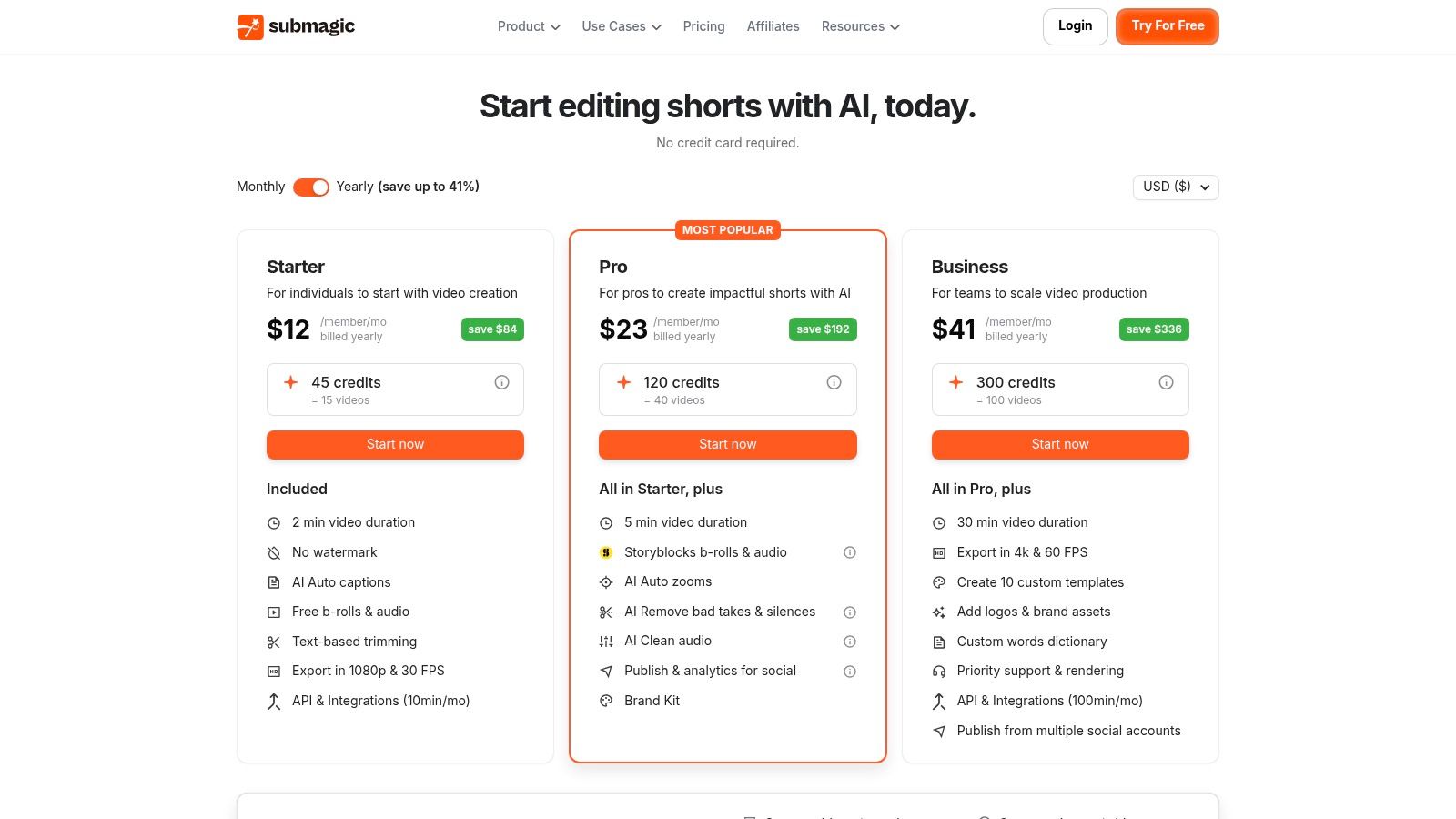
Automation in short-form editing often gets judged by how fast it can cut footage. Submagic is more useful to judge by a different bottleneck: caption styling that is strong enough to carry the post visually.
That distinction matters. Some teams already know what clip they want and do not need another tool to find highlights or build a transcript-led rough cut. Their delay happens later, when every short still needs readable captions, branded treatment, a hook screen, cleanup, and export formatting before it is ready to publish. Submagic is built around that stage of the pipeline.
A practical way to place it in this list is to compare the automation model, not the feature count. OpusClip and Klap are stronger when the bottleneck is clip discovery from longer source material. Descript and Gling matter more when spoken structure drives the edit itself. Submagic is the better fit when the clip already exists and the team needs to package it into a feed-ready asset quickly.
You can see that in the product mix: AI captions, hook titles, silence and filler removal, stock B-roll and audio options, brand assets, custom vocabulary, publishing, analytics, and API access on higher plans.
For a social team posting talking-head clips every day, that can remove a real production choke point. The editor does less manual subtitle cleanup and less repetitive formatting work. The tradeoff is that finishing control is narrower than in a full editor, so teams that need precise pacing, layered graphics, or detailed timeline decisions will still end up reviewing and polishing elsewhere.
The buying risk is not feature depth. It is usage fit. Duration caps, credit allowances, export limits, and plan-gated items such as higher resolution or API access can change the economics quickly if your inputs get longer or your publishing volume rises. Submagic makes more sense for high-throughput packaging than for broad post-production coverage.
Workflow shortlist:
- Choose Submagic if your bottleneck is caption presentation and branded short-form packaging.
- Skip it if your bottleneck is finding moments inside long recordings.
- Price it against expected video length, monthly output, review time, and whether you still need a separate finishing tool after export.
Visit Submagic.
Top 10 Automated Video Editors, Feature Comparison
| Product | Core features | Quality ★ | Pricing / Value 💰 | Target 👥 | Standout ✨ |
|---|---|---|---|---|---|
| clipoven 🏆 | Chat-based AI agent (Eddie) → editable timeline; auto 16:9→9:16 reframing; animated captions; asset layering; 2K exports | ★★★★★ | 💰 Credit-based: Hobby 1,000/mo (~8×1min); Pro 3k/7k/10k; monthly/annual | 👥 Twitch/gaming creators, Shorts/TikTok creators, social managers, freelancers, small agencies | ✨ Agentic chat→timeline workflow; stylable AI captions; vertical-first, platform-ready |
| OpusClip | Auto clip generation, virality score & hooks, auto-reframe, multi-aspect exports, scheduler | ★★★★☆ | 💰 Credit model; free tier (watermark/limits); higher tiers → up to 4K exports | 👥 Creators who need high-volume automated clips & scheduling | ✨ Virality scoring, auto-hooks, multi-aspect + scheduler |
| Vizard | Transcript-aware clipping, auto-reframe, captions with keyword highlights, team workspace, API | ★★★★☆ | 💰 1 credit = 1 min uploaded; true free tier with monthly credits | 👥 Podcasters, streamers, teams with talk-heavy content | ✨ Transcript keyword highlights, flexible credit model, API |
| Klap | AI clipping for TikTok/IG/LinkedIn, unlimited accounts, plans by clip quota, API | ★★★★☆ | 💰 Clips/month plans (e.g.,100/300/1000); annual/mth billing toggle | 👥 Teams/agencies who know monthly clip volume | ✨ Clear clips/month pricing; hands-off generation pipeline |
| Wisecut | Auto-remove silences, auto zooms/punch-ins, auto captions, Autopilot mode, Social Hub | ★★★★☆ | 💰 Credit/tier limits; project expiry/file-size caps; 4K on higher plans | 👥 Podcasters, talking-head creators, social publishers | ✨ Silence removal + autopilot + built-in scheduling |
| Descript | Text-based editing, automatic transcription, filler removal, Overdub, Studio Sound, 4K export | ★★★★☆ | 💰 Tiered plans with transcription hours; paid 4K export | 👥 Podcasters, YouTubers, creators needing transcript-first workflows | ✨ Text-first editing + overdub + robust timeline tools |
| VEED | Browser-based AI Clips, automatic subtitles & translations, caption styling, subtitle API | ★★★★☆ | 💰 JS-rendered pricing; confirm credits/seats and plan limits | 👥 Teams needing fast browser workflows, localization & APIs | ✨ Subtitle API, strong translation & caption customization |
| Kapwing | Smart Cut (auto-trim), auto-subtitles with style templates, brand kit, browser editor | ★★★★☆ | 💰 Pro/Business tiers; some advanced features paid | 👥 Social creators & teams needing quick browser edits and templates | ✨ Smart Cut + deep caption styling and brand kits |
| Gling | Auto-remove silences/bad takes, multicam support, captions, XML export to NLEs | ★★★★☆ | 💰 Hour-based monthly caps on paid plans; verify pricing view | 👥 YouTubers, multicam creators, editors needing NLE export | ✨ Rough-cut + easy export to Premiere/Final Cut/Resolve |
| Submagic | Caption-first clips, auto-hooks, silence/filler removal, Magic B-roll, social publishing | ★★★★☆ | 💰 Credit→video mapping; tiered duration caps and credit ceilings | 👥 Short-form caption-first creators & social teams | ✨ Caption-first pipeline, Magic B-roll, analytics & publishing |
Choose the Workflow You Can Sustain
The fastest way to choose an automated video editor is to stop comparing feature grids and start mapping bottlenecks. Many teams don’t need one tool that “does AI editing.” They need one tool that removes the specific step where work stalls.
Choose ClipOven if your bottleneck is turning horizontal footage into vertical shorts without losing control of the finish. Its chat-to-timeline workflow is the best match for teams that want AI to build the first draft, then want a real editor for pacing, captions, effects, and final polish. That’s especially useful for streamers, gaming creators, social teams, and freelancers who live in TikTok and Shorts formats.
Choose OpusClip or Klap if your problem is clip volume. OpusClip is better when you want many candidates from one long recording and are willing to review and refine. Klap is better when you want a simpler, quota-based pipeline tied to monthly clip output.
Choose Vizard or VEED if your bottleneck sits in team operations. Vizard is strong for transcript-aware repurposing and minute-based planning on talk-heavy footage. VEED is better when browser collaboration, localization, subtitle presentation, and API access matter as much as the edit itself.
Choose Wisecut or Gling if cleanup is where your hours disappear. Wisecut is the better all-in-one for creators who want silence removal, rough-cut cleanup, and a publishing path in one tool. Gling is the better specialist for YouTubers and editors who want a speech-led first pass, then a clean export into Premiere, Final Cut, or Resolve.
Choose Descript if transcript-led control is the priority. It remains one of the most practical hybrid products in this category because it speeds up spoken-content editing without forcing a clip-first workflow. Choose Kapwing if you already know what clip you’re making and want fast browser editing with strong subtitle styling and team-friendly revision. Choose Submagic if your shorts are caption-driven, brand-heavy, and optimized for feed presentation from the first frame.
Before you commit, test representative footage. Not your cleanest recording. Use the messy webinar, the stream archive, the podcast with interruptions, the gameplay segment with overlapping voices. Measure how many usable clips remain after human review, not how many drafts the tool generates. Check credit rules, upload or duration caps, export quality, project retention, and whether you’ll need another editor for finishing. That’s where the cost sits.
An automated video editor only saves time if your team can sustain the workflow week after week. The right choice isn’t the one with the longest feature list. It’s the one your editors won’t have to fight.
If your real bottleneck is turning long or horizontal footage into polished vertical shorts, clipoven is built for that exact job. Eddie drafts the cut, captions, reframing, and effects in chat, then hands everything to a full editor so you can refine the final result without switching tools. See how it works at clipoven.