 clipoven
You’re already in the middle of the core problem. The raw footage is there, the best moments are buried somewhere in the timeline, and the next step is turning a horizontal recording into a vertical short with readable captions, proper reframing, and an export you can post without bouncing between tools. The best clipping software is the one that gets you from source to publishable short with the fewest handoffs, whether that means stream-native highlight detection, AI repurposing, or a final editor that still gives you control. That’s why this roundup compares speed, automation, editing control, caption and reframing quality, export readiness, and workflow fit. ClipOven is especially relevant if you want an agentic chat-to-timeline workflow for vertical shorts, because it lets AI do the first pass and still leaves you room to finish the cut yourself.
Table of Contents
- 1. ClipOven
- 2. Opus Clip
- 3. Eklipse
- 4. Klap
- 5. Vizard
- 6. Munch
- 7. Sizzle.gg
- Top 7 Clipping Software Comparison
- Choose the Workflow That Matches Your Output
1. ClipOven
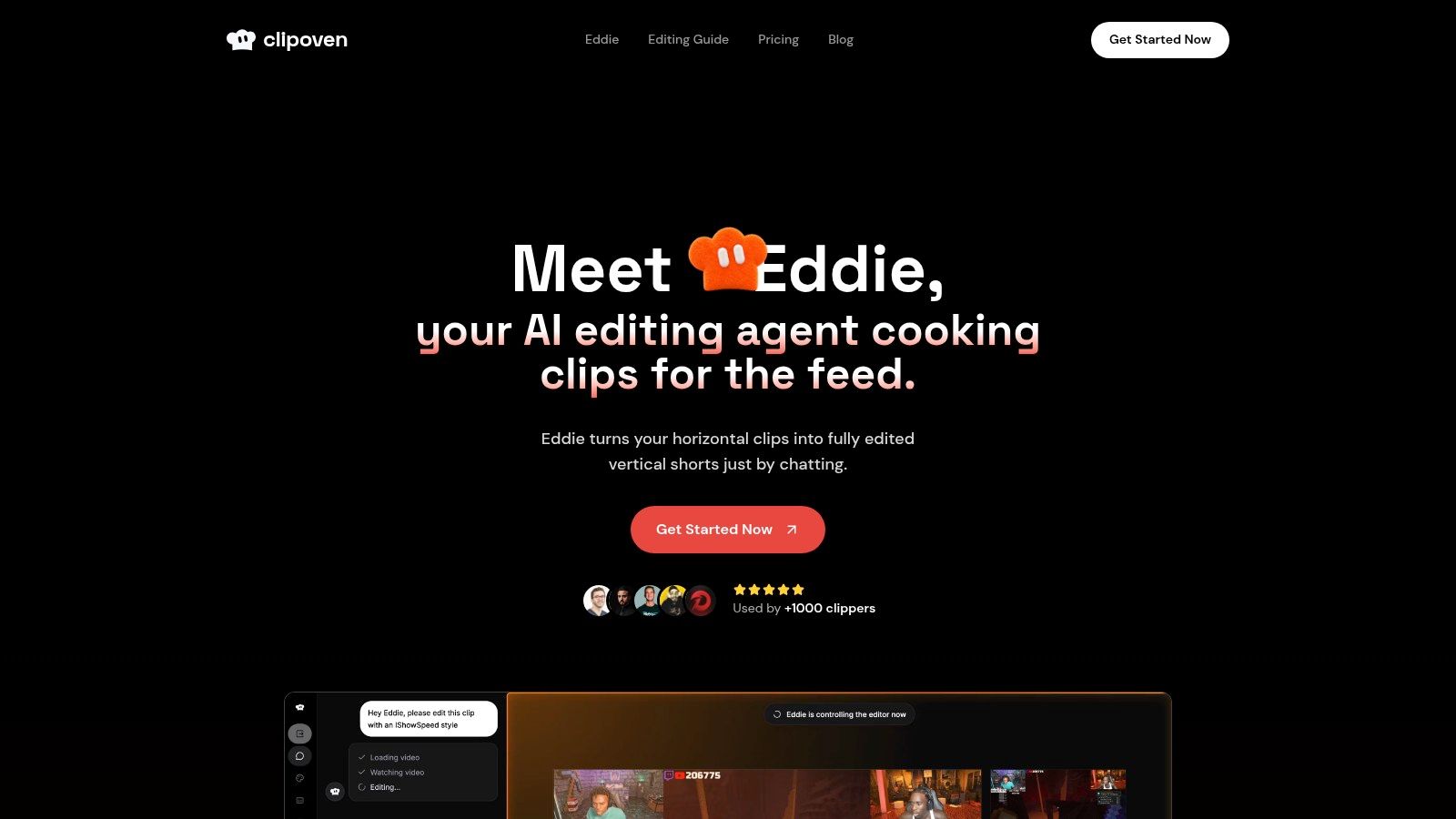
ClipOven is built around a simple handoff, you describe the clip, the AI assembles the first version, and you refine it in the editor. Its agent, Eddie, is the clearest fit here for creators who want speed without giving up the last mile of control. The workflow lines up well with the short-form shift described in the industry research, where vertical, feed-native clips matter more than basic trimming alone, and where short-form is now a major driver of editing demand (VoxBooster short-form statistics).
Agentic first pass with a real timeline finish
Eddie is the differentiator. Instead of forcing you to scrub through a long export and manually assemble a rough cut, ClipOven’s chat brief can guide the first pass, then the integrated timeline editor handles precise refinement. That matters for streamers and editors who want faster iterations, but still need control over pacing, trims, and caption placement.
The tool is also tuned for vertical output rather than adapted from a broad editing suite. It supports subject-centric reframing from 16:9 to 9:16, animated captions, and asset layering for audio effects, images, GIFs, and stickers. Those are practical finishing tools, not just cosmetic extras, and they help the clip survive the jump from raw footage to social feed.
Practical rule: if your workflow needs both AI speed and manual polish, use ClipOven when the first pass matters, but the final export still needs a human eye.
Where it fits in a publishing pipeline
ClipOven is strongest when the source footage is already worth clipping, but you don’t want to spend time on repetitive assembly. The product’s vertical-first design is a better fit for TikTok, Reels, and Shorts than a generic editor that happens to support cropping. It also reports over 1,000 clippers using the product, and the in-product creative prompts show how directly it thinks about short-form style.
Pricing is credit-based. Hobby includes 1,000 credits per month, with a guide of about eight 1-minute clips, while Pro offers 3,000, 7,000, or 10,000 credits per month, with rough guides of 30, 70, or 140 1-minute clips. Both tiers include Eddie, the full editor, unlimited daily projects, and 2K vertical exports, so the main trade-off is how much volume you want to cover under a predictable credit budget. If you want a platform that combines agentic assembly with final editing control, ClipOven is the most directly purpose-built option in this comparison.
Pros
- Chat-to-editor workflow: Eddie gives you a usable first pass before you touch the timeline.
- Vertical-first finishing: reframing, captions, and pacing are built for short-form feeds.
- 2K exports and asset layering: strong enough for polished publication, not just rough social drafts.
- Predictable volume planning: monthly or yearly credit plans are easier to budget than ad hoc usage.
Cons
- Credit math takes attention: heavy users need to watch usage closely.
- AI still needs human cleanup: noisy, multi-speaker, or visually complex clips can need extra refinement.
2. Opus Clip
Opus Clip is the tool people often reach for when they want a fast first pass and lots of candidate clips. That makes it useful for creators who care more about volume at the selection stage than about a carefully customized final edit. The comparison matters because clipping is no longer just about cutting, it’s about producing feed-native vertical shorts quickly, and this tool leans hard into that first-pass speed.
Opus Clip’s product site positions it around AI extraction, reframing, and captions, with a Virality Score that helps prioritize the clips that look strongest. It also includes Agent Opus, which adds chat-style editing and AI B-roll support. That combination makes it a good middle ground for creators who want more automation than a manual editor, but don’t need a highly customized timeline workflow.
Fast candidate generation, slower final sorting
The main upside is throughput. Opus Clip can give you many options from a single source video, which is useful if you’re clipping interviews, podcasts, or other long-form content and want to sort after the AI has done the initial discovery work. The downside is that the speed comes with review overhead, because users often need to sift through auto-generated options before they find the ones worth posting.
It’s also available across web, iOS, and Android, which helps if you like working on mobile as well as desktop. That said, the workflow is still centered on repurposing and selection, not on deep final editing control. If your process depends on fine-tuned pacing or heavy brand-specific polish, Opus Clip may feel more like a strong suggestion engine than a true finishing tool.
Workflow insight: Opus Clip is strongest when your bottleneck is finding enough decent candidates, not when your bottleneck is final presentation.
The product also pairs well with a broader repurposing mindset. If you want a related discussion of automated editing flows, ClipOven’s automatic video editor breakdown is a useful contrast point, because it shows how a chat-led workflow differs from a clip-sorting workflow.
Pros
- High-volume first pass: good for generating many candidate shorts quickly.
- Vertical automation: auto-reframe and captions fit the short-form handoff.
- Cross-device access: web and mobile support make it flexible for quick review.
Cons
- Review burden: you may spend time filtering the AI’s output.
- Opaque pricing feel: credit-based usage can be harder to reason about than straightforward seat pricing.
3. Eklipse
Eklipse stands out because it is built around live sessions first. If your footage starts on Twitch, Kick, or YouTube Live rather than in an upload folder, the workflow is shorter. You move from a stream that just happened to a clip that is already close to publishable.
The tool looks for hype moments, gaming kills, and chat-heavy segments in connected streams and VODs, then reframes them for TikTok, Shorts, and Reels. Its browser studio adds a timeline editor, layout controls, and 1080p/60 exports, so there is still room to adjust the result before it leaves the platform. That combination makes sense for streamers who want automation on the front end and enough control at export to fix pacing or framing.
The trade-off is specialization. Eklipse is strongest on livestream and gaming content, where it can detect moments without much setup. It is less persuasive as a general editor for interviews, brand videos, or already polished uploads, because those workflows usually need different review logic. The model also shifted to fully paid in mid-2026, so current pricing should be checked before budget decisions are made.
For streamers, that specialization is the point. A detector that starts from the live channel can save time that a generic upload-first tool would spend on manual sorting.
The platform also highlights a split in clipping software that matters in practice. Some tools focus on repurposing long recordings after the fact, while Eklipse is built for fast highlight capture from a live source. The source research on clipping software reflects that split, since gaming-focused products tend to prioritize hotkeys, auto-clipping, and quick sharing over deeper post-production logic (Ssemble clipping comparison).
Pros
- Stream-native ingest: connects directly to live channels and VODs.
- Highlight detection: tuned for hype moments and gameplay action.
- Export-ready output: captions, reframing, and 1080p/60 exports support the last step.
Cons
- Specialized use case: less useful for non-stream footage.
- Pricing requires verification: the paid-only shift means older plan references may be outdated.
4. Klap
Klap fits teams that need automation without much setup. It accepts uploads or YouTube links, turns them into vertical clips, and exposes a public API, so clipping can sit inside a larger production pipeline instead of remaining a standalone app. That matters for buyers who care about handoff speed from raw footage to export-ready short.
Its workflow is direct: clip the source, reframe it to 9:16, add captions, then clean up in the web editor. The result is a tool aimed at agencies, developers, and social teams that want predictable output rather than a full desktop editing environment. In practice, Klap sits on the automation side of clipping software, where speed and repeatability matter more than manual nuance.
Where Klap is strongest
The main reason to choose Klap is the repeatable process. If clipping needs to happen inside a broader system, the API changes the decision from “Can this tool make shorts?” to “Can this tool produce them at scale with consistent settings?” That distinction is useful for recurring uploads, scheduled workflows, and internal tooling.
The trade-off is flexibility. The pricing presentation leans annual-first, and there is no free plan that feels especially open-ended. For a team building a production workflow, that may be acceptable. For an individual creator comparing tools, it can feel less forgiving than lighter entry points.
Klap also asks for more trust in the automation layer than in the creative layer. The web editor is there for cleanup, but the core value is still the automated clip generation. If your process depends on a person making frame-by-frame decisions, another tool may fit better. If your process depends on pushing source footage through a system and getting standardized shorts back, Klap is the more relevant choice.
Pros
- Public API: useful for agencies and custom pipelines.
- Repeatable automation: good for regular clip production.
- Web-based editor: supports final adjustments before export.
Cons
- Pricing is less flexible: the annual-billing-first presentation can be limiting.
- Less appealing for casual testing: not the easiest tool to trial casually.
5. Vizard
A podcast editor wants quick clips for LinkedIn, while a webinar team needs clean reframing, captions, and a way to hand work off to a larger content process. Vizard fits that second use case better than a pure one-click cutter because it combines highlight extraction, reframing, captions, online editing, and a documented API in one workflow.
The strongest signal is not just the clip output, but the handoff. Teams can start with raw interviews or long-form recordings, use the browser editor for cleanup, and still keep a technical path for repeatable production. That makes Vizard more relevant for groups that need both automation and control, especially when clips come from speaker-led content.
It also has AI Enhance and export support up to 4K, which gives editors more room at the finish than lighter repurposing tools. Speaker-aware reframing and customizable templates matter here because they reduce the amount of manual adjustment after detection. The product reflects a broader shift in the category, from simple trimming toward tools built around repeatable social publishing.
Stronger for workflow consistency than for hands-on cutting
Vizard is built for teams that want the same output pattern across many files. The API can set clip length, aspect ratio, and branding programmatically, so agencies and marketing teams can standardize exports without rebuilding the same setup each time.
That strength comes with a trade-off. The tool is less attractive if the editing process depends on detailed creative control at every step. Some manual cleanup is still usually needed after auto-clipping, and the credit-based pricing model can be harder to read than simpler seat-based plans. For buyers who care about transcript-aware editing, templates, and documented automation, though, Vizard covers more of the path from source footage to export-ready short than many lighter tools.
The market context helps explain why tools like this keep gaining ground. In the video editing software market, incumbent suites still dominate professional workflows, with Adobe Premiere Pro, Final Cut Pro X, and DaVinci Resolve holding a concentrated share in market summaries from 2025 and 2026. Vizard fits the browser, API, and vertical publishing model that sits beside those desktop tools, not inside them (Zebracat market summary).
Pros
- API plus browser editor: useful for builders and editors.
- Well suited to interview content: speaker-aware workflows match podcasts and webinars.
- 4K export support: gives a stronger finishing ceiling than lighter tools.
Cons
- Credit model can be harder to read: usage math takes attention.
- Manual cleanup still matters: AI output helps, but it is not final in every case.
6. Munch
A raw clip is only part of the job. Munch tries to finish the handoff by generating social copy alongside the video asset, which suits marketing teams that need a post, not just a cut. That distinction matters because many short-form workflows fail after the edit, when someone still has to write captions, adapt text for each platform, and push the asset into the publishing stack.
Munch can generate clips, captions, and platform-specific copy, then pass scheduling to Buffer. That makes it especially useful for teams that do more than make video. They also package distribution, and Munch covers both steps. Buyers increasingly want an end-to-end pipeline rather than a standalone cutter, and our breakdown of how to repurpose video content explains that shift in practical terms.
Better for distribution than for precise editing
The trade-off is clear. Munch is built around bundled output, so it is better at preparing a clip for publication than at giving editors fine-grained control over every frame. If your process starts with source footage and ends with social-ready text plus video, it fits the workflow. If your team needs detailed trimming decisions, it will feel less complete than a tool focused on editing precision.
That positioning matches the broader move toward vertical publishing systems, brand kits, multilingual captions, and one-click publishing. Munch covers the repurposing side of that pipeline more directly than the edit-control side. For buyers comparing tools, that is the main question: do you need a clipper, or do you need a repurposing layer that also handles distribution?
Pricing is the weaker part of the story. The plan structure is described in “Munches,” which makes output harder to estimate quickly, especially when monthly volume changes. The product is still workable, but the model takes more decoding than simpler seat-based pricing.
For teams balancing production and distribution, Munch removes one more handoff. For creators who care most about meticulous editing, it stops short of the final control they may want.
Pros
- Video plus copy in one pass: useful for marketing teams.
- Buffer integration: simplifies scheduling handoff.
- Good distribution fit: built for social packaging, not just clipping.
Cons
- Plan math is less intuitive: “Munches” take time to decode.
- Less focused on final edit control: better at packaging than precision.
7. Sizzle.gg
Sizzle.gg sits on the gaming-first end of the clipping market. It is built for streamers who want auto-highlight capture with little manual intervention, then a path from live session to shareable clip. The platform connects to streams, detects action moments, and assembles clips or compilations that can be downloaded or shared, including vertical output. For gaming channels, that matters because the handoff from raw footage to export-ready short is fast.
The workflow is straightforward, but the trade-off is clear. Sizzle.gg favors capture speed and packaging over detailed edit control. If your priority is getting usable highlights out of a stream quickly, the platform fits. If your team wants granular trimming decisions frame by frame, it will feel less complete than an editor-first tool. For a closer look at how gaming clipping differs from broader repurposing tools, ClipOven’s gaming video editor discussion is a useful reference point.
Pricing also shapes the fit. The Starter tier removes watermarks and raises processing priority, which makes the product easier to use as a working tool instead of a trial. Sizzle.gg also refers to broader content use through its “Universal AI” access, but gaming remains the clearest use case.
Best when your titles are supported
Supported game coverage varies, so verification matters before you commit to a workflow. Mainstream titles are more likely to benefit from the detection model, while niche games can reduce the tool’s value quickly. That is the true filter here: not whether Sizzle.gg can clip, but whether it can reliably see the moments you care about.
There is also a budget decision baked into the product. Free processing for new streams was sunset, so most practical use now sits on paid plans. That makes Sizzle.gg less of an experimental option and more of a purchase tied to regular output. For streamers who want automatic highlights and a clean export path without watermarks, that trade can still make sense.
Pros
- Gaming-first automation: built for highlight detection from streams.
- Vertical exports available: useful for social-ready short-form output.
- Starter tier removes watermarks: simple upgrade path for serious use.
Cons
- Game support varies: verify your titles before committing.
- Paid utility is the norm now: the free path is less central than it used to be.
Top 7 Clipping Software Comparison
| Product | 🔄 Implementation complexity | ⚡ Resource requirements | 📊 Expected outcomes | 💡 Ideal use cases | ⭐ Key advantages |
|---|---|---|---|---|---|
| ClipOven | Moderate, agentic chat (Eddie) + timeline editor for final tweaks | Credit-based Hobby/Pro tiers; moderate compute; unlimited daily projects | Platform-tuned 2K vertical shorts with animated captions and refined pacing | Streamers, Shorts/TikTok creators, small agencies needing polished vertical-first edits | Agentic first-pass + precise finishing in one workflow |
| Opus Clip | Low, automated bulk clipping with mobile/web apps | Credit-based; fast processing; mobile and web support | Many candidate clips scored by Virality Score; variable polish per clip | High-volume repurposing where speed and options matter | Very fast generation and virality scoring for quick triage |
| Eklipse | Low to moderate, connects streams and auto-detects highlights with browser editor | Channel integrations (Twitch/Kick/YouTube); paid plans; 1080p/60 exports | Stream-optimized highlights with preset templates and captions | Live streamers who want minimal ingest and regular highlight output | Stream-native detection tuned for hype moments and easy polishing |
| Klap | Moderate, web editor plus public API for automation and styling | Quota-style team plans; public API for programmatic workflows | Multiple styled short clips with predictable volume limits | Agencies, teams, and developers needing integrated clipping pipelines | Robust API and scalable quota plans for high-volume use |
| Vizard | Moderate, speaker-aware clipping, AI Edit, and documented API | Credit model; API access; AI Enhance for upscaling (up to 4K) | Polished podcast/interview highlights with speaker-aware framing | Podcasts, webinars, interviews that require speaker-focused edits | Talking-head optimization and quality upscaling tools |
| Munch | Low to moderate, clip extraction plus auto-generated social copy and scheduling | Generation-based pricing (“Munches”); team seats; Buffer integration | Clip + platform-specific text packages ready for posting | Marketing teams needing video assets plus social copy and scheduling | One-package output (video + copy) and direct scheduling integration |
| Sizzle.gg | Low, gaming-first auto-highlights and compilations with downloadable outputs | Starter tier to remove watermarks; game-specific models; paid processing | Action-focused gaming highlights and compilations (vertical/1080p) | Gaming streamers who want automatic highlight creation with minimal setup | Game-tuned detection, searchable highlight library, low-cost starter plan |
Choose the Workflow That Matches Your Output
The right pick depends on what kind of clipping problem you have. Choose ClipOven if you want an agentic chat-to-editor workflow that turns raw footage into vertical shorts and still lets you finish with precision. Choose Opus Clip if your bottleneck is generating many candidate clips quickly and sorting after the AI does the first pass.
Choose Eklipse or Sizzle.gg if you’re working from livestreams and gaming sessions, because stream-native detection matters more there than generic upload workflows. Choose Klap or Vizard if you need API-supported pipelines, team workflows, or a repeatable programmatic handoff. Choose Munch if social copy and scheduling belong in the same production process as the clip itself.
The practical test is straightforward. Run representative footage through the tool, inspect the first-pass selections, check whether captions stay readable in vertical framing, verify export settings, and calculate how credits or quotas map to your monthly output. A tool only wins if it survives your actual footage, your actual cadence, and your actual publishing deadline.
ClipOven turns horizontal footage into polished vertical shorts with an agentic workflow that starts from chat and ends in a full editor. If you’re comparing clipping tools for short-form publishing, that mix of automation and manual control is hard to ignore. Visit clipoven to see how Eddie can help you move from raw footage to export-ready shorts faster.