 clipoven
YouTube Shorts can now run up to 3 minutes, but the sweet spot for views and retention still sits around 20 to 40 seconds. If you want the blunt answer to how long should a YouTube Short be, that’s the range I’d cut to first, then adjust by format and goal.
Most advice still treats 60 seconds like the magic ceiling, and that’s already outdated. The edit question is no longer whether you can fill time, it’s whether every second earns the next swipe, the next replay, or the next subscriber.
Table of Contents
- The New Three Minute Reality for YouTube Shorts
- Where Engagement Clusters by Duration
- Matching Duration to Your Growth Goal
- Format Specific Rules for Editing Clips
- Trimming Horizontal Footage for Vertical Feeds
- Finalizing Your Shorts Length Strategy
The New Three Minute Reality for YouTube Shorts
The old rule was simple, and it was also too simple. For a long time, creators built Shorts around a 60-second cap, which forced every payoff to happen fast. That limitation is gone for newer uploads, because YouTube expanded the maximum duration to 3 minutes for vertical or square videos on October 15, 2024 (Hootsuite’s summary of the Shorts update).
That change matters, but not in the way a lot of people assume. A bigger ceiling doesn’t automatically mean a better Short. It just means you can now keep a Short inside the feed while giving a tutorial, a mini-vlog, or a story enough room to breathe without cramming the whole idea into one frantic minute (YouTube help on Shorts eligibility).
The cap changed, the feed didn’t
The feed still rewards speed, clarity, and a clean payoff. If the opening doesn’t stop the swipe, the extra runtime is irrelevant. If the middle drifts, the platform won’t care that the video had room to run longer.
Practical rule: use the extra ceiling as permission to explain better, not as permission to ramble.
That’s why the question how long should a YouTube Short be now has to be answered by the job the video is doing. A Short that exists to tease curiosity wants a different runtime from one that exists to teach a process. The platform cap is the boundary, not the strategy.
The other thing the 3-minute shift changed is editing discipline. It’s now easier to justify a longer cut, which makes it easier to hide weak pacing. The best Short is still the shortest version that delivers a complete hook, a clear beat, and a satisfying end.
Where Engagement Clusters by Duration
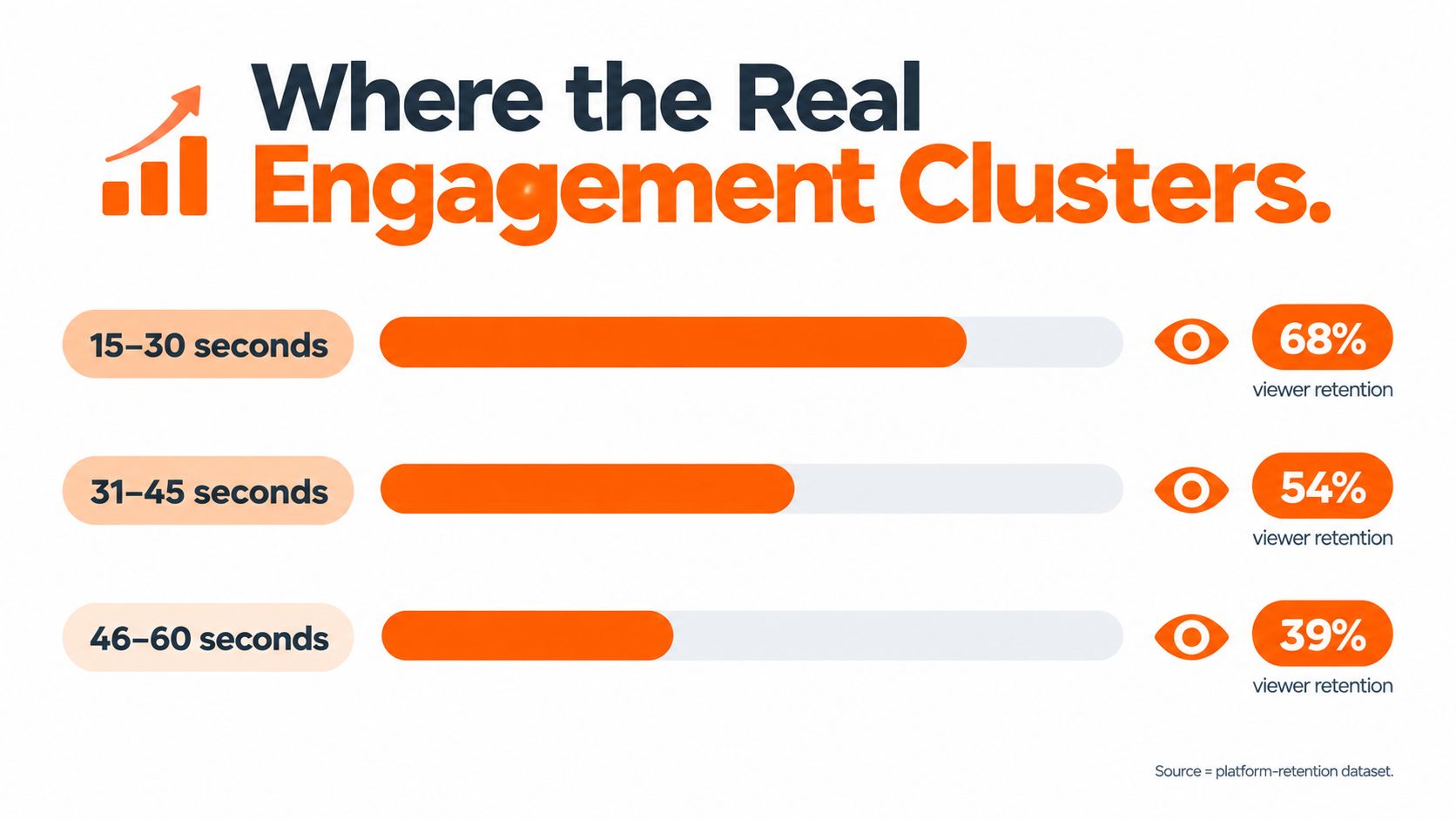
Three minutes is a ceiling, not a useful default. In a large Shorts dataset of 5,400 videos generating 3.3 billion combined views, the most common duration band was 30 to 40 seconds, representing 28.8% of videos. 20 to 30 seconds followed at 23.6%, then 10 to 20 seconds at 17.1% and 50 to 60 seconds at 16.2%. The average Short was 33 seconds. A 2026 creator survey in the same roundup found that 46% of creators preferred under 30 seconds for views, shares, click-throughs, and saves, while 53% chose under 30 seconds specifically for views (Resourcera’s Shorts statistics roundup).
The pattern is clear: viewer attention remains concentrated far below the platform maximum. Compact Shorts give viewers enough time to understand the premise, follow the key beat, and reach the payoff before fatigue sets in. The three-minute cap creates room for material that needs explanation, while discovery-focused cuts still benefit from tighter pacing.
Why the middle wins so often
The 30 to 40 second range gives editors enough room to build a setup, deliver a useful point, and close with a clear payoff. It also leaves less space for a weak middle to expose itself. Once a cut runs longer, each additional beat needs fresh information, visible progress, or a stronger emotional turn.
For raw footage, start by testing a cut in the 20s or 30s. Extend it when the material needs another example, reaction, or step to make the idea complete. Subscriber-oriented videos may earn that extra time through context, while discovery clips usually need a faster route to the payoff.
For repurposed footage and vertical edits, set the length target from what the clip needs to say. A strong interview answer may need more room than a reaction shot, while a single visual gag can lose impact if the setup drags. The same pacing principles apply when adapting clips for other vertical feeds, including this guide to how long Reels should be.
Matching Duration to Your Growth Goal
A Short that drives discovery doesn’t need to behave exactly like a Short that builds subscribers. That’s the trade-off most length advice skips. Watch-through percentage and absolute watch time are not the same signal, and they don’t always point to the same edit.
| Shorts Length by Strategic Goal | Ideal Duration | Key Algorithmic Signal |
|---|---|---|
| Fast discovery | Under 30 seconds | Completion and rewatch behavior |
| Mixed discovery and authority | 30 to 45 seconds | Balanced retention and total viewing time |
| Subscriber growth | 30 to 60 seconds | Deeper viewing, repeat exposure, stronger content trust |
| Tutorial or demo | Up to 3 minutes when needed | Clarity, usefulness, and sustained attention |
The table is a useful shorthand, but the choice still comes down to intent. Adobe Express notes that creators most often favor under-30-second Shorts for views, shares, click-throughs, and saves, while 30 to 60 second Shorts tie under-30-second Shorts for subscriber growth (Adobe Express study). That split is the answer to the “how long should a YouTube Short be” question, because the best length changes with the outcome you care about.
Pick the metric before you pick the runtime
If the goal is discovery, tightness wins. Shorter videos make it easier to hit strong completion and replay behavior, which is exactly what a swipe-based feed can reward. If the goal is trust or subscriber conversion, a slightly longer Short can help because it gives more room to prove competence, show context, or land the payoff with more force.
Decision rule: make the video long enough to deliver the value, then stop. If the core point is complete at 22 seconds, don’t pad it to 40 just to feel safer.
This is also where a lot of creators make a strategic mistake. They chase “better retention” by shortening everything, then wonder why the audience never feels satisfied enough to follow. A clean 35-second explanation can outperform a rushed 12-second clip if the shorter version leaves the viewer without enough substance to care.
The right question isn’t “what’s the shortest possible Short?” It’s “what duration best supports the behavior I want from the viewer?” Once that’s clear, the edit gets easier.
Format Specific Rules for Editing Clips
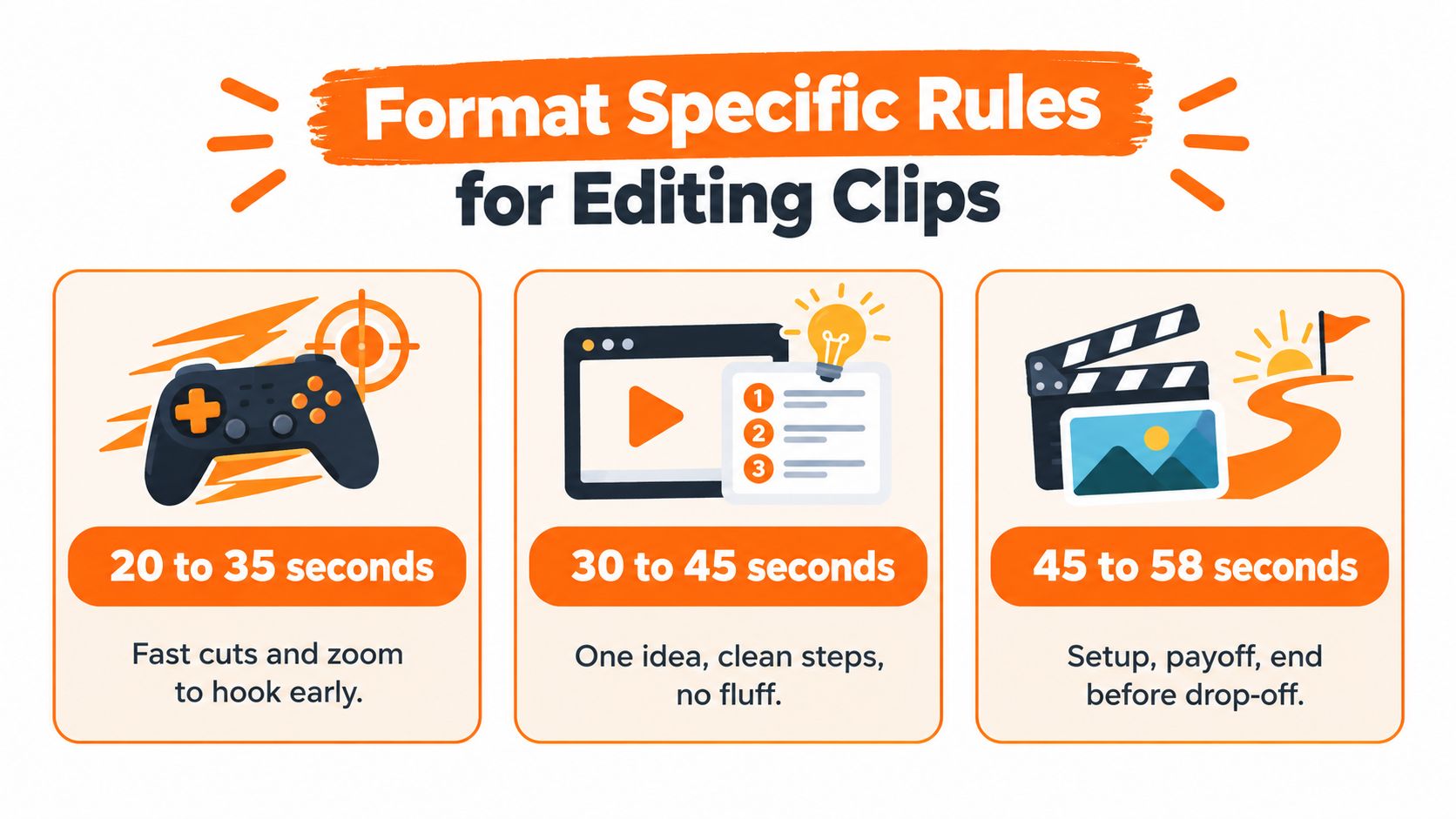
Different formats can carry different runtimes, but only if the pacing matches the content. A gaming highlight, a tutorial, and a mini-vlog don’t ask the viewer for the same kind of attention. Treat them like separate edit problems, not variations of the same template.
Gaming clips need speed, tutorials need clarity
For gaming highlights, the best cut is usually the one that gets to the moment fastest. A single joke, clutch play, fail, or reaction beat should land before the audience has a chance to feel the setup drag. That often means keeping the runtime tight and moving quickly through the setup.
For tutorials, the priority shifts. The viewer needs enough time to understand the steps without losing the thread. A short explanation that moves from problem to fix can run longer than a punchline clip, but only if each step is clean and visually obvious. A weak tutorial becomes a lecture the moment the pacing slips.
For storytelling or mini-vlog content, the rule is different again. You need enough room for a beginning, a change, and a payoff, but not so much that the middle goes soft. A Short that keeps changing visual state can hold attention longer than one that sits on a talking head, even if the runtime is similar.
Here’s the practical boundary I’d use:
- Gaming highlights: cut aggressively, preserve only the most replayable beat.
- Quick tutorials: keep one idea per Short, and trim every pause.
- Story-driven clips: give the viewer a visible shift every few seconds, or the runtime will feel inflated.
For creators who move between raw footage and short-form cuts, tools that help how to make transitions can matter because transitions are often where pacing either tightens or stalls.
Trimming Horizontal Footage for Vertical Feeds
A lot of Shorts are really repurposed horizontal footage wearing a vertical frame. That’s where the edit gets harder, because the source material wasn’t shot with the feed in mind. The best cuts in that situation are not the longest ones, they’re the moments that survive aggressive trimming and still make sense vertically.
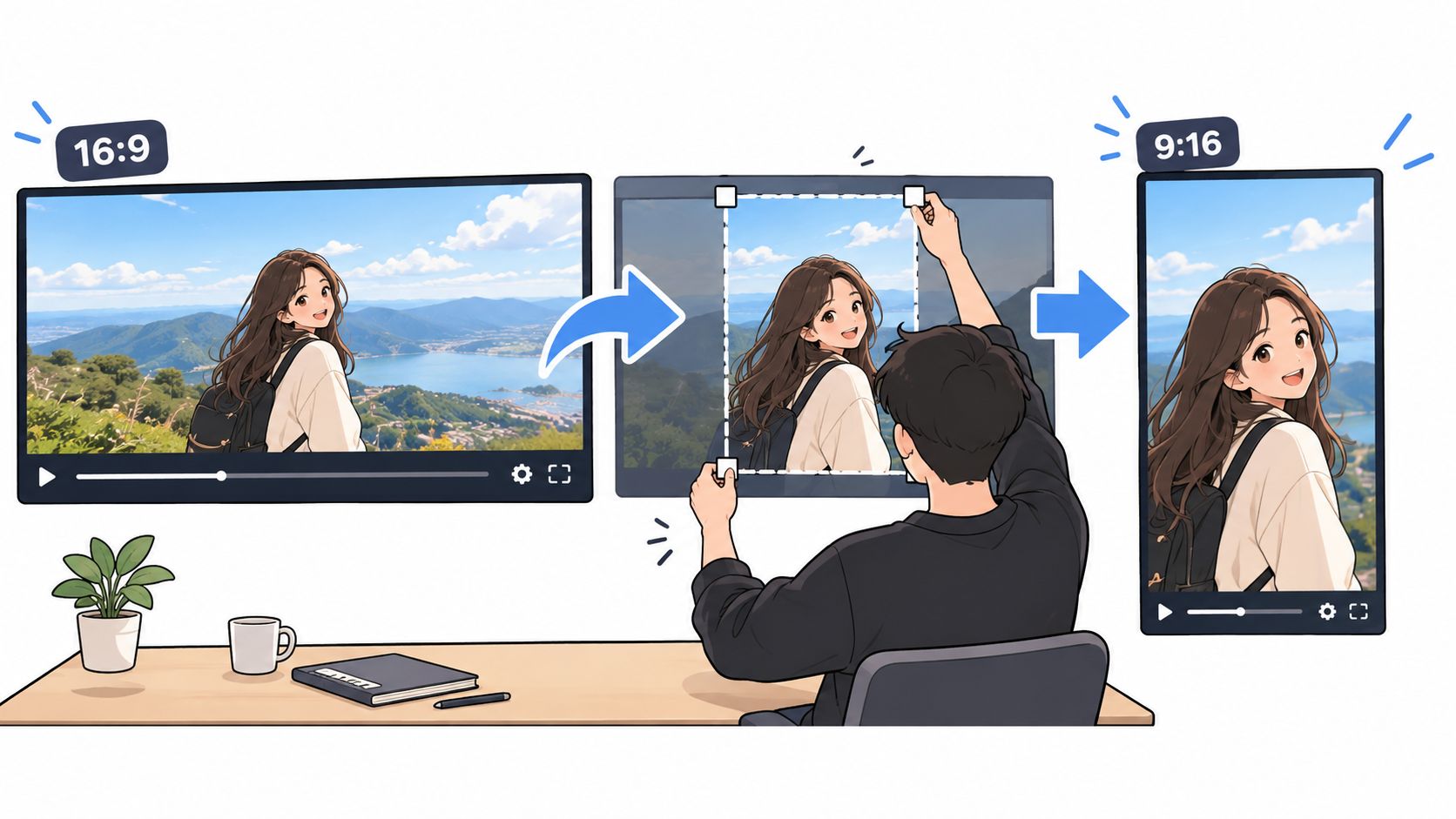
The first pass should identify the strongest moment, not the broadest one. Pull the clip toward a single payoff, then remove every pause, dead glance, and off-topic tangent around it. When a source video is too broad to trim cleanly, the answer is usually not to keep more of it, the answer is to choose a better moment.
Manual conversion of horizontal footage to vertical shorts is time-consuming, and automated reformatting plus assembly can speed the path from raw clip to postable asset. That matters because the longer the turnaround, the less likely you are to test multiple runtime options and learn what your audience finishes.
Reframe for the eye, not just the aspect ratio
A vertical Short needs the subject centered in a way that still feels natural on a phone. If the important action sits too far from the middle, the video will feel like a crop instead of a deliberate composition. Animated captions help here because they keep the viewer anchored to the message even when the source footage is visually busy.
A fast workflow usually looks like this. Identify the hook first, reframe the subject so the motion stays readable, and then cut away anything that doesn’t strengthen the payoff. That approach is especially useful for stream clips, interviews, and long-form repurposing where the raw material already exists but the attention span has to be rebuilt.
For a practical resizing workflow, this internal guide on how to resize videos is directly relevant to the vertical conversion step.
Finalizing Your Shorts Length Strategy
The simplest way to think about Shorts length is to stop treating it like a single rule and start treating it like a match between format, goal, and pacing. 20 to 40 seconds is still the most defensible default for many creators, but the right answer changes when the content is a tutorial, a story, or a clipped highlight from a longer recording. The 3-minute ceiling gives you room, not permission.
A good edit usually follows three checks. First, does the hook make sense immediately? Second, does the middle earn its runtime without dead air? Third, does the ending feel complete enough that a viewer would want another clip like it?
The strongest Shorts are usually not the longest ones, they’re the ones that stop exactly where the value ends. That’s why duration should be the result of editing, not the starting assumption.
If you’re turning long footage into vertical Shorts, ClipOven can help with automatic reframing, AI-assisted cut assembly, and captioned vertical exports built for short-form feeds. If you want a faster way to test different runtimes without rebuilding every clip by hand, visit clipoven and see how its editor handles Shorts pacing from the raw source to the final cut.