 clipoven
More rain doesn’t mean more atmosphere. If pale droplets sit against a pale sky, adding contrast or another rain overlay may give you a busier image without making the weather any clearer.
To shoot rain in black and white successfully, start with visibility rather than mood. Find the visual evidence of rain, protect it in the crop, and choose settings that make that evidence readable on a phone.
Table of Contents
- Why Monochrome Makes Rain Visible
- Shutter Speeds and Light That Make Rain Show
- How to Shoot Rain in Black and White
- Editing Monochrome Rain for a Vertical Frame
- When Color Still Beats Black and White
- Where to Source Black and White Rain Footage
- Turn Your Rain Footage into a Vertical Short
Why Monochrome Makes Rain Visible
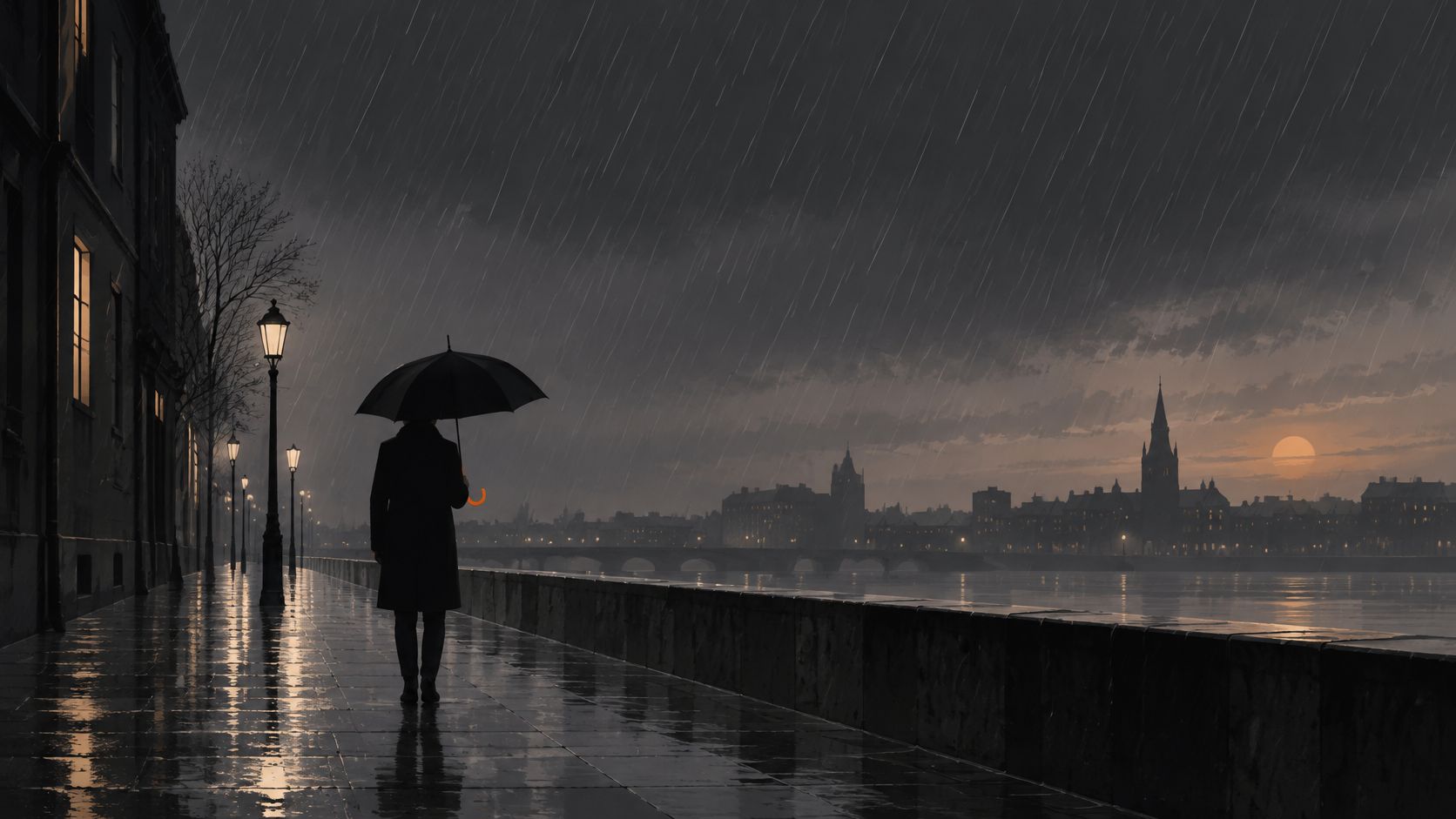
Rain is largely transparent. You don’t usually see the water itself so much as the light it catches, the surfaces it changes, and the way people react to it.
Think of color as the paint and luminance, or brightness, as the skeleton underneath. Removing the paint can make the structure easier to understand, but only if that structure exists. Converting a flat gray scene to monochrome won’t automatically separate its parts.
Find the evidence of rain
Look for these cues before touching a contrast slider:
- Bright droplets against darkness: A shaded doorway or dark coat gives illuminated water something to stand out against.
- Reflections on wet pavement: Broken highlights reveal the surface even when falling drops are invisible.
- Ripples in puddles: Expanding rings communicate rainfall through movement rather than airborne water.
- Umbrellas and silhouettes: A recognizable outline can explain the weather without showing individual drops.
Say you’re editing a rainy street clip. The walker’s face may be the obvious subject, but the pavement reflection might be the clearest evidence that it’s raining. Crop out the ground and you could lose the weather while keeping the person.
An overlay has the same limitation. Bright streaks placed across an evenly lit frame can look pasted on because they don’t belong to its lighting or depth.
Squint at the image to judge its broad tonal structure. Then inspect it at phone size to check the finer rain cue. If neither view communicates wet weather, identify what’s missing before adding effects.
Rain shows up where light and dark meet, not where rain falls.
Shutter Speeds and Light That Make Rain Show
Shutter speed and rain appearance
The CameraSettings rain guide describes drops freezing around 1/500 second or faster, forming streaks at approximately 1/125–1/60 second, and merging into a veil in dense rain around 1/15 second or slower.
| Shutter speed | How rain looks | Best use in a vertical clip |
|---|---|---|
| 1/500 second or faster | Drops freeze as points or discrete forms | Crisp white particles and visual punctuation |
| About 1/125 to 1/60 second | Downward motion becomes streaks | Energetic falling-rain texture |
| About 1/15 second or slower | Dense rain merges into a veil-like texture | Mood, haze and atmospheric transitions |
Think of the shutter as deciding how much of each drop’s journey you record. A brief exposure captures a small piece of that journey. A longer exposure lets the moving drop draw a line.
These are starting points, not guarantees. Wind, drop distance, focus, and camera movement all change the result. A close droplet crossing the frame can produce a different mark from distant rain at the same setting.
Put the light behind the water
Light direction determines whether those marks stand out. Front lighting often gives transparent water little separation from its surroundings. Backlight or side light lets droplets scatter light toward the camera, especially when the background stays dark.
Try a doorway looking toward rain illuminated by a streetlamp. Shift sideways until the lit water overlaps a shaded wall rather than the lamp’s bright glow. That change in camera position can help more than increasing exposure.
A telephoto view can make drops appear larger in the composition. Rain close to the lens can do the same, although out-of-focus foreground drops may become soft blobs rather than distinct particles.
Expose for the background first, then evaluate the rain highlights. Don’t brighten the whole scene just because the drops look faint.
Capture caution: A still-photo shutter choice isn’t automatically a usable video setting. Your recording mode must support the exposure time, and moving subjects may become unnaturally sharp or heavily blurred.
Use fast exposures for a splash that needs to register immediately. Use longer exposures when the weather should feel continuous. For video, test the actual recorded motion rather than judging only a paused preview.
How to Shoot Rain in Black and White
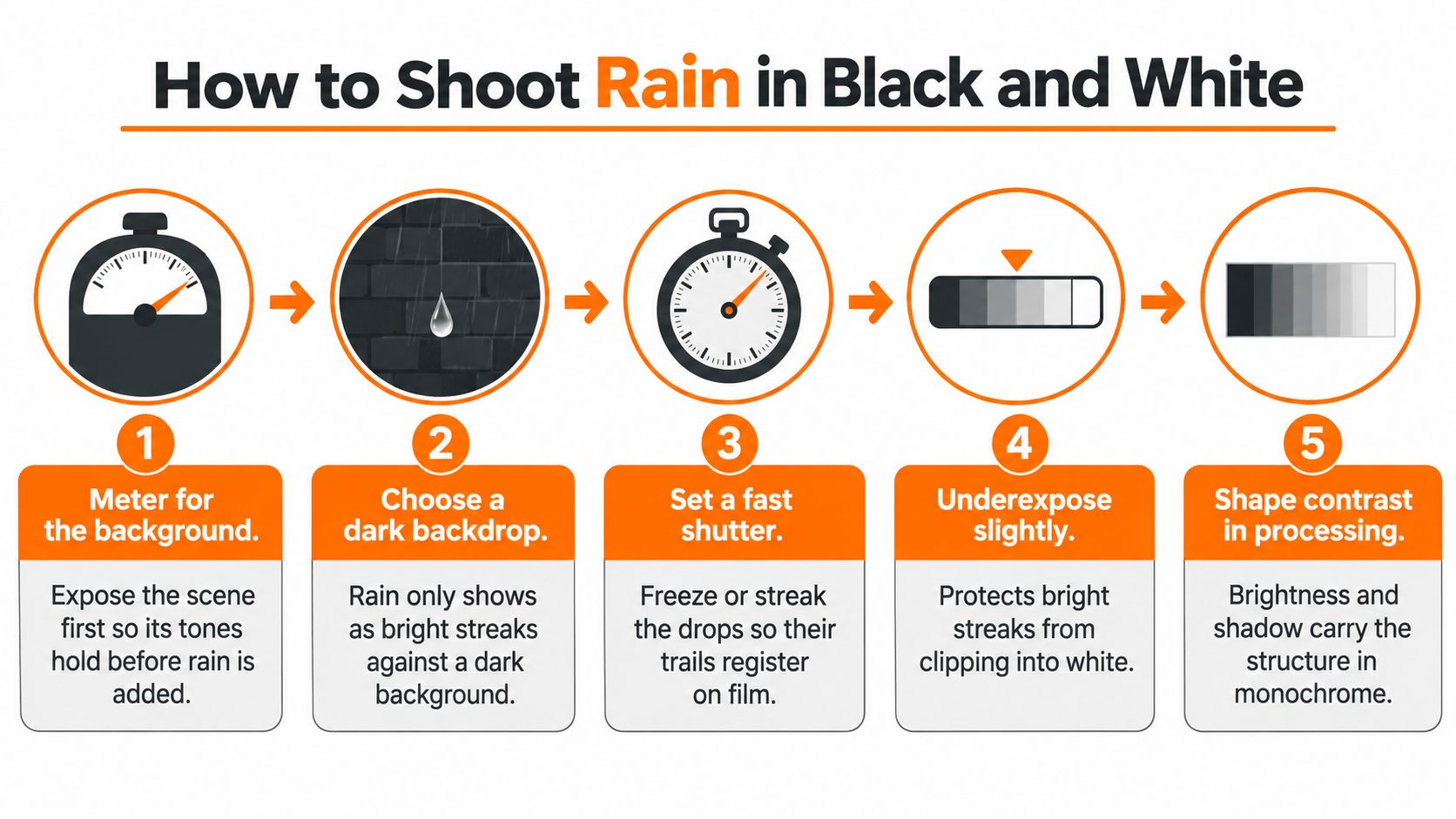
Treat the shoot like building a small stage. Establish the background, place the light, then decide how movement should appear. Protect the camera with a rain cover, keep the front element dry, and keep powered lighting equipment sheltered from water.
Build the shot in a deliberate order
-
Meter for the background. Set an exposure that holds the scene’s important tones. Use the histogram and highlight warning rather than relying entirely on a bright camera display.
-
Choose a clean backdrop. Move until the rain overlaps a shaded wall, foliage, or another relatively simple surface. Avoid bright signs directly behind the drops unless the signs are part of the story.
-
Position a backlight or side light outside the frame. Watch for flare, and use a lens hood or adjust your angle if the light washes out the image.
-
Choose the motion treatment. Use the shutter table to select discrete drops, streaks, or a softer texture. Record a test and inspect the water as well as the subject’s hands and face.
-
In low light, widen the aperture and raise sensitivity as needed. The Tamron rain-photography guide recommends approximately ISO 400–800 when seeking a shutter speed near 1/1000 second for sharply captured falling drops. Treat that as a starting workflow, not a promise that those settings will suit every night scene.
-
Adjust apparent drop size. Try a longer lens or include nearer rain. Check focus carefully: a wide aperture can leave the person sharp while much of the visible water falls outside the focus plane.
-
Record a crisp version and a continuous-texture version. Keep the framing and action similar so you can compare the treatments without also comparing different compositions.
Prepare files that remain editable
Don’t interpret slight underexposure as a universal requirement. Reduce exposure when necessary to protect important highlights, but avoid recording a needlessly dark file that requires aggressive recovery.
In processing, start with a restrained curve and preserve detail in reflections. Use local masks to deepen selected shadows rather than pulling down every dark tone equally. Inspect faces and clothing alongside the rain.
Choose the crisp take for an impact or reaction; choose the flowing take for a quieter passage. Keep both originals. When comparing video editing software, prioritize reliable scopes, local tonal controls, and easy version comparison over a large collection of rain presets.
Editing Monochrome Rain for a Vertical Frame
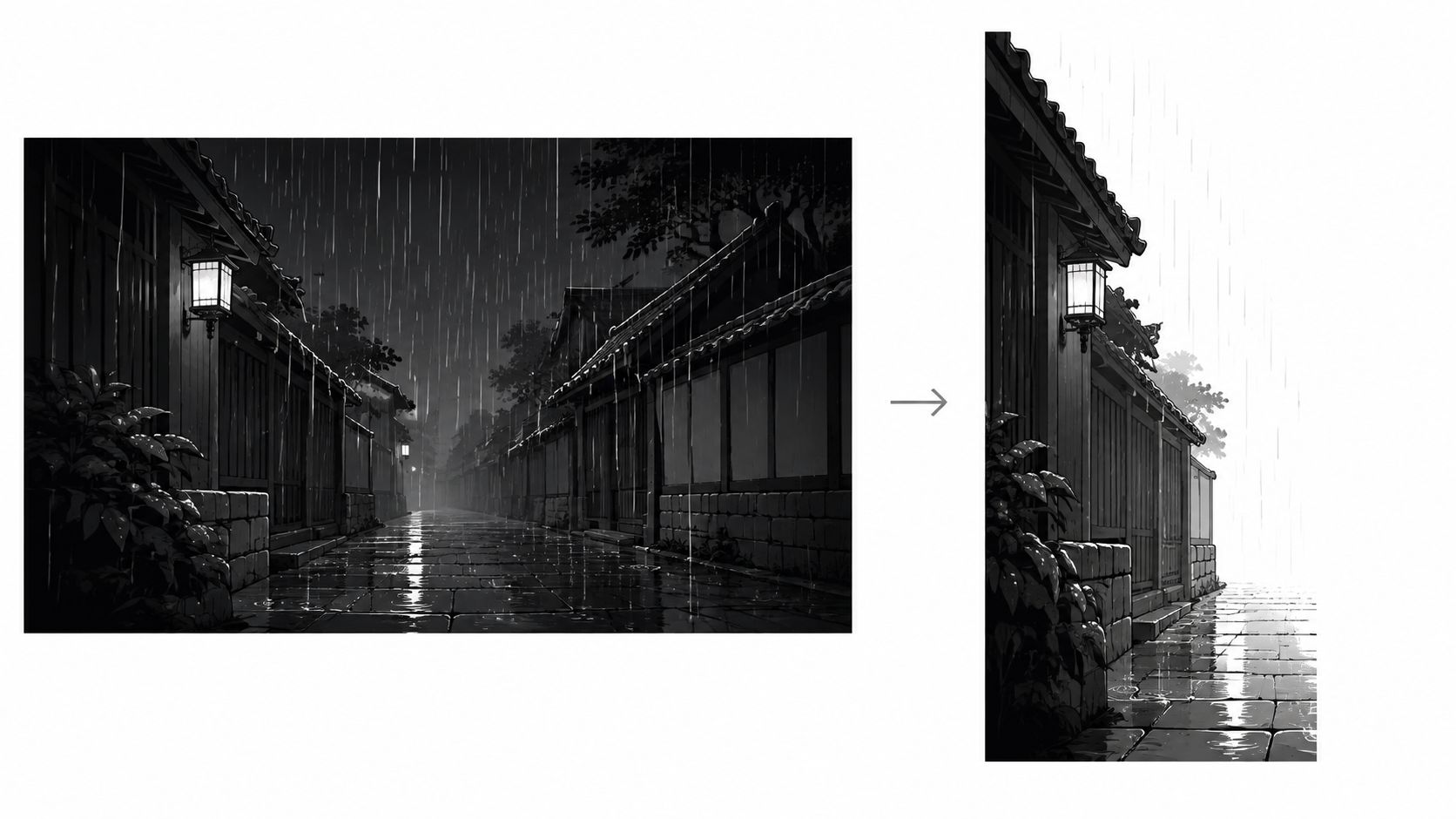
A subject-centered crop can keep the person perfectly framed while removing the dark doorway that made the rain visible. The capture hasn’t failed. The new composition has discarded the evidence.
The practical lighting principles in iPhotography’s rain-photography guide are useful when building a 9:16 edit: preserve the background separation around the visible water, not just the subject’s position.
Diagnose the cue before changing the crop
Pause on the clearest weather moment. Name what communicates rain, then use that cue to make the editing decisions.
Visible rain cue and the matching edit
| Visible rain cue | Reframe | Tone and contrast | Caption placement |
|---|---|---|---|
| Backlit droplets | Keep lit drops and the dark zone behind the subject | Use a restrained curve and protect highlights | Keep text off the brightest drop band |
| Reflections on wet pavement | Include the ground plane in the vertical crop | Deepen shadows selectively | Place captions in the upper third |
| Ripples in puddles | Crop tight on the water surface | Lift midtones slightly for texture | Keep captions clear of the ripple zone |
| Umbrellas or silhouettes | Center the silhouette and keep the sky controlled | Preserve edge contrast | Place text below the shoulders when clear |
| Streaks from moving subjects | Keep the mover in frame with space ahead | Retain useful dark background detail | Use a calm lower-middle band |
For silhouettes, a controlled sky doesn’t necessarily mean a dark sky. A dark figure often needs a lighter sky behind it. Preserve the difference at the outline instead of forcing every background toward black.
A horizontal-to-vertical conversion workflow should include manual composition checks. Automatic tracking may follow a face correctly while excluding a puddle or reflected light that matters just as much.
Adjust motion and text around the evidence
For a walking subject, leave room in the direction of travel. Otherwise the person can repeatedly collide with the frame edge, and a calm rain passage starts to feel cramped.
Slow motion needs enough source frames to remain convincing. Slowing ordinary footage aggressively won’t create the natural droplet movement of a deliberately captured slow-motion shot.
Grade while the clip plays. A still frame may show bright streaks clearly even though compression and movement make them disappear during playback.
Caption check: Place text in the quietest useful area, not automatically at the bottom. Keep it away from both the strongest rain detail and platform interface overlays.
Compare the finished vertical version with the horizontal original. Check whether viewers can still recognize the same weather cue without needing the wider frame.
When Color Still Beats Black and White
Monochrome is worse when color carries information. A red traffic signal, a distinctive umbrella, or a neon storefront can explain the action more efficiently than its gray equivalent.
The CameraMags rain-photography tips distinguish scenes carried by texture and tonal contrast from those where colored lights, umbrellas, and reflections provide the focal point. Treat conversion as an editorial decision, not a finishing effect you apply to every rainy clip.
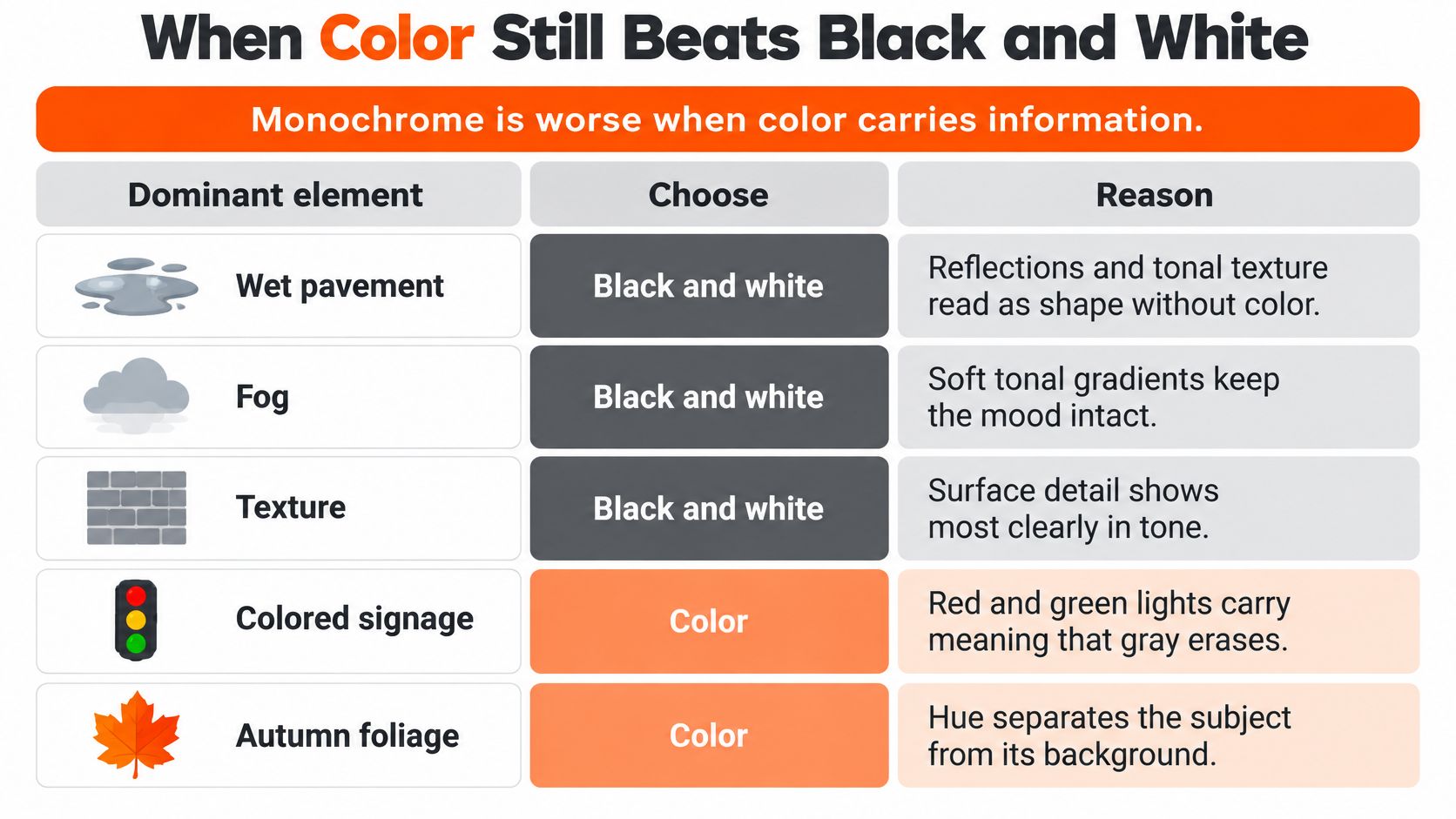
Dominant element and the right rain treatment
| Dominant element | Best treatment | What it keeps | Risk to watch |
|---|---|---|---|
| Wet pavement, fog or texture | Full monochrome | Shape, mood and surface detail | Location cues fade |
| Neon signs or traffic lights | Keep color | The narrative focal point | Monochrome flattens the cue |
| Umbrella as the focal point | Restrained accent color on the umbrella only | The subject against gray rain | Subject blends into the background |
| Silhouette or shape-led story | Full monochrome | Edges and outline | White captions lose contrast on pale areas |
| Brand color or identity | Selective color | The brand cue | Overuse breaks the monochrome cohesion |
Compare meaning, not just appearance
Say a cyclist waits at a crossing in heavy rain. In monochrome, the wet road and silhouette may look striking, but viewers may no longer understand why the cyclist has stopped. Keeping the signal’s color preserves the explanation.
A brightly colored umbrella presents a different choice. If it identifies the person viewers should follow, a restrained accent can help. But check the mask through the full movement: colored fringes around the umbrella can look more distracting than leaving the whole scene in color.
Selective color also needs restraint in branded footage. Retaining a logo may be useful; retaining every matching sign and reflection can scatter attention.
Test the alternatives without sound at feed size. Ask someone who hasn’t seen the footage to identify the subject, setting, and action immediately. Don’t explain what they’re supposed to notice.
Use this decision tree:
- Keep color when hue explains the action or identifies something important.
- Choose full monochrome when shape, texture, or silhouette carries the meaning.
- Retain an accent when a specific visual cue must survive the crop.
Finally, check captions separately. A pleasing grade isn’t readable if white lettering disappears into pale pavement or a face.
Where to Source Black and White Rain Footage
You can shoot footage yourself, obtain it from clients or partners, or license it from stock libraries. Each route gives you a different balance of control and convenience.
Your own capture lets you choose the background and lighting. Client footage gives you relevant people and locations, but you may need to work around fixed exposure or framing. Stock can fill a missing establishing shot quickly, although its baked-in treatment may not match the rest of the edit.
Inspect the file and the permission
Before committing to a clip, check the practical details:
- Usage rights: Confirm that the license covers your intended commercial use, distribution platforms, and any client delivery.
- People and property: Check whether releases are needed for the intended use and whether the supplier provides them. A downloadable file alone isn’t proof of clearance.
- Generated content: Ask whether the footage is AI-generated and review any relevant disclosure conditions.
- Crop flexibility: Request the original dimensions and test the vertical crop. Judge the remaining detail, not just the library’s resolution label.
- Motion: Inspect the frame rate and a sample playback. Make sure the file supports the speed changes you intend.
- Baked-in processing: Look for clipped reflections, heavy noise reduction, vignettes, and crushed shadows that you can’t reverse.
If a library preview is already monochrome, ask whether the original color or flat-profile file is available under the license. That gives you more freedom to match neighboring shots and separate tones during conversion.
Treat overlays as a separate purchase
Preview a rain overlay against an actual frame from your project. Check its direction, scale, focus, and light quality, rather than just how dramatic it looks over a black preview background.
An overlay that reads well over a dark coat may obscure a pale face. Check the full composition before buying it, then store the license terms and purchase record beside the asset so another editor can verify its permitted use.
Turn Your Rain Footage into a Vertical Short
Build the short around a recognizable action: someone stepping into a puddle, a player reacting to stormy game footage, or an umbrella opening into backlight. Choose an opening where viewers can understand the subject and weather without waiting for an explanation.
Assemble, then refine
-
Write a concrete editing brief. Describe the intended look and protected areas: monochrome rain, visible backlit drops, dark background beside the subject, and captions in a clear lower-middle region. Specify what must remain visible rather than asking only for a cinematic result.
-
Review the automatic vertical reframe throughout the action. Use the matching row in Visible rain cue and the matching edit to check what the crop needs to preserve. Correct drifting framing before spending time on decorative effects.
-
Tighten the timeline. Remove setup pauses and repeated movement. Alternate a crisp splash with a longer flowing passage when the change supports the action, but don’t insert a cut merely because another rain texture is available.
-
Check animated captions word by word. Correct names, align entrances with speech, and keep animation from repeatedly crossing the rain detail. For spoken clips, the YouTube Shorts editing guide provides a useful companion workflow for pacing and caption refinement.
-
Apply selective color only with a purpose. Use the decision guide in When Color Still Beats Black and White. If an umbrella or identity mark needs to stay colored, inspect its mask at moving edges and during occlusions.
-
Export a vertical delivery file using the destination platform’s current supported settings. Watch the rendered file, not just the editing preview, because scaling and compression can change the appearance of fine rain.
Make the final decision on a phone
Render the competing treatments and view them at normal feed size. Don’t zoom in to rescue a version whose droplets disappear during ordinary playback.
Check the opening with sound muted, then watch with audio to judge rhythm. Confirm that the subject, weather cue, and captions remain distinct. Publish the version that communicates the moment most clearly, even if the less stylized treatment wins.
ClipOven combines chat-based editing with Eddie, automatic vertical reframing, animated captions, and a full timeline for precise adjustments. Visit clipoven to assemble your rain footage into a short, then refine the crop and caption placement so the weather stays visible.