 clipoven
A long interview is sitting in your content library, a campaign brief is waiting for approval, and your calendar needs posts for TikTok, Instagram, YouTube, LinkedIn, and Facebook. You need to extract useful moments from the video, write channel-specific captions, keep every asset on-brand, route drafts through approval, publish on time, and still explain what worked in the monthly report. The work isn’t difficult because any single task is mysterious. It’s difficult because the workflow stretches across too many tools and handoffs.
The best AI tools for social media managers solve different bottlenecks. Some are built for vertical video, some for writing and repurposing, some for scheduling, and others for engagement, listening, or reporting. A lightweight specialist can outperform a broad suite when one production task is slowing the team down. An integrated platform is usually stronger when several people need shared calendars, approvals, inbox management, and performance data.
The comparison below follows the actual social workflow, from creating and adapting assets to publishing, managing conversations, and measuring results. It also keeps the trade-offs visible, because faster drafts aren’t useful if review work, unclear permissions, weak analytics, or poor platform coverage create more friction later.
Table of Contents
- 1. ClipOven
- 2. Hootsuite
- 3. Sprout Social
- 4. Buffer
- 5. Later
- 6. Canva
- 7. Adobe Express
- 8. OpusClip
- 9. Lately.ai
- 10. Jasper
- Top 10 AI Tools for Social Media Managers, Comparison
- Choose the Stack That Fits Your Bottleneck
1. ClipOven
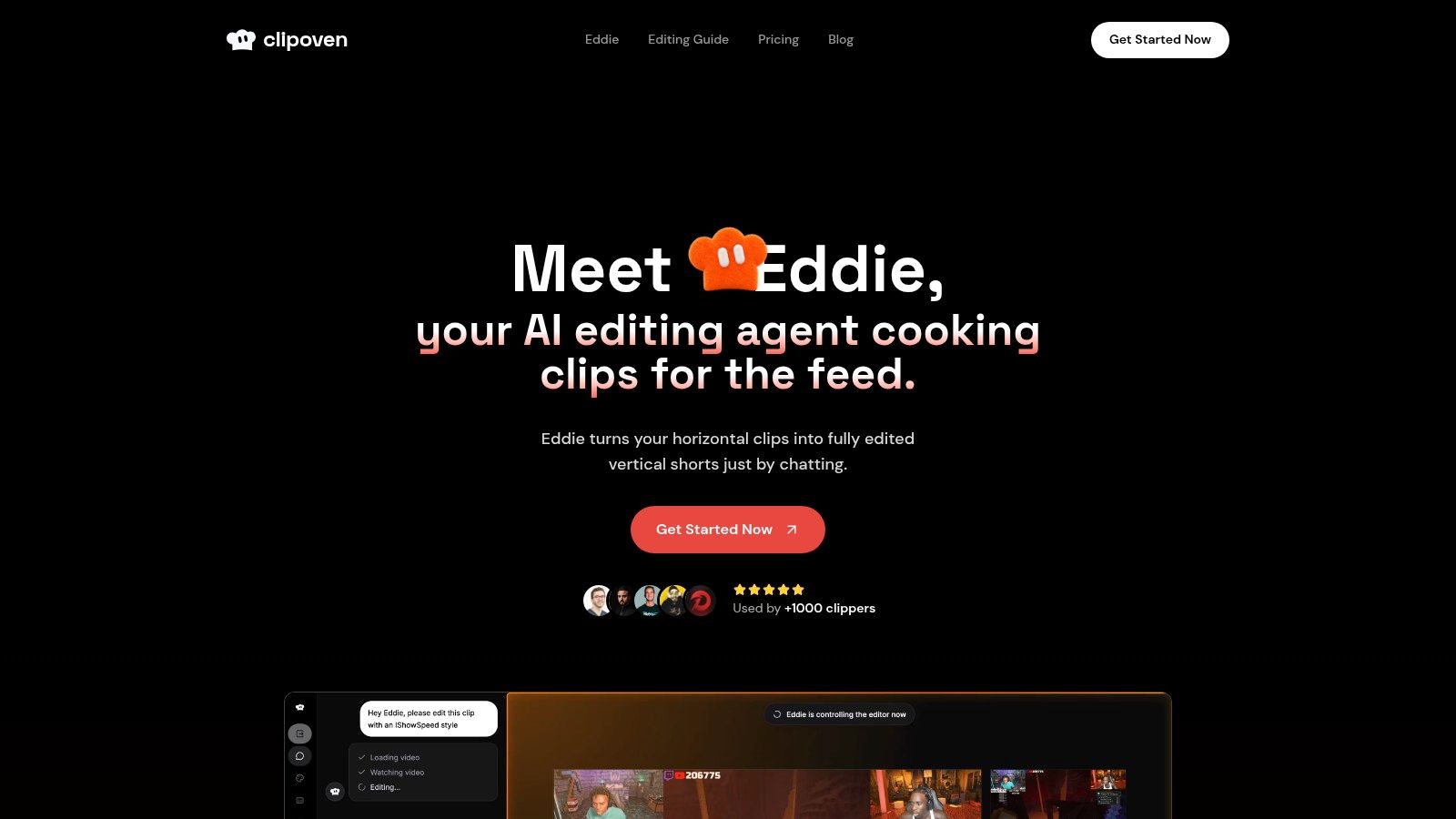
ClipOven is a focused video repurposing tool for social teams that need to turn horizontal footage into vertical content. It converts streams, interviews, webinars, and gaming footage into clips for TikTok, YouTube Shorts, and Instagram Reels, making it useful when short-form production is the main bottleneck rather than publishing or reporting.
The workflow begins with Eddie, ClipOven’s built-in AI editing agent. Describe the intended tone and structure in chat, and Eddie proposes cuts, pacing, animated captions, effects, and reframing. Editors can then move the draft into a timeline editor to change the cut, caption timing, transitions, audio, overlays, GIFs, stickers, and brand assets. That review step matters for teams that need creative control over the final post.
Where the workflow earns its place
The strongest part of the product is chat-based assembly and manual control in one editing workflow. A social manager can ask for an energetic cut, centered speaker framing, removed dead air, and bold captions, then adjust the first version without exporting it to another application. Subject-focused reframing helps keep a speaker or player visible in a 9:16 composition. Caption timing, styling, and voice can also be refined before delivery.
The editor includes the finishing layer as well. Teams can add audio effects, images, GIFs, stickers, and other assets before export. ClipOven provides 2K vertical exports, according to the service’s site, and its demonstrations show prompts modeled on recognizable creator formats while stating that it has no affiliation with those creators.
Practical rule: Use the AI to establish the structure, then spend human attention on the hook, factual captions, brand safety, rights, and final pacing.
The main trade-off is usage planning. Credit-based plans suit teams with predictable clip volumes, while heavier creators should test representative footage before selecting a tier. Clip length, revision cycles, and export needs can change consumption quickly. All plans include Eddie, the full editor, unlimited daily project creation, and 2K exports. Monthly and yearly billing are available. ClipOven fits a production bottleneck well, but teams also needing approvals, scheduling, engagement management, or analytics will need separate tools around it.
2. Hootsuite
Hootsuite is the broad suite for teams that need publishing, approvals, engagement, analytics, listening, and customer-care workflows in one operating environment. Its Wisdom AI assistant, formerly associated with OwlyWriter AI, supports ideation, post drafting, optimization, replies, and insight generation inside the wider platform.
That integration matters more than a long feature list. A social manager can move from a planning calendar to a draft, route it through an approval process, store the approved asset in a shared library, and later handle comments or direct messages in the same system. Teams with multiple brands, markets, or stakeholders get a clearer operating model than they would from stitching together a caption generator, scheduler, inbox, and reporting tool.
Best fit and friction
Hootsuite is strongest when governance is part of the job. Approvals, role management, shared calendars, asset access, and reporting reduce the risk of an unreviewed post reaching a public channel. Its AI can help create first drafts and suggested replies, but it shouldn’t be treated as an autonomous publisher for sensitive customer questions or claims.
The downside is complexity. Larger plans and add-ons can raise the total cost, while teams using only basic scheduling and caption assistance may find the interface heavier than necessary. Learning the system also takes time, particularly when a team adopts advanced analytics, listening, or customer-care modules.
Hootsuite’s position is clearest for a social department rather than a solo creator. If several people need to coordinate campaigns and conversations, its breadth can justify the implementation work. If the only bottleneck is turning a video into short clips, it won’t replace a focused editor such as ClipOven.
3. Sprout Social
Sprout Social is built for brands that treat social as a customer intelligence and reporting channel, not only a publishing queue. Sprout AI and AI Assist help with copy, analysis, suggested replies, and reporting, while Smart Inbox brings conversation management, sentiment signals, and spike alerts into the daily workflow.
The platform suits teams that need to connect social activity with customer care, communications, or broader business reporting. A manager can review incoming messages, identify emerging themes, create a response draft, and pass a structured summary to colleagues without relying on a collection of disconnected exports. CRM and helpdesk integrations are particularly relevant when social conversations need follow-up beyond the social team.
Where it outperforms lighter tools
Sprout’s main advantage is depth. Its analytics and listening modules are designed for teams that need more than surface engagement counts. Reporting can support recurring stakeholder conversations, while listening helps teams investigate brand, competitor, or category discussions. Suggested replies can speed up routine interactions, but a human should still verify context before sending anything consequential.
The price and packaging are the main constraints. Per-seat costs are higher than lightweight scheduling tools, and some functionality sits behind higher tiers or additional modules. That can be sensible for a large customer-care operation, but excessive for a small team that mainly wants a content calendar and caption ideas.
Sprout is the better choice when conversation quality, listening, and reporting discipline are central. It isn’t the most direct answer to a video repurposing problem. A team can pair it with a dedicated clip editor, then use Sprout for publishing oversight, engagement management, and performance analysis.
4. Buffer
Buffer keeps the social workflow deliberately simple. Its AI Assistant supports ideas, post drafts, rewriting, repurposing, and AI replies, while the core product focuses on a planning calendar, queue management, publishing, and straightforward analytics.
That simplicity is useful for solo managers, creators, and lean marketing teams. Buffer is easy to understand because the product doesn’t ask a small team to adopt a large operating system before it can schedule its next post. Per-channel pricing also lets a business start with the profiles it manages rather than buying a broad enterprise bundle.
The trade-off for small teams
Buffer works well when the workflow is draft, adapt, approve, schedule, review. Its AI can help turn a rough idea into platform-specific copy or rework an existing post, which reduces the blank-page problem. The queue and calendar make recurring publishing easy to maintain, and onboarding is less intimidating than a full listening and customer-care suite.
The limitations appear when the team needs deeper intelligence. Buffer doesn’t match specialist platforms for advanced listening, social care, or governance. Analytics are useful for everyday decisions, but a team needing extensive reporting, complex approval structures, or detailed conversation triage will probably add another product.
Use Buffer when speed and clarity matter more than centralizing every social function. It’s also a sensible companion to a specialist video editor. ClipOven can handle the visual transformation from horizontal footage to vertical shorts, while Buffer manages the resulting publishing queue.
5. Later
Later is a visual planning tool with a particularly strong fit for teams that think in grids, media libraries, and short-form creative. It supports Instagram, TikTok, YouTube, Pinterest, LinkedIn, Threads, Snapchat, and Facebook through its Social Sets, with AI Ideas and a Caption Writer for content development.
The visual calendar is the main reason to choose it. Teams can see how assets will sit together, organize media, and plan a campaign around the appearance of a profile rather than only a list of scheduled posts. That approach helps agencies and visual brands spot repetition, inconsistent creative, or gaps in a launch sequence before publishing.
When visual planning matters
Later’s media management and Access Groups make it practical for teams that need shared control without adopting a heavier enterprise platform. Instagram and TikTok workflows are especially relevant for social managers working with frequent visual content, creator partnerships, or product launches.
There are limits. AI features use monthly credits on entry tiers, and the cost increases as a team adds profiles or Social Sets. Platform coverage and publishing behavior should also be checked against the exact networks and post formats in the team’s workflow. A scheduler may support a network without offering identical functionality across every content type.
Later is a strong middle ground for a visually led social operation. It can organize the calendar and captions, but it won’t replace a serious video editor or a deep listening platform. For managers repurposing long recordings, the asset creation step still needs a specialist workflow. Practical guidance on how to repurpose video content can help define that handoff before the files enter the calendar.
6. Canva
Canva combines Magic Studio, Magic Write, brand kits, templates, and a Content Planner. It’s a strong choice when the central problem is producing a large volume of consistent visual assets and moving supported designs directly into a publishing workflow.
The product’s strength is accessibility. A manager can start from a template, use AI to generate or edit creative, apply brand colors and fonts, write supporting copy, and schedule the result without changing applications. Brand kits reduce the chance that every team member interprets visual identity differently, while the template ecosystem helps non-designers produce usable campaign assets quickly.
The boundary between design and management
Canva is most effective for static posts, carousels, simple motion graphics, campaign variations, and branded social graphics. It can also support video creation, but teams should distinguish between designing a visual asset and building a high-volume short-form editing pipeline. A stream highlight often needs subject tracking, precise dead-air removal, caption timing, and pacing decisions that a template-first design workflow isn’t designed to handle.
The Content Planner covers supported networks, but coverage should be verified before standardizing on it. Canva’s analytics and listening capabilities also aren’t as deep as those in dedicated social management suites. That means a team may still need Buffer, Hootsuite, Sprout Social, or another reporting layer.
Choose Canva when creative production and brand consistency are the priority. It reduces handoffs for design-led campaigns, but it shouldn’t be forced to solve customer care, advanced reporting, or specialist vertical-video editing at the same time.
7. Adobe Express
Adobe Express brings Firefly generative AI, templates, brand libraries, and a Content Scheduler into a familiar Adobe-oriented workflow. It makes sense for teams already using Adobe tools and wanting a relatively direct path from design production to social publishing.
Firefly supports generative image work and text stylization, while brand kits and libraries help teams maintain visual consistency across contributors. The Content Scheduler can plan and auto-publish to multiple social channels, which is useful when a campaign begins with designed assets rather than raw footage or a long-form editorial source.
A good Adobe companion, not a complete social command center
Adobe Express is strongest when the team needs polished creative without moving between a design application and a basic scheduler. The credit model for generative AI gives users a defined way to think about usage across Adobe applications, and the product can be cost-effective for individuals and small teams.
The scheduler is simpler than a specialized social management suite. Teams with advanced approval flows, deep engagement management, listening, or detailed cross-channel reporting may need another tool. Network coverage and publishing limits also deserve a check before launch, particularly if the workflow depends on less common formats or platform-specific features.
Express works well as the creative layer in a broader stack. It can produce branded campaign assets and schedule them, while another platform handles customer conversations and reporting. For teams creating many vertical clips from live or horizontal footage, it is better used alongside a purpose-built editor than as a replacement for one.
8. OpusClip
OpusClip focuses on the long-video-to-short-video problem. It can identify highlights, create clips, reframe footage, add captions, apply brand templates, and prepare content for TikTok, Reels, and Shorts. Mobile and desktop options, direct publishing, scheduling, API access, and advanced exports make it suitable for workflows that need to move from one long recording to multiple short assets.
The appeal is speed. A podcast, webinar, stream, or interview can enter the system and come out as a set of vertical candidates without an editor manually searching the entire recording first. AI curation and virality scoring can help prioritize moments, although those suggestions still need human review because a technically engaging excerpt may lack context or fit the brand poorly.
Where a specialist still needs an editor
OpusClip is useful for teams that value throughput and want captioning, reframing, and publishing in one product. It reduces the number of external steps between source footage and a social-ready draft, which matters when the team publishes frequently or works from mobile devices.
Credit-based plans can create planning pressure for heavy users, and creative control differs from a full non-linear editor. The most important clips may need manual restructuring, more precise pacing, brand-specific overlays, or a careful review of captions and claims. A high predicted score isn’t a substitute for editorial judgment.
For a broader view of automatic video editing, compare how much control the workflow preserves after the first AI pass. Choose OpusClip when rapid multi-clip extraction is the priority. Choose ClipOven when conversational direction, subject-centric reframing, and a detailed editable timeline are more important.
9. Lately.ai
Lately.ai is designed for content-rich organizations that already have blogs, podcasts, videos, reports, or other long-form material and need to turn that library into a steady stream of social posts. Its AI generates channel-specific copy from those source assets, learns from brand patterns and past performance, and supports scheduling, workspaces, advocacy, and enterprise governance.
This is a different problem from making a Reel. Lately’s value sits in the editorial distribution layer. A marketing team can take one approved source, extract themes and hooks, create multiple post variations, and organize them across channels without asking a copywriter to start every caption from a blank document.
The cost of scale is review discipline
The learning component is useful for organizations with an established content history. It can help a team preserve brand voice and identify patterns worth repeating, while multi-workspace and advocacy features suit agencies or larger companies with many contributors. The platform is better aligned with a content operation than with a creator who only needs occasional social copy.
Entry-plan features and credits are limited, and pricing rises at the mid-tier. Even so, generated posts still need review for factual accuracy, context, claims, and platform fit. Repurposing can multiply distribution, but it can also multiply a weak interpretation of the original source if the approval process is careless.
Lately.ai is a strong choice when content reuse is the bottleneck. It pairs naturally with a scheduler and can sit alongside a video editor. It isn’t the best standalone answer for editing clips, handling incoming customer conversations, or replacing a dedicated analytics system.
10. Jasper
Jasper is a marketing-focused AI platform for teams that need governed copy across social, advertising, email, and web channels. Its Brand Voice, Style Guides, templates, workflows, collaboration features, and campaign Canvas give marketing teams more control than a generic prompt box.
Jasper is most useful when the organization has a clear style guide and enough content volume to justify a shared writing system. Teams can define how the brand should sound, create social captions and ad variations, and adapt campaign messaging across channels. That makes it a strong fit for marketing departments where social copy must align with broader campaign language.
Why it needs a companion tool
Jasper isn’t a complete publishing, engagement, or analytics platform. The team will need an external scheduler and reporting system, and those integrations should be tested before the workflow becomes dependent on them. Its value is in governed generation and collaboration, not in replacing the social operations layer.
Human review remains essential. Jasper can help preserve a style and accelerate variations, but it can’t independently verify every factual statement, promotion condition, legal requirement, or customer-specific detail. Brand voice also doesn’t guarantee that a caption is right for a particular platform or audience moment.
For a practical comparison of adjacent options, this guide to the best AI tools for content creators helps place Jasper alongside specialist creation products. Choose Jasper when governed copy generation is the priority. Pair it with Buffer or Later for simpler publishing, or with Hootsuite or Sprout Social when approvals, engagement, and reporting need to live in a broader system.
Top 10 AI Tools for Social Media Managers, Comparison
| Product | Core features | Quality & UX | Value & Pricing | 👥 Target audience | ✨ Unique selling points |
|---|---|---|---|---|---|
| clipoven 🏆 | Automatic 16:9→9:16 reframing; Eddie chat → editable timeline; animated captions; 2K export | ★★★★☆ Fast AI first‑pass + manual NLE | 💰 Credit packs (Hobby 1k/mo; Pro 3k/7k/10k); monthly/yr | 👥 Twitch/gaming creators, Shorts/TikTok/IG Reels creators, social managers, freelancers | ✨ Agentic chat→timeline workflow; subject‑centric reframing; layered finishing |
| Hootsuite | Publishing, engagement, analytics, Wisdom AI for ideation & replies | ★★★★☆ Enterprise UX & governance | 💰 Seat‑based + add‑ons; scales to enterprise | 👥 Mid→enterprise teams, social ops, agencies | ✨ AI woven into publishing/engagement; approvals & reporting |
| Sprout Social | AI Assist, Smart Inbox, listening, advanced analytics | ★★★★☆ Best‑in‑class reporting & care UX | 💰 Higher per‑seat pricing; tiered add‑ons | 👥 Brands needing deep reporting, social care teams | ✨ Deep listening & analytics; CRM/helpdesk integrations |
| Buffer | Scheduler, AI Assistant, queue & lightweight analytics | ★★★★☆ Simple, fast UX for small teams | 💰 Lower entry cost; per‑channel pricing | 👥 Solo managers, lean teams, small businesses | ✨ Fast onboarding; straightforward scheduling & repurposing |
| Later | Visual planner, AI caption writer, media workflows for IG/TikTok | ★★★★☆ Visual calendar‑first UX | 💰 Tiered plans; AI metered by credits on entry tiers | 👥 Instagram/TikTok‑focused creators, agencies | ✨ Grid planning + strong visual asset workflows |
| Canva (Magic Studio + Planner) | Magic Studio generative design, templates, Content Planner | ★★★★☆ Rapid creative UX; vast templates | 💰 Free + Pro tiers; value for design-heavy teams | 👥 Designers, social creators, marketers seeking brand consistency | ✨ One‑stop design→schedule; massive template & brand kit library |
| Adobe Express (Firefly) | Firefly generative AI, templates, Content Scheduler | ★★★★☆ Familiar Adobe UX for creatives | 💰 Subscription with generative credit model | 👥 Adobe ecosystem users, small teams needing design + scheduling | ✨ Strong brand controls; Firefly generative assets |
| OpusClip | Auto‑clipping, captions, reframing, virality scoring, direct publish | ★★★★☆ Very fast repurposing UX | 💰 Credit‑based plans; mobile & API options | 👥 Creators focused on high‑volume vertical clips | ✨ Fast auto‑clipping + virality scoring; publish/schedule paths |
| Lately.ai | Auto‑generation from text/audio/video; brand learning; scheduling | ★★★★☆ Optimized for high‑volume output | 💰 Credits/tiers; mid‑tier price jump | 👥 Content‑rich brands, agencies needing scale | ✨ Learns brand voice; converts libraries into consistent posts |
| Jasper | Brand voice training, templates, campaign workflows | ★★★★☆ Strong copy generation UX | 💰 Subscription; pairs with schedulers | 👥 Marketing teams needing on‑brand AI copy at scale | ✨ Brand Voice & style guide training; campaign Canvas |
Choose the Stack That Fits Your Bottleneck
The right tool depends on where work stalls. If the team has plenty of source footage but can’t turn it into strong vertical assets quickly, start with ClipOven or OpusClip. ClipOven is the better fit when conversational direction, subject-aware reframing, animated captions, and an editable timeline matter. OpusClip is attractive when rapid highlight extraction and a direct path from long video to multiple short clips are the priority. Neither should be judged only by how fast it creates a first draft. Review the quality of the hook, framing, captions, pacing, rights, and final export.
Choose Buffer or Later when publishing is the main constraint. Buffer offers a clean, lightweight scheduling workflow for solo managers and lean teams. Later is better when visual planning, media organization, Instagram, and TikTok are central to the calendar. Both can manage the distribution layer, but neither is a substitute for deep social listening or a specialist video production environment.
Canva or Adobe Express makes more sense when the team spends most of its time creating branded graphics, carousels, campaign variations, and simple motion assets. Canva’s broad template ecosystem and brand kits support fast collaboration. Adobe Express is a natural choice for teams already working in the Adobe ecosystem and wanting Firefly-powered creative tools. Verify network support and analytics depth before moving the entire publishing workflow into either product.
For high-volume, governed content generation, look at Lately.ai or Jasper. Lately.ai is designed to distribute existing blogs, podcasts, videos, and other long-form assets. Jasper is stronger when the team needs controlled brand voice and campaign copy across several marketing channels. Both require review, and both work best when paired with a publishing and measurement layer.
Hootsuite and Sprout Social are the integrated-suite choices. Hootsuite fits teams that need publishing, approvals, engagement, analytics, listening, and customer care in one environment. Sprout Social is particularly well suited to organizations that need mature reporting, listening, social care, and cross-functional workflows. Their breadth brings implementation work and higher costs, so don’t buy that complexity for a problem a focused tool can solve.
AI adoption has moved well beyond occasional experimentation. SurveyMonkey reporting found that 88% of marketers use AI tools in their daily work, while 93% said AI accelerates content creation. The same reporting found that 73% said AI plays a role in personalized customer experiences, which reinforces the shift from isolated copy generation to audience-facing workflow support. SurveyMonkey marketing AI figures provide useful context, but they don’t remove the need to test a product against your own assets and approval process.
Run a representative trial before standardizing. Use the same footage, campaign brief, brand guidance, permissions, and reporting requirements across shortlisted tools. Review every AI output, measure editor and reviewer effort, confirm credit usage and platform coverage, and check whether the analytics answer the questions stakeholders ask. The best stack isn’t the one with the most AI features. It’s the one that removes your real bottleneck without creating a new governance problem.
ClipOven gives social teams a focused way to turn horizontal footage into polished vertical shorts, with Eddie assembling cuts, captions, pacing, and effects before handing the result to a full timeline editor. If video repurposing is slowing your social workflow, visit clipoven to test a faster path from source footage to platform-ready TikTok and YouTube Shorts assets.