 clipoven
In 2025, online adults worldwide reported watching Reels, TikToks, and Shorts for an average of 6 hours and 37 minutes per week, according to DataReportal’s April 2025 Global Statshot. A gaming clip isn’t landing in a quiet feed. It’s landing in hours of other vertical video every week.
The way I edit gaming clips for TikTok starts before the timeline. Pick the format from the footage first. Then treat captions and rights as release gates, not last-minute polish. A clutch that needs no setup becomes a short reaction. A round that only makes sense with context stays long enough to land. Cutting first and hoping the length works later is how good plays die in the scroll.
Table of Contents
- Find the Highlight in Long Gameplay
- Choose the Clip Format Before You Edit
- How to Cut Gameplay Into a Hook-First Edit
- Reframe to 9:16 Without Hiding the HUD
- Caption Gaming Clips Accurately and Safely
- Clear Rights and Run the Pre-Post Check
- Test Clip Length and Track Format Metrics
Find the Highlight in Long Gameplay
Start from the full session, not from a clip you’ve already crowned as the best. Watch the recording once at normal speed. Log every candidate with a timestamp and a label: clutch play, funny fail, strong reaction, or strategic insight.
Audio often finds the moment before the picture does. A shout, a voice crack, or a crowd cheer is worth a check even when the screen looks quiet. For each candidate, write what happened just before it. That setup decides whether the moment can stand alone.
Mark the window. Put the start a few seconds before the action and the end on the reaction, not on the next respawn. Drop any moment that needs more than 90 seconds of context, or that depends on a teammate who never appears. Viewers who don’t know the lobby will be lost, and no caption fixes a missing player.
Finish with a shortlist of three to five moments. Give each a rough format label and a note on whose audio or footage is in it. That note is the list you’ll clear later. Say a four-hour ranked session yields a one-tap, a failed rotate, and a comeback round. Only those three enter the edit.
Choose the Clip Format Before You Edit
Gaming clips sit inside a huge category. TikTok’s SMB Creative Playbook reports that gaming-related videos generated more than 3 trillion views worldwide between January and December 2022, from TikTok’s internal global data. That figure covers the whole category, not an average per post, and it isn’t a promised audience. One session can still be split into several clips. Each one has to show its payoff early or it gets scrolled past.
Decide the format before you touch the timeline. The length is a retention choice, not a trim you discover halfway through.
| Format | Length | Best footage | Keep in the edit |
|---|---|---|---|
| Reaction clip | Under 15 seconds | One sharp moment, clutch or fail | Payoff and reaction only |
| Skill demonstration | 20-45 seconds | A mechanic or play that needs a short setup | Setup line, action, result |
| Story or tutorial | 60-90 seconds | A round, match or tutorial with context | Setup, turning point, payoff |
Quick test. If the payoff fits in one spoken line and needs no setup, cut it short. If viewers must understand the situation first, plan the longer format. Tag each shortlisted moment during review so one stream can feed all three without mixing their jobs.
Practical rule: Keep the format decision separate from the edit, so the cut, framing, and captions all serve one chosen length.
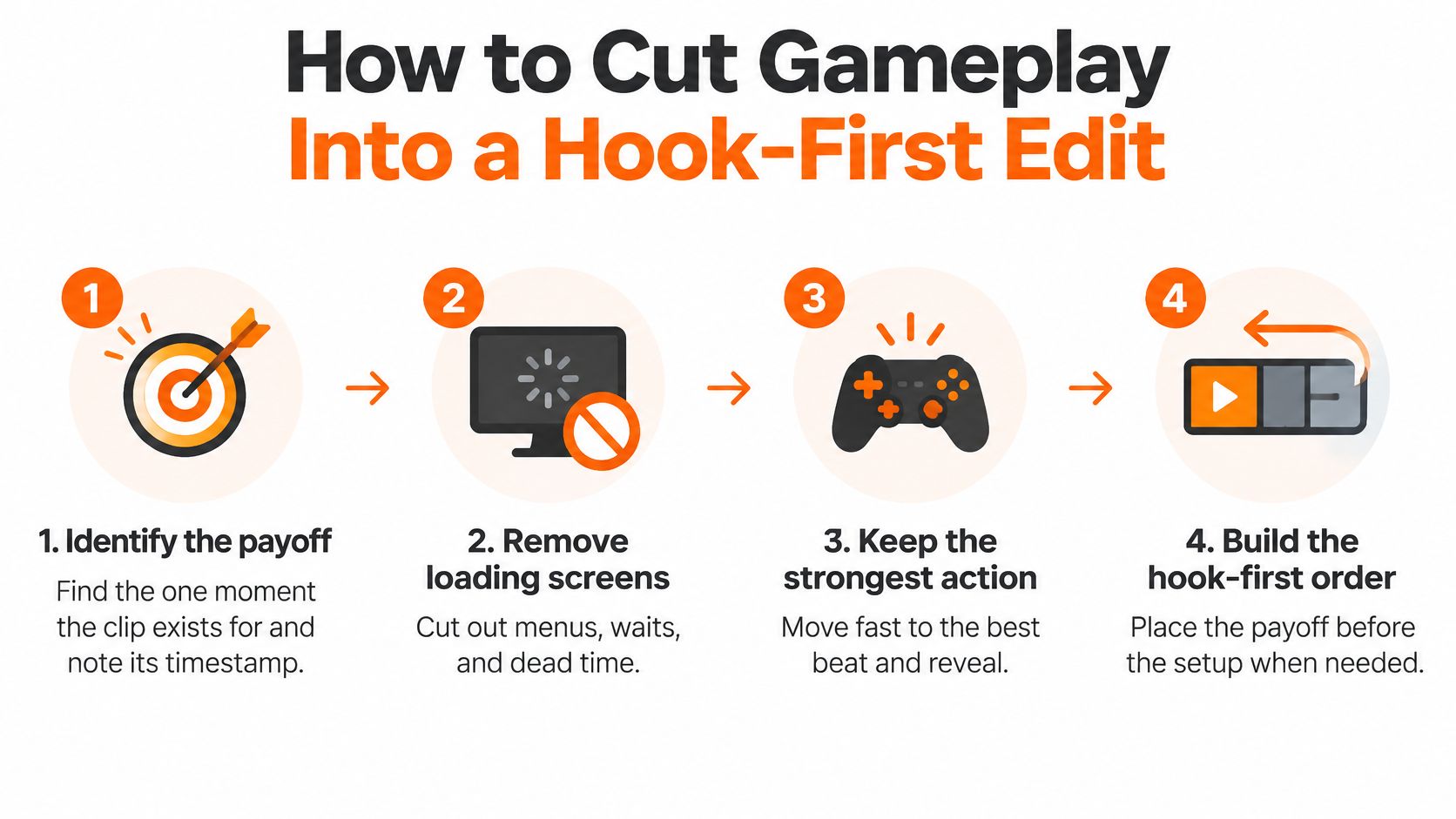
How to Cut Gameplay Into a Hook-First Edit
Work the cut in this order. Each step exists so a stranger who has never played the game still feels the beat.
- Identify the payoff. Find the one moment the clip exists for and note its timestamp. Everything else serves that beat. If you can’t name it in a few words, you don’t have a clip yet.
- Remove loading screens. Cut menus, repeated movement, and pauses. Dead air is the fastest way to lose someone who was only half committed.
- Open on the consequence. Start on the kill, the scream, or the miss, not on the walk-up. The first seconds decide whether the rest of the format gets watched.
- Cut back briefly to the setup. Show only enough for a new viewer to grasp what just happened. A line of context beats a full rotate.
- Return to the payoff. End on that beat or on a clean reaction. Don’t roll into the next life.
- Add sound with restraint. Hard-cut on gameplay actions. Use impact sound effects sparingly. Change the picture every few seconds only when the change clarifies the moment, not because the timeline feels quiet.
The common slip is squeezing a 60-second story into 20 seconds. You keep the kill and lose the setup that made it mean anything. A skill demonstration needs its setup line. A reaction clip doesn’t. If you picked the format first, you already know which pieces you’re allowed to drop.
Watch it once with the sound off
Play the cut muted. If the consequence reads first and the story still makes sense, the structure works. If you need the commentary to explain what happened, the picture order is wrong. Fix the order before you touch captions or effects.
Reframe to 9:16 Without Hiding the HUD
A center crop is the fastest way to bury a clutch. Record and review the 16:9 pass first, then reframe. Scaling the whole frame to fill a phone shrinks the player, the crosshair, and the kill feed until none of them read. Follow the action with subject tracking or keyframed horizontal moves instead of one locked center crop.
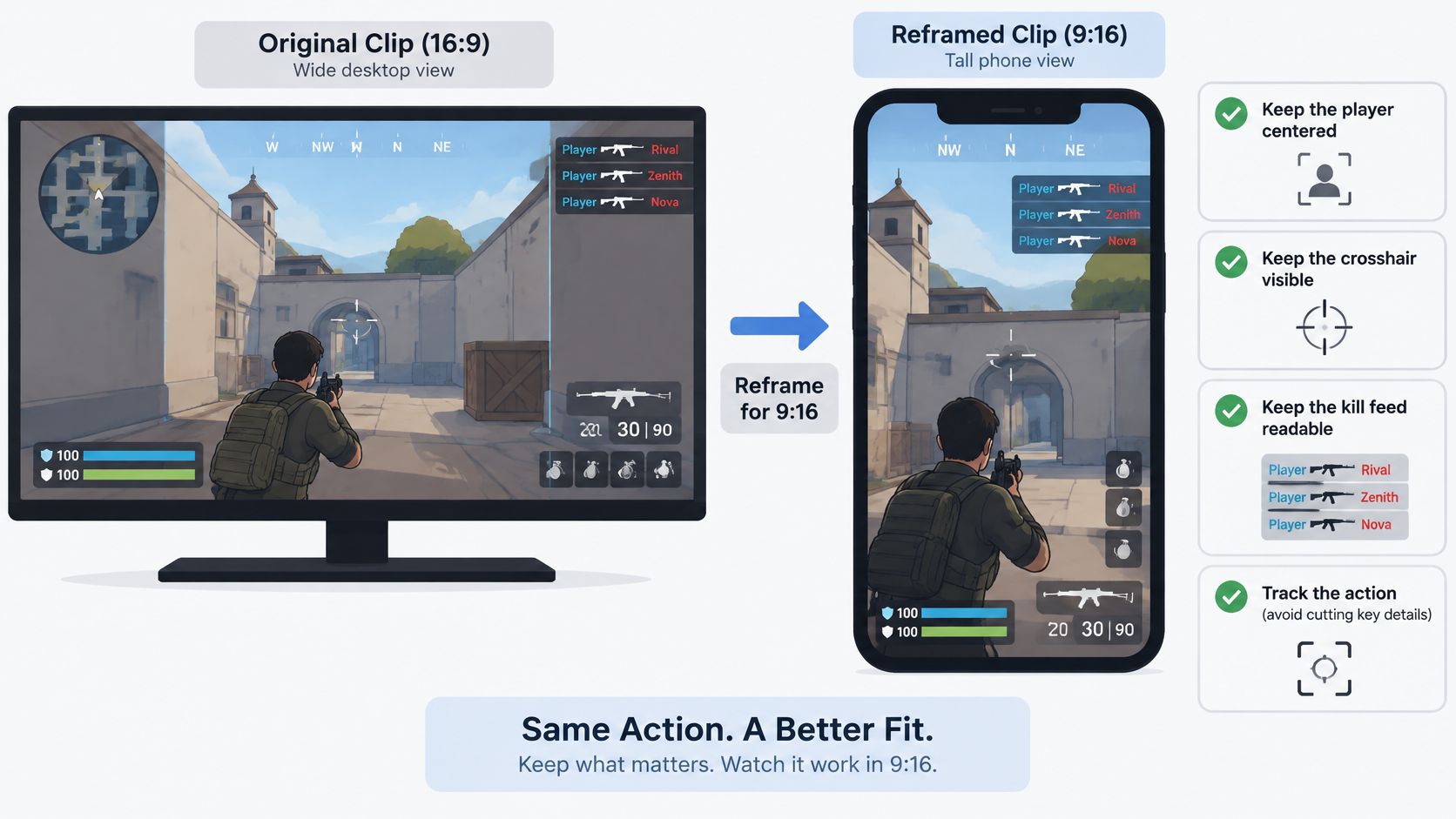
TikTok recommends vertical 9:16 video, with a 540×960 pixel minimum for in-feed ads. Interface elements can cover text and logos, so captions, usernames, and punchline graphics stay inside the safe zone. I treat that placement as a release gate, not a last polish pass: if the username sits under the like column, the file is not ready. Export at 1080×1920 or higher so the HUD stays sharp on a phone. The crop itself is covered in this horizontal to vertical video converter guide.
Split the frame for a facecam
For streamers, put gameplay in the top of the frame and the facecam below so neither covers the other. Keep the scoreboard, minimap, and kill feed legible. Crop them only when they are not part of the story. A permanent crop of the kill feed turns a clutch into a context-free explosion. Wide maps need a slow horizontal move that keeps the crosshair near the middle third. A hard pan that dumps the minimap off-frame costs the same viewer the kill was meant to hold.
| Setting | Target | Why it matters |
|---|---|---|
| Aspect ratio | 9:16 | Matches the vertical feed |
| Recommended export | 1080×1920 or higher | Stays sharp on phone screens |
| Minimum in-feed size | 540×960 pixels | TikTok’s floor for in-feed creative |
| Caption placement | Inside the safe zone, away from bottom and right edges | Keeps text clear of platform controls |
Export a test file and watch it on a phone. A desktop preview can look clean while the live player covers your username. This reframing demo shows the same shift from a wide capture to a phone frame.
Caption Gaming Clips Accurately and Safely
Auto-captions are a draft, not a finished layer. A study of 300 TikTok videos, summarized in the ACM caption-quality paper, found that 19.7% contained at least one caption error. Among videos with errors, the average word-error rate was 7.9%, with observed rates from 0.5% to 35.7%. Gaming vocabulary makes that worse. A misheard rotate can change what the clip means.
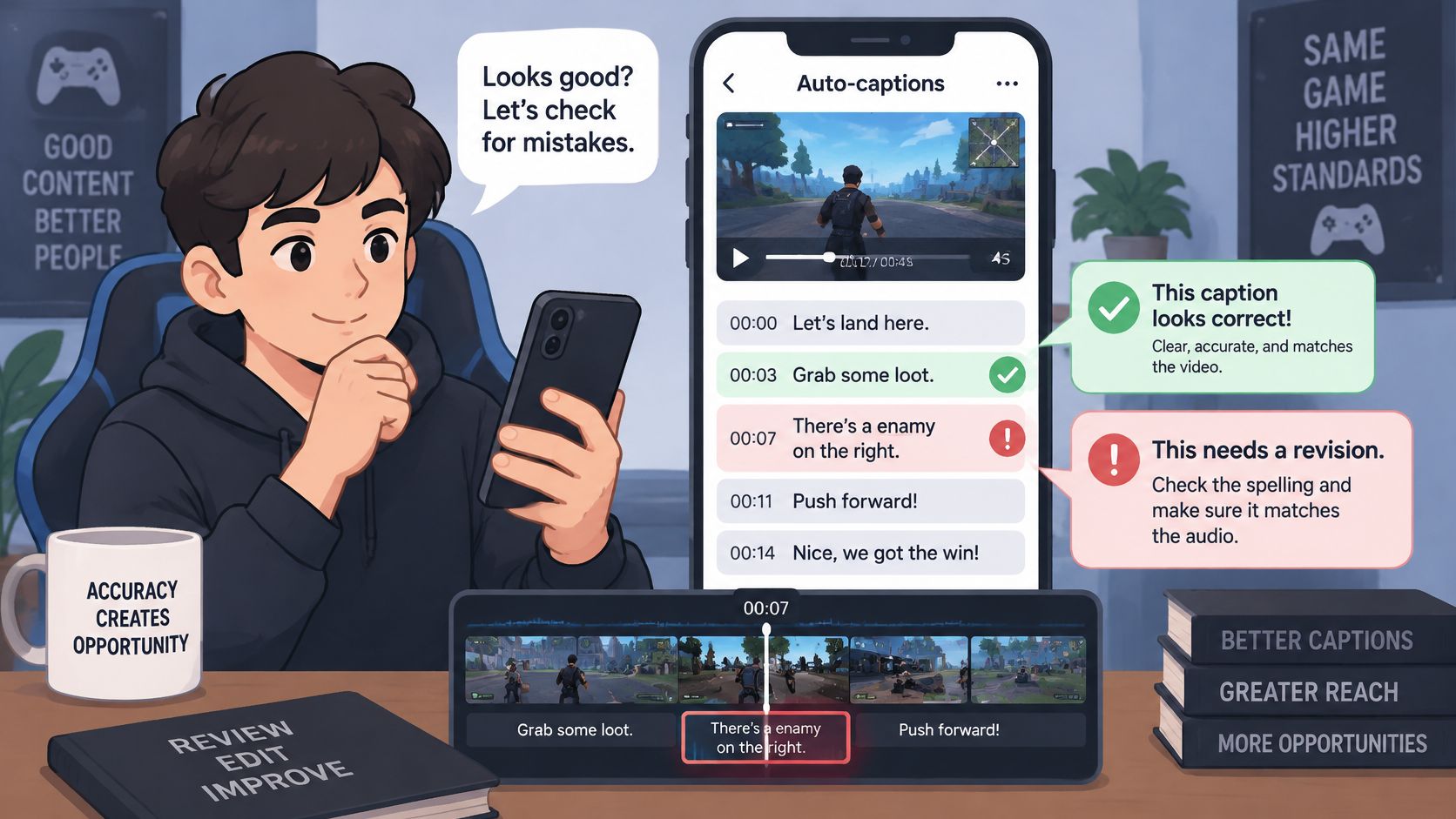
Check player names, weapon names, map callouts, slang, numbers, and shouted phrases line by line against the audio. Split captions into short units, keep them to two lines, hold a consistent place, and use clear punctuation. The same ACM summary reports declining comprehension above 145 words per minute, so a rapid callout may need a shorter line than the raw transcript. Keep text off the crosshair and the HUD. Separate speech captions from sound-effect labels so a gunshot doesn’t read as dialogue.
If you want the generator settings before this pass, the notes on auto captions for TikTok cover the first draft. The review below is what decides whether that draft can ship.
Three passes before you call it done
- Muted pass: Confirm the story still reads when you can’t hear the callouts.
- Audio pass: Fix timing and every game term against what was said.
- Phone-size pass: Catch collisions with UI and text that looked fine on a monitor.
Accuracy, timing, and safe-zone placement are release gates. If one fails, the clip doesn’t publish.
Clear Rights and Run the Pre-Post Check
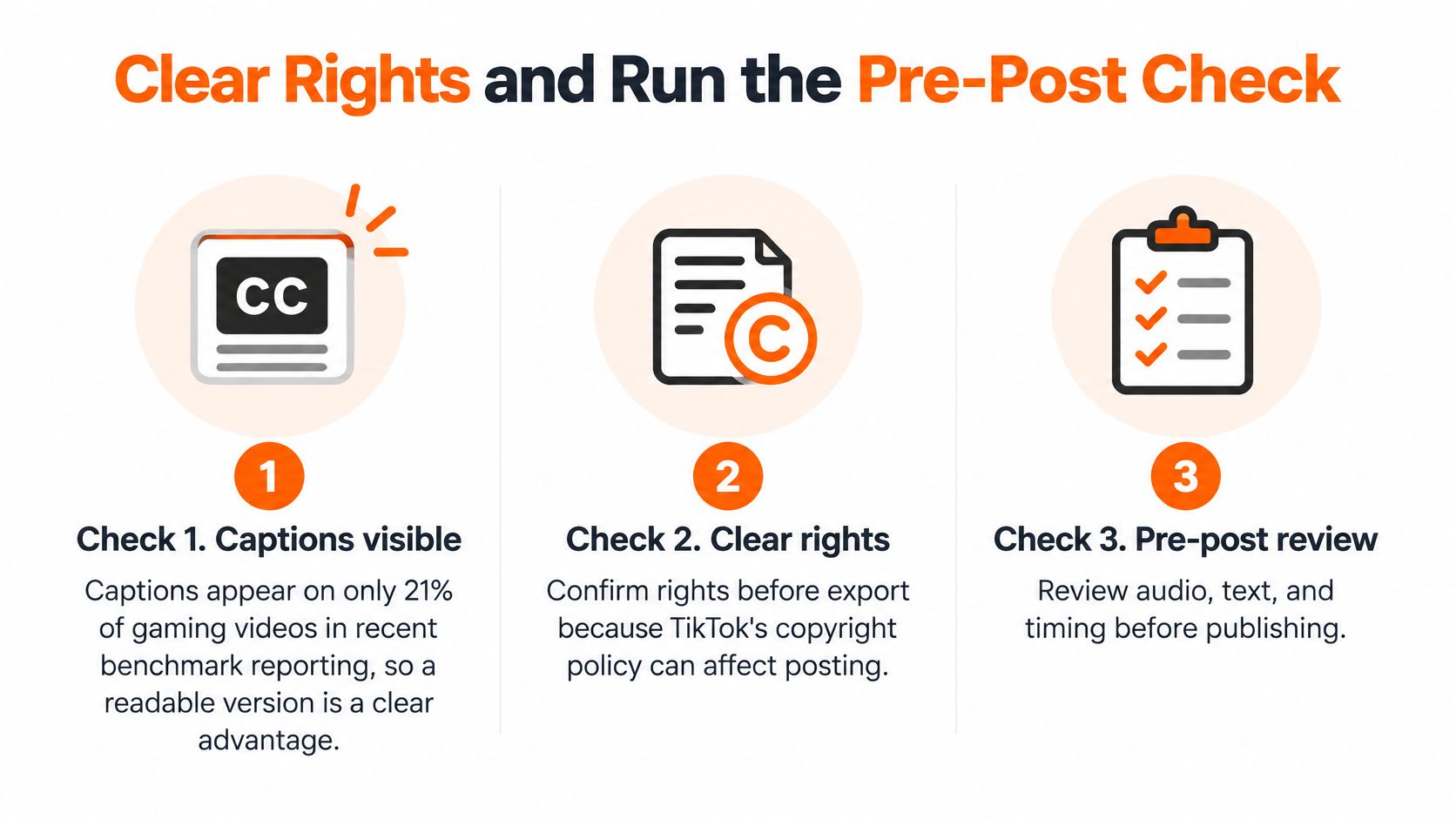
Recent benchmark reporting from SociaVault found captions on only 21% of gaming videos, far below several other niches. A readable version is an advantage, not decoration. Neon motion can add energy and still hurt comprehension in a dense fight, so save a high-contrast, non-animated fallback for those moments.
Clear rights before export. TikTok’s copyright policy, as cited in that same reporting, states that unauthorized copyrighted material may be removed, and that repeated infringement can lead to account restrictions, including limits on LIVE access. Game audio, streamer reactions, background music, and third-party broadcasts don’t share one license. Review each source on its own.
- List every audio source in the clip.
- Flag background music and broadcast audio for review.
- Confirm you hold the rights to any streamer or broadcast footage.
- Keep the non-animated caption version ready for dense fights.
If an item fails, cut that audio or swap the source before you export. Then run the phone check. Names and callouts match the audio. The HUD, kill feed, and facecam stay readable. Captions sit inside the safe zone. The file matches the vertical export you already set. A reaction clip shouldn’t still carry a long setup, and a tutorial shouldn’t be trimmed until its steps vanish.
ClipOven is an AI agentic clip editor that turns horizontal footage into vertical shorts. After Eddie edits a clip, you can keep chatting to refine it or open the full editor for cuts, timing, captions, and effects. Final vertical clips can be exported in 2K, ready for TikTok and YouTube Shorts. Publish only when every check passes.
Test Clip Length and Track Format Metrics
Shorter isn’t automatically better. Buffer’s look at longer TikToks found that videos longer than 60 seconds generated at least 43.2% more reach and 63.8% more watch time than shorter videos, while roughly 86% of posted videos stayed under one minute. Gaming benchmarks in that reporting also show higher engagement for clips over 60 seconds than for clips under 15 seconds. These are observational. They don’t prove that length caused the lift. I wouldn’t treat any duration as the winner for every play.
Test the same moment in three versions: a fast hook, a contextual cut, and an extended narrative. Compare results only inside the same format. A 12-second reaction and an 80-second tutorial answer different questions, so they shouldn’t share a leaderboard. For a wider read on duration choices, see how long TikTok videos should be.
| Metric | What it tells you | Compare against |
|---|---|---|
| Completion rate | Share of viewers who reach the payoff | Other clips in the same format |
| Average watch time | Whether the setup holds attention | Clip length in the same format |
| Rewatches | Whether the payoff is worth a second look | Views for that clip |
| Follows | Whether viewers want more from the channel | Views for that clip |
Run variations over a few weeks and change one thing at a time, such as the first two seconds or the length of the setup. Stop forcing every clip toward the minimum when viewers need the setup to understand the payoff. Let the four metrics decide which version you keep.
ClipOven turns gameplay and stream footage into vertical TikTok clips, with Eddie proposing the cuts, pacing, captions, and subject-focused reframing, then handing you a full editor when you want the last pass yourself. Bring a session, pick the format, and ship only what clears captions and rights. Start with your next highlight at clipoven.