 clipoven
Most advice on Instagram Reel captions gets the job backward. It treats the caption as if it’s the thing holding attention, when the actual job is usually to help the Reel travel farther, make the topic clearer, and give people a reason to keep going after they’ve already decided whether to watch.
That matters more now that Reels sit inside a fast, multilingual, mobile-first feed. Instagram Reels launched globally on August 5, 2020, started as a 15-second format, expanded across roughly 50 countries, and by late 2022 Meta said users were playing Reels more than 140 billion times per day (Outfame’s Reels statistics). In that environment, instagram reel captions aren’t just decorative copy, they’re part of the information layer that helps a clip make sense fast.
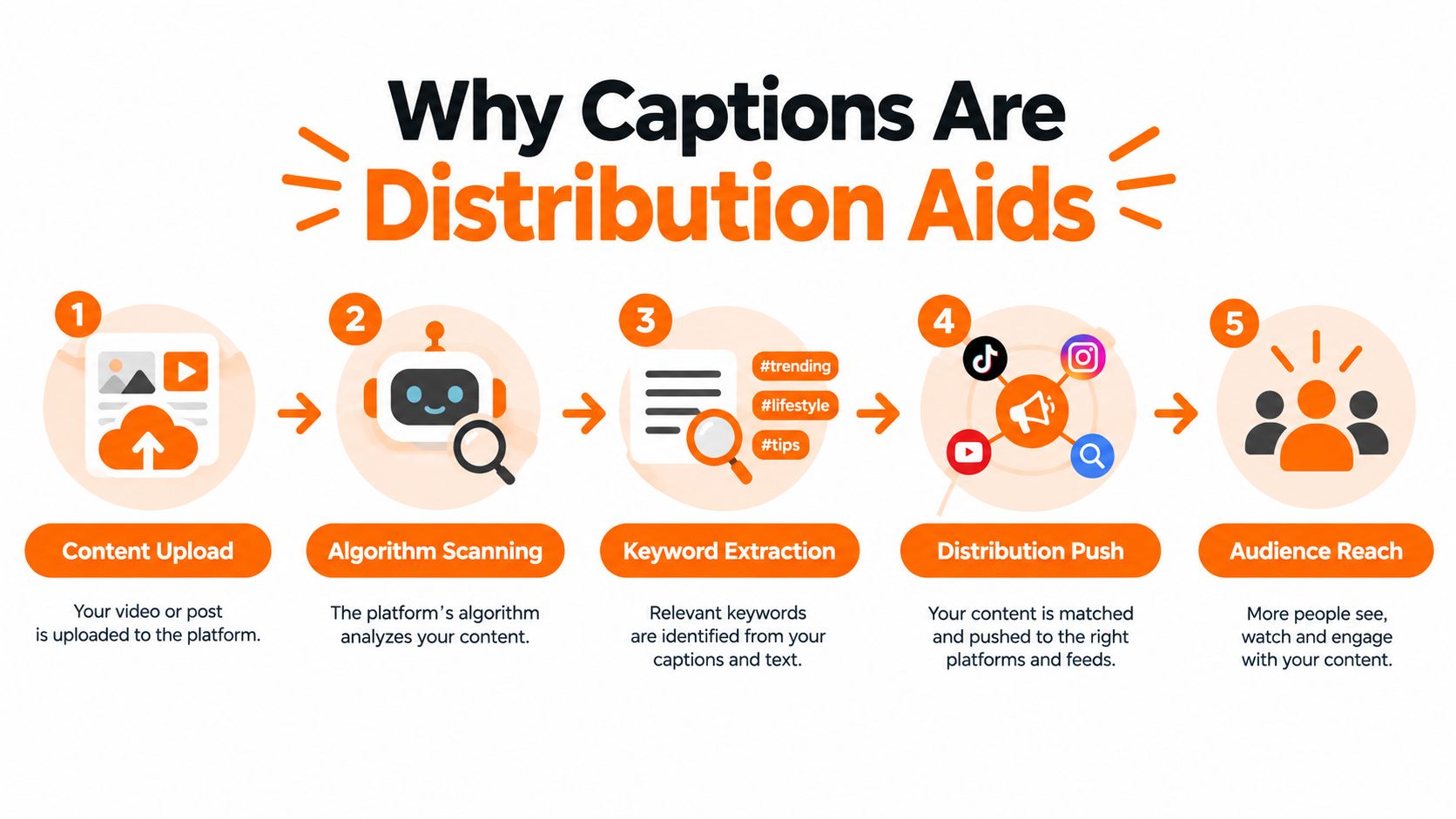
Table of Contents
- Why Captions Are Distribution Aids Not Retention Tools
- Caption Length Decision Framework for Reels
- Building Accessible and Discoverable Caption Layers
- Real-World Caption Strategies for Different Reel Types
- Putting It All Together Into a Reusable Workflow
Why Captions Are Distribution Aids Not Retention Tools
The cleanest way to think about a Reel caption is as a distribution aid, not the main retention mechanism. The video does the heavy lifting for watch time. The caption helps the platform and the viewer understand what the clip is about, why it matters, and what to do next.
What a good caption actually does
A useful caption adds context the video doesn’t already give. If the clip is a gaming highlight, the caption can name the game mode, the tension, or the payoff. If it’s a creator talking to camera, the caption can supply the question, the caveat, or the takeaway that didn’t fit cleanly in the edit.
A simple production method works well:
- Write one line of extra context. Don’t repeat the spoken hook. Add the missing piece that makes the clip more searchable or clearer.
- Keep the opening self-contained. The first 100 to 125 characters matter because the rest can get hidden behind truncation.
- Add one specific prompt. Ask for an action tied to the clip, like a comment, save, or share.
- Test short and long variants. Compare them on similar audiences instead of assuming one format wins everywhere.
Practical rule: if the caption still makes sense after the sound is off and the “More” fold is visible, it’s doing real work.
The historical arc of Reels explains why this matters. The format moved from short clips to a global video product, so caption timing, legibility, and placement stopped being nice-to-have polish and became production requirements. Captions now help carry the hook, the context, names, and the call to action during rapid scrolling, especially when audio doesn’t start immediately.
For creators who want a practical execution lens on clip length and pacing, this internal guide on how long Reels should be pairs well with caption planning. The point isn’t to stuff the caption with every detail. It’s to make sure the Reel can still stand on its own when the feed moves fast.
Caption Length Decision Framework for Reels
The biggest mistake I see is treating caption length like a universal rule. It isn’t. Caption length is an intent problem and a format problem, which is why two smart creators can follow opposite advice and both be right.
Use the Reel’s job to pick the architecture
The data itself is mixed. One 2025 analysis reported that captions longer than 300 characters generated 70% more comments than shorter captions, while another source summarized studies suggesting captions under 30 words achieve higher average engagement (SocialPilot report). Meanwhile, a separate analysis found engagement stayed broadly stable across caption lengths, with reach dropping sharply after 500 characters and median reach reportedly falling from about 380 to 141 (Upgrow caption length study). Those findings conflict, which is exactly why a blanket rule doesn’t hold.
What does hold is the opening. Only about the first 125 characters are visible before the “More” fold, so the preview has to carry the searchable topic and the reason to keep reading. After that, the structure should follow the Reel’s job.
| Caption Length Decision Matrix | |||
|---|---|---|---|
| Reel Type | Recommended Architecture | Target Length | Primary Goal |
| Gaming highlight | Hook first, then payoff | Short | Fast comprehension and replay interest |
| Tutorial | Context, steps, and caveats | Longer | Clarity and searchability |
| Opinion clip | Thesis, nuance, and prompt | Longer | Discussion in comments |
| Brand teaser | Promise first, detail second | Short | Immediate curiosity |
| Repurposed stream clip | Searchable premise plus context | Short to medium | Preserve narrative without clutter |
A gaming clip designed for instant replay usually performs better when the caption is lean, searchable, and aligned to the payoff. A tutorial or opinion piece often needs the extra room because the caption can add timestamps, caveats, or a question that the video couldn’t fit.
Short captions aren’t automatically better. They’re better when the Reel already tells the story and the caption only needs to sharpen the topic.
Keep the format tied to purpose. Use short, hook-heavy captions when the clip’s value is immediate. Use longer captions when the Reel needs context to make sense, especially if the viewer is arriving cold from search, shares, or a saved post.
Building Accessible and Discoverable Caption Layers
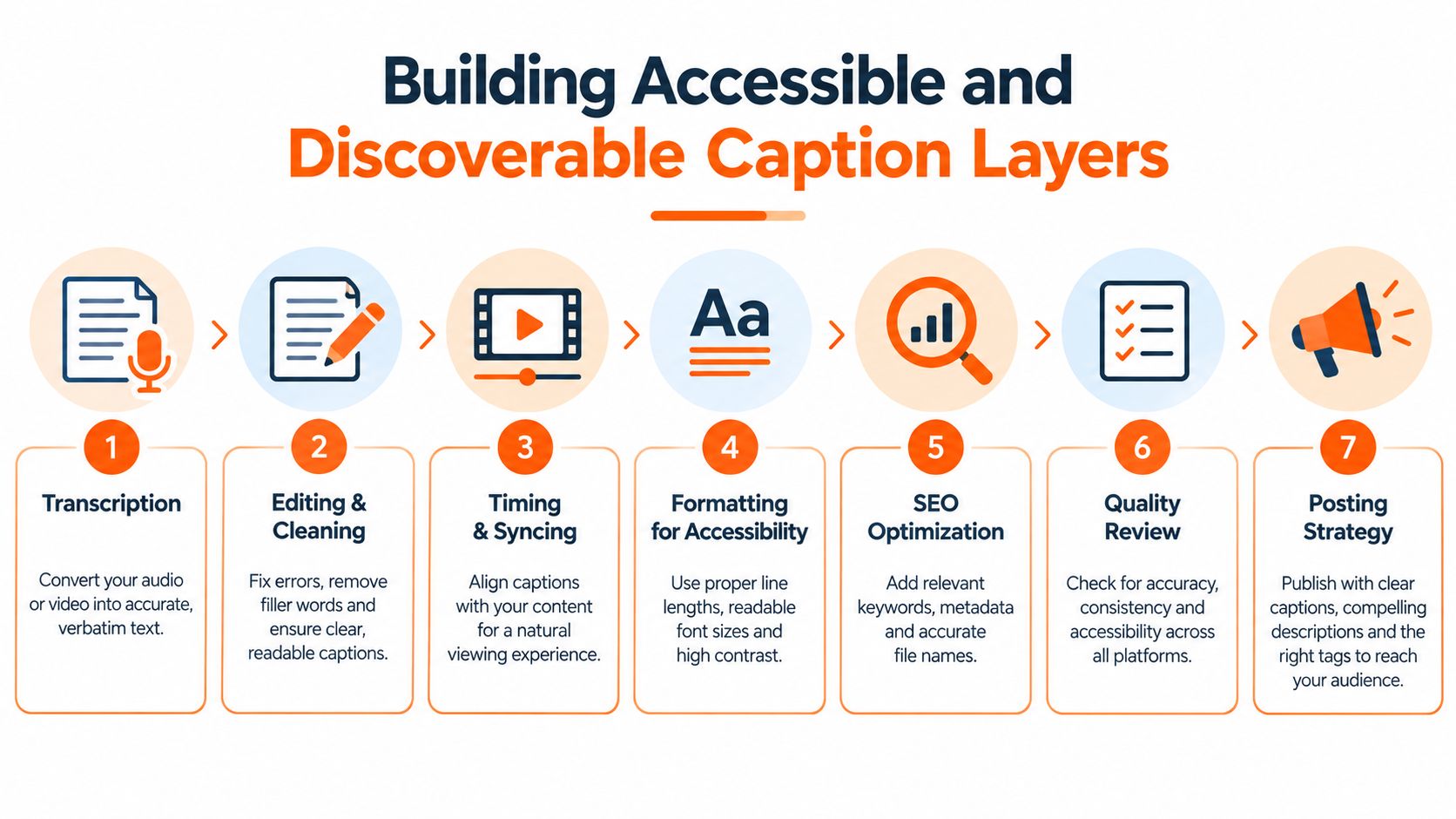
Accessibility and discoverability shouldn’t be separate jobs, because Reels force them into the same workflow. The video overlay, the spoken dialogue, the post caption, and the alt-text layer all contribute to whether someone understands the clip quickly, especially on a phone with audio off.
Build two caption layers, not one
Start with transcription, then clean it up by hand. Names, gaming terminology, slang, and punctuation usually need human review because automatic text still misses nuance. After that, split the text into short semantic phrases instead of dumping everything into one dense block.
Then sync each phrase to speech onset and endpoint. That timing matters because badly delayed captions feel sloppy even when the words are correct. Preserve a safe margin from Instagram’s lower interface area, because overlays that crowd the UI become hard to read on smaller screens.
A strong rendering setup also needs contrast. WCAG-oriented practice recommends at least a 4.5:1 contrast ratio for normal text and 3:1 for large text, while one industry source recommends roughly 18–22sp-equivalent text as a practical mobile baseline (Scenith’s subtitle generator guide). The practical test remains the same: export it in 9:16 and watch it on a phone at normal viewing distance.
If the caption fights the UI, it loses, no matter how clever the copy is.
The useful separation is simple. On-video captions should be short, timed, and built for comprehension. The post caption should hold the context layer, names, warnings, chapters, or a transcript summary. That split also helps with search visibility, because descriptive post copy can reinforce what the video is about without forcing the on-screen text to carry too much.
For teams using automated workflows, auto captions for TikTok is a useful adjacent read because the same logic applies when the caption track and the post description are treated as separate assets. In practice, that separation usually produces cleaner edits and fewer readability mistakes.
Real-World Caption Strategies for Different Reel Types
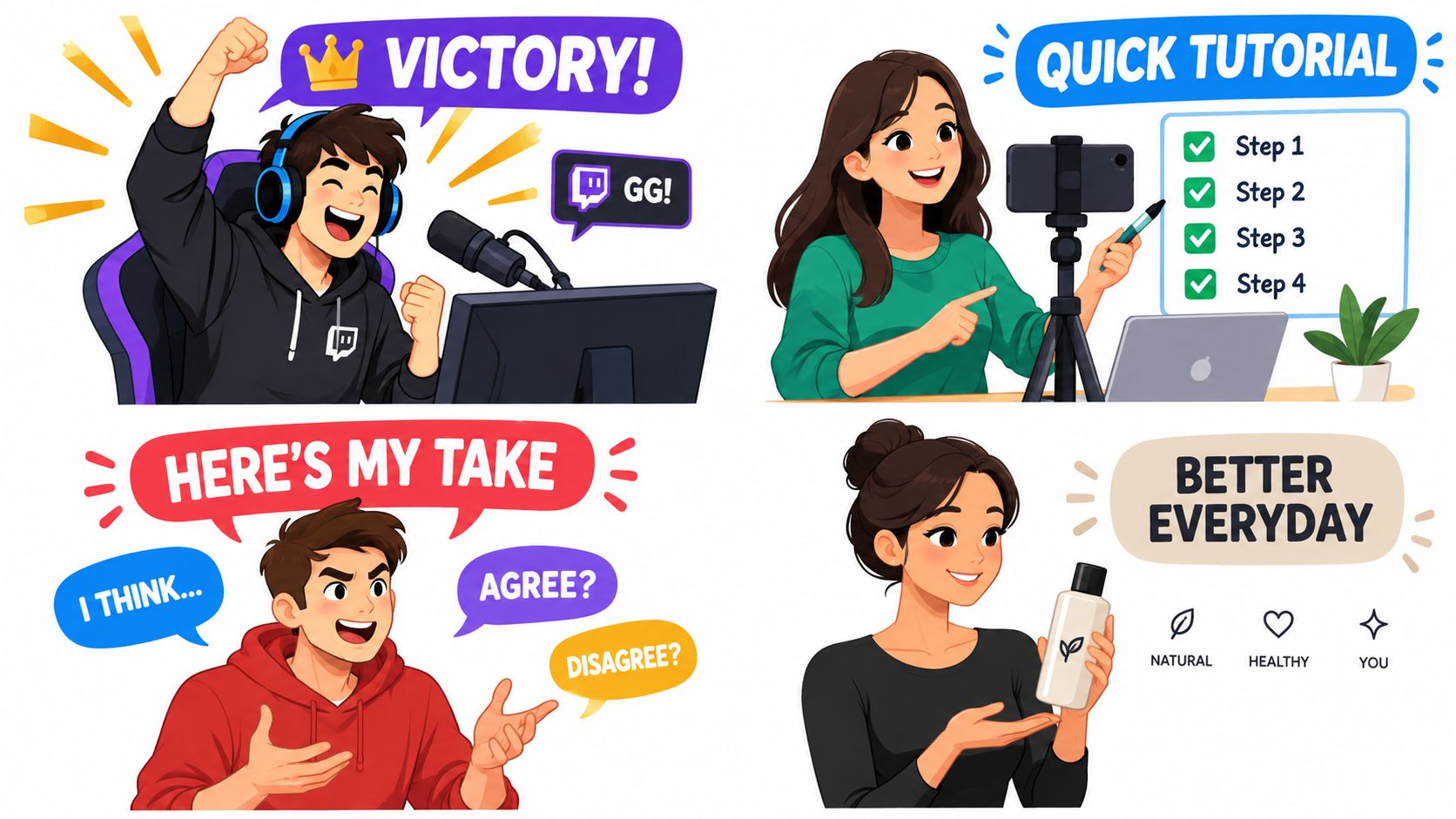
The right caption architecture depends on what the Reel is trying to do. A Twitch highlight, a tutorial, an opinion clip, and a brand announcement each ask for a different balance of speed, context, and prompting.
Gaming clips and stream highlights
A gaming clip usually wins when the caption is compact and searchable. Something like “Final circle misread, then the clutch” gives the viewer enough context to understand the stakes without duplicating the action already on screen. If the clip is built for instant replay, keep the CTA light, like asking whether the viewer would have pushed or held position.
Tutorials and educational clips
Tutorials need more room because the caption can carry the missing steps. A caption can name the tool, clarify the use case, and add a caveat that keeps expectations honest. If the Reel shows a setup process, a simple structure like premise, steps, and a question works better than a string of broad hashtags.
Opinion and commentary clips
Opinion content benefits from a caption that states the thesis clearly. If the video argues a point, the caption should sharpen the angle rather than retell it. That’s where a longer caption can help, because it can add nuance and invite disagreement without turning the Reel into a wall of text.
Brand clips and repurposed footage
A social media manager posting branded educational content usually needs stronger topical clarity than a creator posting a casual clip. Brand posts should name the problem being solved and the audience being addressed. The caption should not smother the visual with irrelevant tags or duplicate every subtitle in the frame.
Hashtags work best when they match the topic of the Reel, not when they’re used as filler.
For teams repurposing long-form footage, auto subtitle generator workflows can help keep the on-video text accurate while the post caption stays cleaner and more searchable. One practical option is ClipOven, which assembles cuts and captions from a creative brief and lets you fine-tune timing and style in the editor. That’s useful when you need the post caption to do less copying and more contextual framing.
Putting It All Together Into a Reusable Workflow
A solid caption workflow starts before publish, not after the comments come in. The goal is to make the caption match the Reel’s intent, survive truncation, and support both readability and discovery without becoming redundant.
A pre-publish checklist that actually helps
- Check the opening: the first line should stand on its own and explain why the clip matters.
- Audit truncation: make sure the first 100 to 125 characters still work if the rest gets hidden.
- Review readability: on-screen text should stay clear against the background and away from UI-heavy areas.
- Confirm CTA clarity: ask for one action only, and tie it directly to the clip.
- Trim hashtags: keep them relevant to topic and audience, not stuffed into the caption as decoration.
- Measure the right signals: track completion rate, average watch time, rewatches, shares, and follows, not likes alone.
The best caption strategy is the one that preserves the clip’s meaning while reducing friction. That’s especially true for repurposed streams and long-form footage, where the caption should add missing narrative context instead of repeating every subtitle already visible on screen. If the video is the story, the caption is the guide.
A reusable format keeps the process fast:
- Hook
- Context
- Prompt
- Check
- Measure
That simple sequence is enough to stop most weak captions before they go live. It also gives you a clean way to compare variants across similar posts without guessing which part of the copy moved performance.
In practice, the strongest instagram reel captions are usually the ones that do a little less. They clarify, they point, and they let the video do its job. If you want a faster way to turn raw footage into vertical clips with captions already shaped for this workflow, visit clipoven and see how its editing flow fits into a repeatable Reels process.