 clipoven
You’ve lined up the beat, dropped a glass overlay over the cut, and watched it explode beautifully in the preview. Then you open the export on your phone. The cracks have vanished, a bright shard covers the punchline, and the transition looks pasted on. The fix usually isn’t a more expensive asset. It’s designing the break around the vertical frame, the caption timing, and what viewers can distinguish at delivery size.
Table of Contents
- Why the Shattered Glass Effect Trips Up Most Short-Form Editors
- Three Pipelines for a Shattered Glass Effect
- Building the Effect in a Native Editor Timeline
- Timing the Impact So It Reads on Phone
- Captions, Composition, and 9 - 16 Layout Rules
- Export Settings That Stop the Effect From Disappearing
- When to Skip Real Glass Entirely
Why the Shattered Glass Effect Trips Up Most Short-Form Editors
Consider a gaming clip that cuts from a tense setup to the streamer’s reaction. A shattered glass effect feels like the obvious transition: hit the beat, break the screen, reveal the face. But if the viewer has to choose between watching fragments and reading the reaction caption, the effect is competing with the clip.
That’s the mobile-first problem. You’re not delivering an isolated destruction shot. You’re fitting an impact, a scene change, a subject, and readable text into a narrow composition. The transition succeeds when viewers understand the change without losing the joke or action.
Recognizable damage beats maximum detail
A useful break needs a visible cause and a readable result. If every fragment moves at once and fills the screen with equal brightness, there’s no clear place to look. Treat the initial contact point as the visual explanation, not just the center of an explosion.
The practical guidance in this glass-shard compositing walkthrough provides a starting point for assembling the effect. For vertical editing, though, make the composition decision before adding decorative debris.
Practical rule: If the viewer notices the asset before understanding the cut, simplify the effect.
Make the important decisions before keyframing
- Choose the pipeline: Decide whether you need a ready-made break, adjustable particles, or a custom pane. Don’t build a simulation for a transition that only needs a convincing wipe.
- Define the timing: Identify what causes the break and what it reveals. A sound hit alone won’t explain disconnected motion.
- Reserve the reading area: Place the subject and captions before arranging the busiest fragments.
A restrained result can feel stronger than a dense one. Keep the visual hierarchy clear: the viewer should recognize the impact, understand the new shot, and continue reading without having to pause.
Three Pipelines for a Shattered Glass Effect
Choose the source according to how much control the shot needs, not how impressive the asset looks in its demo. A convincing stock plate can become the wrong choice when its impact point sits directly over the speaker’s mouth.
Treat the realism tiers below as selection guidance, not measured rankings. Lighting, perspective, and integration matter more than the category.
Pipeline comparison for the shattered glass effect
| Pipeline | Realism tier | Editing effort | Best use case |
|---|---|---|---|
| Pre-shot stock or breakaway plate | Photographic detail, fixed behavior | Lower setup effort, potentially awkward cleanup | A fast transition with compatible framing |
| Particle pack or adjustable shatter asset | Stylized to convincing, depending on controls | Moderate setup and iteration | Gaming edits and repeatable branded transitions |
| Custom digital pane and debris composite | Most controllable, not automatically most realistic | Higher construction and preview effort | Subject-specific impacts and unusual reveals |
Choose the compromise you can live with
Stock plates are useful when the captured break already moves in the right direction. Examine the intact portion, background contamination, and fragment silhouettes before committing. If removing the background also removes the fine edges, you’ll spend the saved setup time rebuilding them.
Particle packs suit repeatable work because you can often change the origin, spread, and density. Prefer an asset with separate crack and fragment controls. An all-in-one explosion gives you fewer ways to protect the subject without weakening the whole effect.
Custom digital composites make sense when the pane must break around a specific object or reveal footage through an irregular opening. Build the large fragment shapes first, then add fine cracks as a separate visual layer. Don’t expect extra geometry to fix poor direction or staging.
For render planning, compare actual previews in your project. A pre-rendered plate generally asks you to composite existing imagery; a live particle setup may require repeated calculation. Neither guarantees a cleaner upload. Judge the exported silhouettes and contact point, not the asset’s advertised resolution.
The deadline-friendly choice is the least complicated pipeline that gives you control over the parts viewers need to see.
Building the Effect in a Native Editor Timeline
Start with the cut already working without glass. In Premiere Pro or CapCut, place the outgoing and incoming footage, finish the basic reframe, and establish the caption positions. Then add the effect, rather than using it to disguise an unresolved edit.
Keep the assembly organized enough that you can change the break without disturbing the dialogue.
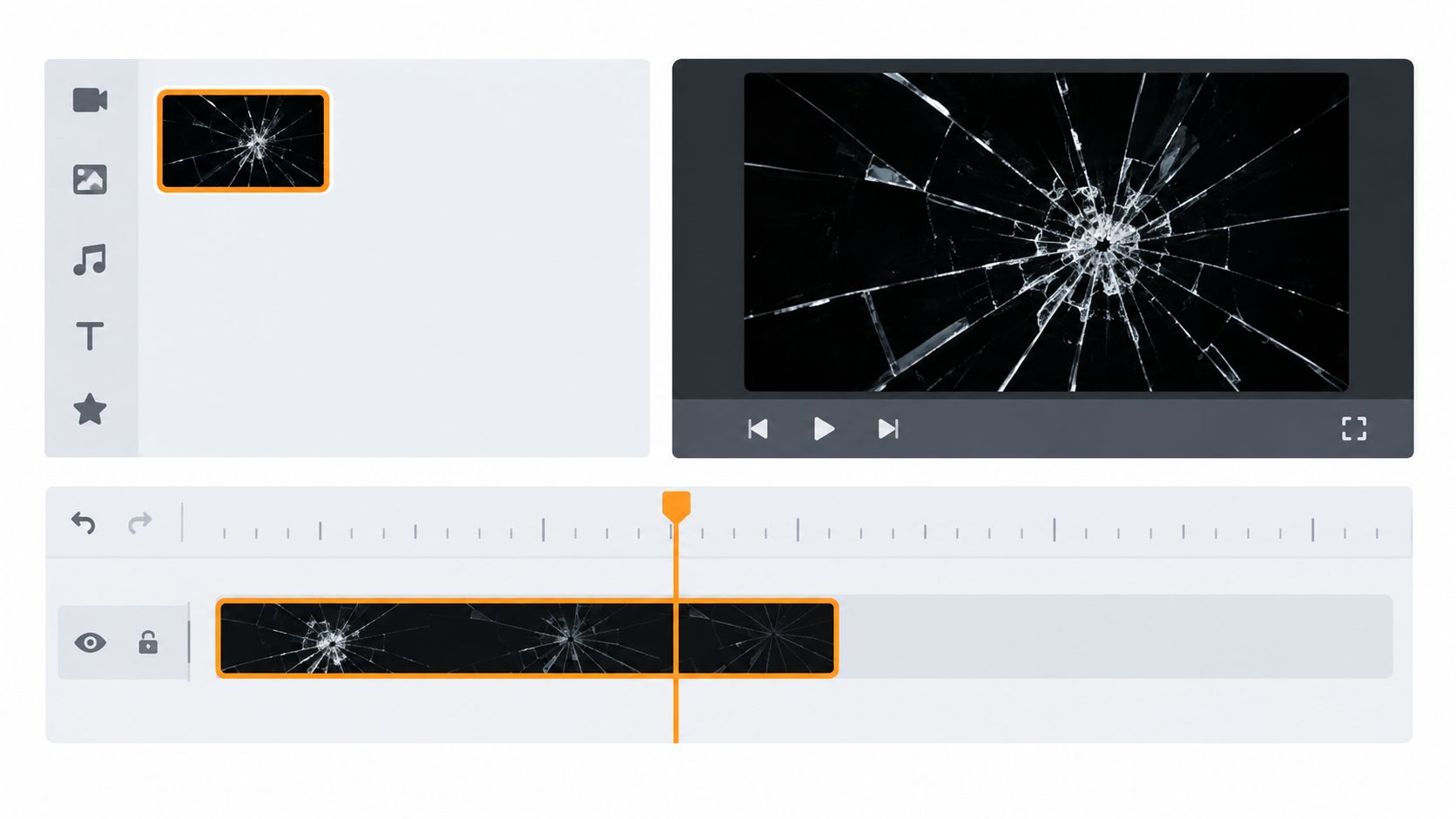
Build a controllable layer stack
- Footage and reveal mask: Keep the actual scene change on the footage tracks. Animate a mask if the incoming shot should appear through the broken opening.
- Crack layer: Position the fracture pattern above the footage, leaving its visibility independently adjustable.
- Fragment layer: Separate moving pieces from the static cracks whenever the asset allows it.
- Captions and finishing elements: Keep text outside the glass group so its position and contrast remain independently editable.
For black-backed highlight footage, try Screen before using a more aggressive additive blend. Inspect the result against both shots: a setting that looks clean over dark gameplay may wash out a bright face camera. Use an asset’s transparency when available rather than forcing a blend mode to reconstruct it.
Fix the origin before polishing the edges
Move the effect’s origin to the intended contact point. If the asset exposes an anchor or emitter control, adjust that instead of merely sliding the finished image. Otherwise, check that scaling and rotation don’t make the cracks appear to originate somewhere else.
Engineering research identifies incorrect fracture-energy calculations, shock-triggered neighboring failures, and directionality errors as artifacts of simple element-deletion approaches, a useful reason to favor controlled, directional fractures over arbitrary damage patterns (glass fracture modeling research).
Feather the outer cleanup mask, not every crack edge. Excessive feathering makes the pane look foggy rather than fractured. Match exposure and color interpretation before grading the highlights, then nest or group the effect using your editor’s available controls. Keep the reveal mask accessible so later timing changes don’t require rebuilding the stack.
Timing the Impact So It Reads on Phone
A break feels attached to footage when viewers can follow its cause. Don’t let the first crack arrive before the contact cue, and don’t let the incoming shot sit visibly behind an intact pane unless that transparency is intentional.
Use the event stages below as timeline markers, not prescribed durations.
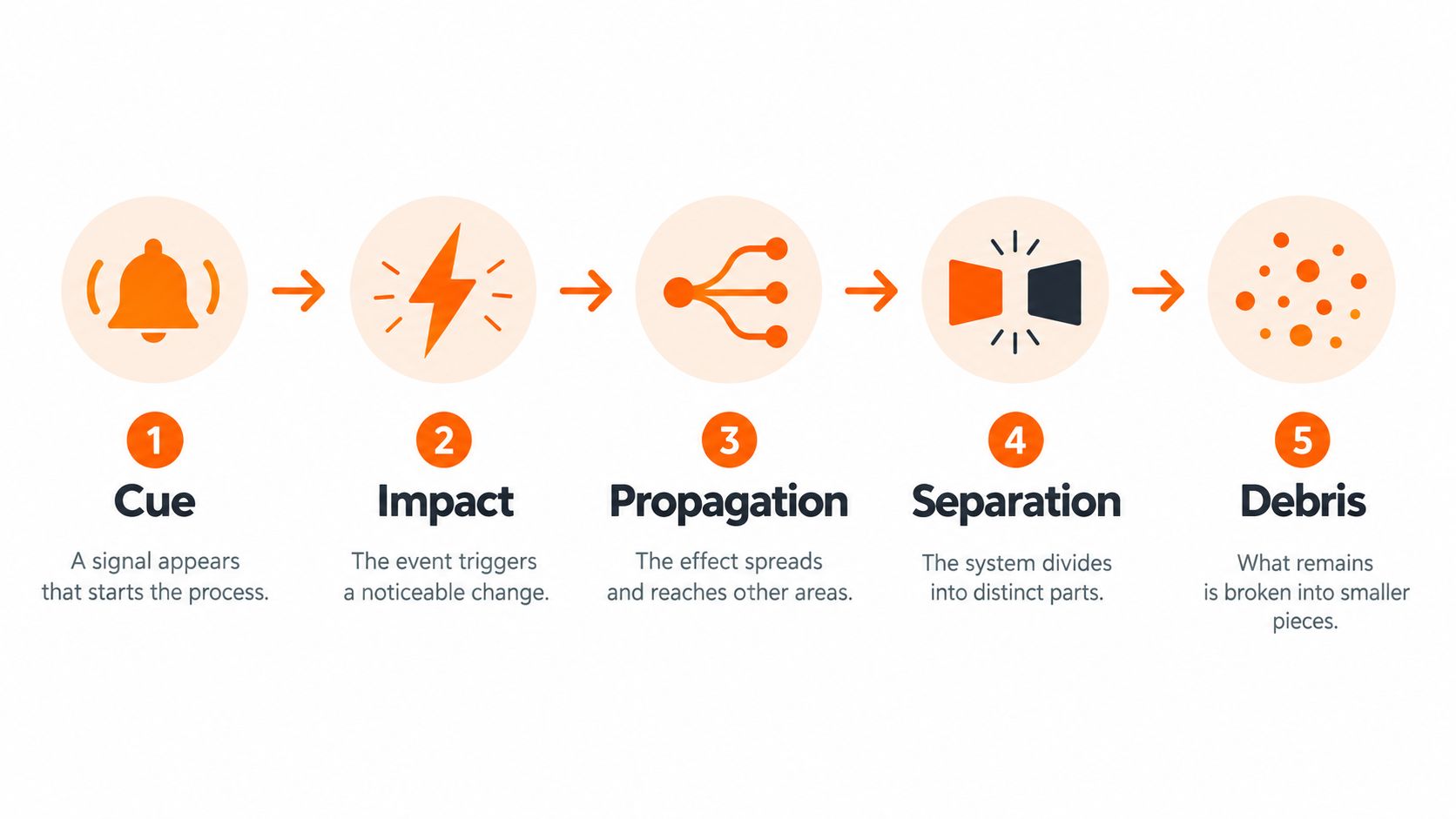
Separate the events instead of stacking them
| Stage | Editing decision |
|---|---|
| Cue | Establish the gesture, object, or sound that motivates the break |
| Impact | Align contact with the main sound accent |
| Propagation | Let viewers register the crack pattern |
| Separation | Reveal the next shot as major pieces detach |
| Debris | Finish the movement without delaying the next readable moment |
Propagation and separation shouldn’t feel interchangeable. If the fragments leave before viewers recognize the pane, the result resembles confetti. If cracks linger without a reason, the transition feels stalled.
Start camera shake at contact. For an exaggerated gaming edit, you can test a slight anticipatory movement, but treat that as a stylistic option rather than a realism rule. Keep dialogue intelligible under the impact sound, and avoid making the caption punchline arrive at the busiest visual moment.
For broader cut-matching techniques, use this guide to making transitions that fit the footage.
Test the sequence without its distractions
Scrub slowly to inspect event order, then watch at normal speed with sound muted. You should still understand what caused the break and which shot replaced the pane. Research on rate-dependent glass impact modeling reinforces that fracture is a changing process, not a static pattern followed by an explosion.
For an editing acceptance check, inspect the first crack, detached silhouettes, and final debris individually at phone size. Adjust scale or contrast when a stage becomes indistinguishable.
Use this reference clip to practice identifying those event boundaries.
A transition doesn’t need to reveal every fragment. It needs to make the change of shot unmistakable.
Captions, Composition, and 9 - 16 Layout Rules
Reserve the caption area before directing the shards. Moving text after finishing the effect usually creates a new problem: captions drift away from the speaker or land beneath platform controls.
In a vertical composition, place the impact near the relevant action without automatically centering it over the face. Send the dominant fragment movement toward available edge space, not through the words viewers need to read.
Protect the subject and reading area
- Reframe the source first: When adapting horizontal footage, choose whether the face, gameplay action, or another object owns the frame. Don’t use the break to hide an indecisive crop.
- Keep a stable caption lane: Preview text across the entire transition, including longer lines. The empty space beside a short caption may disappear when the next line arrives.
- Clear moving highlights behind text: Use a separate holdout mask or reduce the glass layer locally. Raising caption brightness won’t solve bright shards crossing bright lettering.
- Limit competing origins: If you use secondary impacts, make them subordinate to the main contact point rather than creating another equally busy focal area.
Use this checklist while reviewing the composition, not just after the edit is finished.
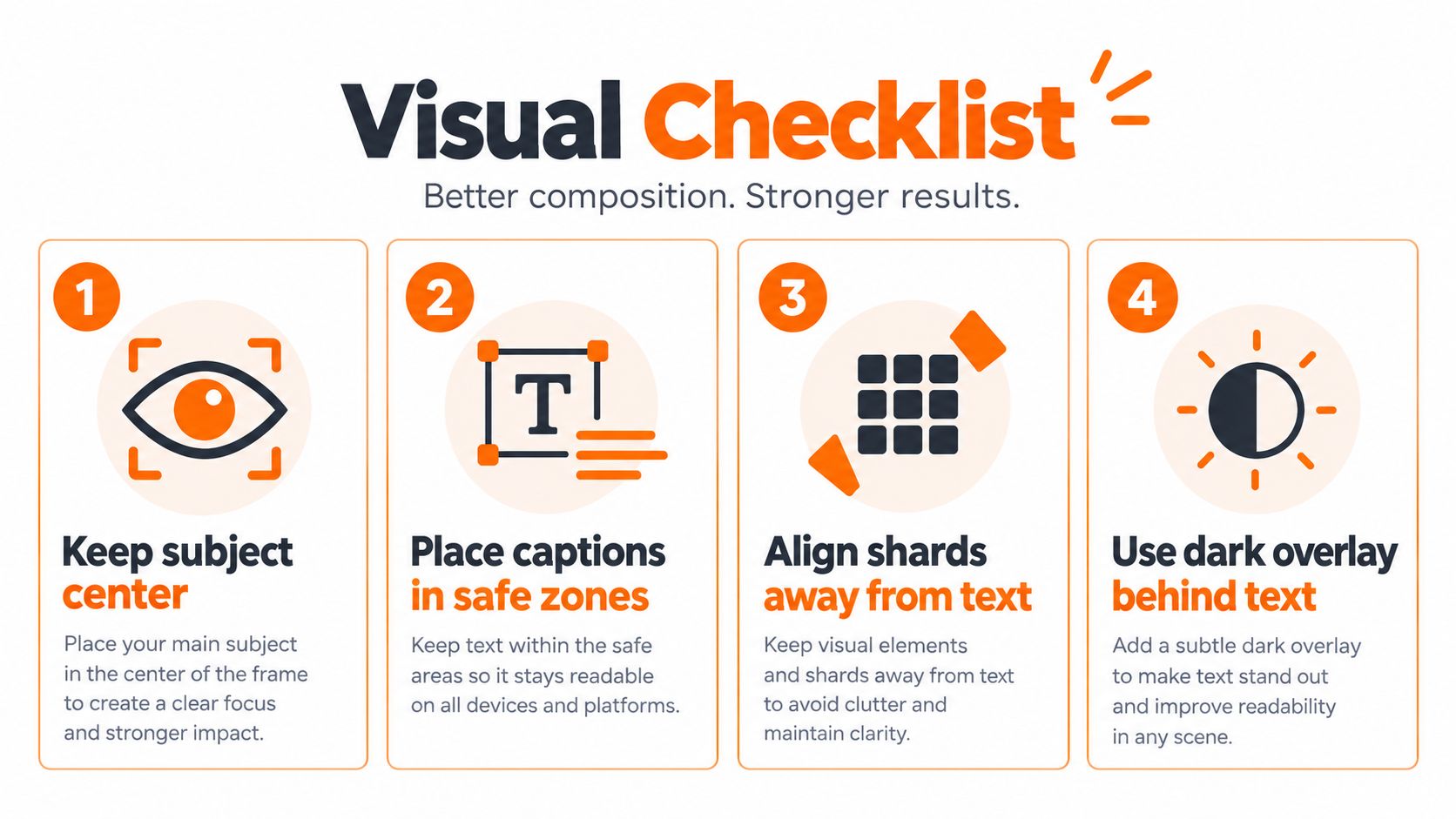
Keep text independent from the spectacle
Try a restrained dark backing behind captions when local contrast changes rapidly. Keep that backing attached to the caption layout rather than the shaking glass group. For text styling and placement, consult this guide to readable on-screen text.
Check the incoming composition as carefully as the outgoing one. A break can look well placed before contact but expose a cropped face or missing gameplay target afterward. If you’re changing the subject’s position across the cut, let that movement be deliberate.
Finally, preview with the destination interface visible where possible. Don’t assume a universal safe margin across TikTok, Reels, and Shorts. Keep essential text and action away from whichever interface elements cover them in your actual publishing view.
Export Settings That Stop the Effect From Disappearing
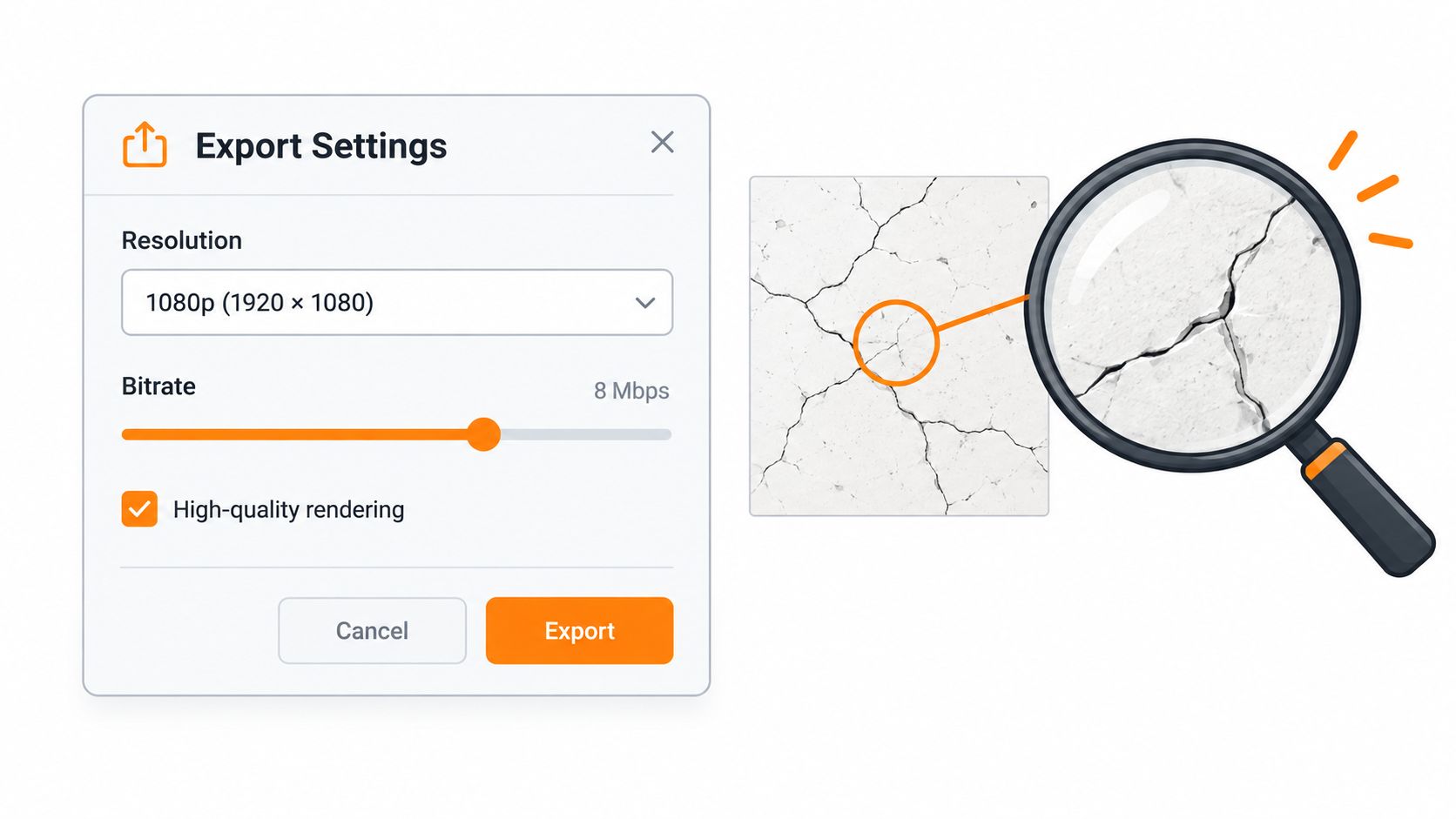
More detail isn’t automatically a better export. If the crack pattern only looks convincing when you enlarge the preview, don’t rely on a higher-quality render to rescue the composition. Strengthen the important shapes before changing encoding settings.
Work at the intended delivery dimensions and inspect a rendered file rather than judging a reduced-quality timeline preview. There isn’t a universal minimum crack width or bitrate that guarantees survival across footage and upload conditions.
Diagnose before increasing quality settings
- Cracks disappear: Enlarge or simplify the primary pattern. Don’t compensate by adding more tiny lines.
- Fragments become streaks: Reduce their motion blur before sharpening the whole image.
- Edges look contaminated: Recheck the asset’s transparency interpretation and any background removal.
- Dark areas look muddy: Temporarily disable added grain and compare exports before deciding it helps.
- Captions soften: Check text at native delivery size and remove unnecessary effects from the caption layer.
If you’re moving a glass asset between applications, select an intermediate format that explicitly supports transparency and test the imported result over a colored background. Keep that intermediate workflow separate from the flattened video you’ll upload.
Review the uploaded version
Use the destination’s supported export options, keeping frame rate and color handling consistent with the project unless you have a deliberate conversion reason. This guide to YouTube Shorts export settings can help with the delivery setup.
Watch the uploaded result on a phone before publishing widely. Compare it with the local export, especially around the contact point and caption edges. If only the upload loses detail, simplify the affected layer instead of repeatedly exporting the same overloaded effect.
When to Skip Real Glass Entirely
For a creator working at a desk, digital glass should be the default. Physical breakage adds production hazards that don’t help you control caption placement, fragment direction, or the reveal.
Filmmaker discussions about simulated glass impacts warn about eye injuries and recommend digital or simulated alternatives. Breakaway sugar or resin glass still calls for protective equipment, controlled spacing, camera protection, and cleanup planning. Don’t treat a breakaway label as permission to improvise a stunt.
Safety boundary: Reserve practical breakage for professionally controlled productions, not an unsupervised attempt to recreate a viral clip.
Offer a calmer version without losing the edit
A reduced-motion variation can retain the contact cue and a restrained crack reveal while removing full-screen shake, rapidly spinning fragments, and flashes. A captions-first version can hold the text steady and use a simple masked change instead of a debris-heavy finish. Neither needs to look unfinished.
Keep the delivery decision simple:
- Preserve the cause: The viewer should understand why the screen changes.
- Protect the message: The subject and caption must remain readable.
- Remove optional spectacle: Cut any movement that doesn’t support the reveal.
A good shattered glass effect is an editing choice, not a demonstration of how much destruction you can simulate. Choose the source you can control, stage the break clearly, and approve the result in the format your audience will watch.
ClipOven converts horizontal footage into vertical shorts with subject-centric reframing, editable captions, and a full timeline for refinement. Visit clipoven to brief Eddie on your cut and caption layout, then refine the transition around the subject rather than rebuilding the clip around an effect.